
How To Configure Einstein Trust Layer In Salesforce Agentforce
4.9 out of 5 based on 16589 votesLast updated on 5th Oct 2026 29.3K Views

- Bookmark

Agentforce is Salesforce’s platform for building autonomous AI agents. With Agentforce, agents can do more than simply respond to pre-written scripts.
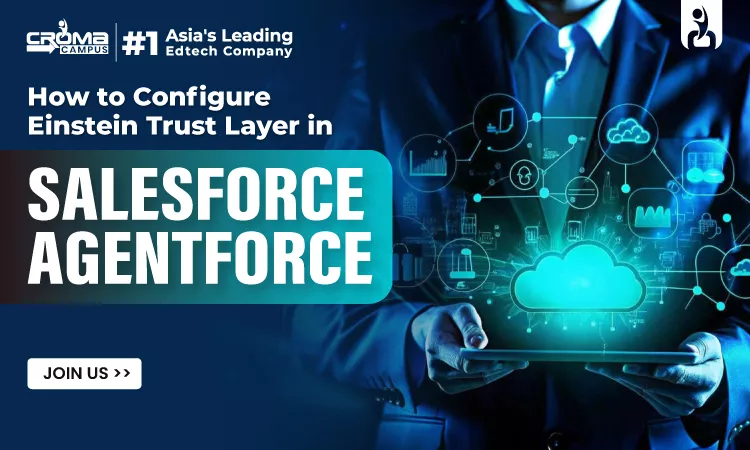
The use of AI in Salesforce not only brings new features and capabilities but also raises security issues. As you explore new technologies like large language models (LLMs), it’s important to keep your data safe from any potential risks. The Einstein Trust Layer gives protections for your data and your users as it pertains to connecting to LLMs. The Einstein Trust Layer, built within Agentforce, ensures that all interactions with artificial intelligence (AI) occur within security, privacy, and compliance considerations. This applies to every prompt you provide, every response we provide and every action we do. There is no specific product or add-on that can be purchased individually. This is the foundation of all Agentforce capabilities. To build a strong foundation in Salesforce and to enhance your skills in AI, join the Salesforce Training. Here in this blog we will help you in better understanding of Einstein Trust Layer and how to configure it in Salesforce Agentforce. Before that, let’s understand what Salesforce Agentforce is and why it needs the Einstein Trust Layer.
What is Salesforce Agentforce?
Agentforce is Salesforce’s platform for building autonomous AI agents. With Agentforce, agents can do more than simply respond to pre-written scripts. They may view the scenario, make decisions, execute multi-step workflows, and act immediately in Salesforce, such as updating a customer case, sending an email or issuing a reimbursement.
To understand in detail about Salesforce, join the Salesforce DevOps course. This course will help you in learning configuration and how to automate the testing with fast deployment.
Reasons Agentforce Needs Einstein Trust Layer
A Large Language Model, or LLM, is given information, called a “prompt,” from an AI agent that has to answer a question or make a judgment. Sending firm data out to an external LLM without any protection introduces huge risks:
Data Leakage: Your sensitive data may be kept or stored by the third-party LLM vendor.
Training Of AI Models: The LLM’s public models may use your company’s confidential customer data to learn.
Hallucinations: If the AI does not have access to true and accurate firm data, it may invent false facts.
Toxicity and Misinformation: Artificial intelligence can produce hate speech, bigotry, or damaging content.
All these problems are automatically solved with the Einstein Trust Layer. It’s a shield that intercepts all AI requests, sanitizes and redacts sensitive information, validates and logs everything for safety, and then sends the response.
What is the Einstein Trust Layer?
The Einstein Trust Layer is the security layer. It keeps enterprise and consumer data safe. It uses different gateways and methods to access data. This method ensures the safety of data while using Generative AI. It helps users in increasing AI capabilities. Users can enjoy automatic replies and sales predictions without compromising on security. It does so by integrating key data protection safeguards into the AI process.
Five Key Features of Einstein Trust Layers
No Data Retention
If an Agentforce agent receives a prompt with customer data, the data is used solely for the purpose of generating the answer for that contact. Data is not stored after the interaction, is not tracked by the LLM, and is not used to improve future model outputs. It confronts the number-one enterprise issue about AI: the worry that confidential customer data may be used to train models that competitors or other parties would ultimately benefit from. With the Einstein Trust Layer, that risk is designed out.
Complete auditability
All moves of an Agentforce agent are monitored and documented. In Salesforce, organizations can view the agent’s actions, the data it accessed, the prompt it generated, the response it received, and the action it performed. Human supervision is maintained at every stage. You can set agents to demand human approval for specific actions. All autonomous actions are logged in enough detail to reconstruct what happened and why.
Data Masking Automation
Before any cue is transmitted to a big language model, the Einstein Trust Layer pre-screens and conceals sensitive information. Sensitive fields such as personal IDs, financial data, health information and others are tokenized before leaving the Salesforce environment. The sensitive material is redacted in the prompt of the LLM. It works on the masked prompt. When the response comes back to Salesforce, the masked tokens are swapped out for the original values where needed and the complete response is shown to the agent or user.
Reliable Grounding
Agentforce agent answers are powered by Salesforce data—the organization’s own records, knowledge articles, data cloud and permitted content sources. Agents do not respond from general knowledge on the internet or unverified external information. This grounding assures the agent’s responses to customers and recommendations to employees are based on factual, up-to-date, organization-specific data—not on hallucinated or generic generated material. The agent knows what the organization knows and no more.
Designing Governance
Agentforce agents operate under Salesforce’s security and sharing model. They respect object-level security, field-level security, record sharing rules, permission sets, and profiles—the same constraints that define any other interaction with Salesforce data. The running user can only see records they have access to and the agent cannot override that. It cannot read a field that is protected by field-level security. It cannot do anything that the user's profile does not allow. The agent immediately inherits and enforces the whole Salesforce security model.
By joining the Salesforce Agentforce Course, you can learn in detail about the Einstein Trust Layers and become a master in this domain.
Step-by-Step Guide to Configure the Einstein Trust Layer
It does not require complex coding. It is directly managed from the Salesforce Setup menu. By following the step-by-step instructions, you can set up a customized trust layer for Agentforce.
| Steps | Process |
| STEP 1: Enable Einstein Generative AI in Salesforce | Before configuring the trust layer, you must turn on the Einstein setup in Salesforce. You can do it by simple login into Salesforce, click on the setup. Turn on Einstein. |
| STEP 2: Navigate to the Einstein Trust Layer settings | Once Einstein enabled the next step to access the Trust Layer configuration dashboard. In the Quick Find box, type Einstein Trust Layer. Click on the trust layer and then a dashboard appears. |
| STEP 3: Configure Data Masking Rules | The third step is configuring data masking. It is important to prevent sensitive customer information. Look for the data masking section. Then slide the toggle to On. Now select the patterns based entities, shield platform encryption. Last turn on masking for sensitive data. Then save it. |
| STEP 4: Setup Toxicity Detection | Now the next step is enabling Toxicity detection. Locate it from the trust layer page and select the action to take if toxicity is detected. |
| STEP 5: Allow AI to collect data on the audit trail: | With audit logging enabled, you can store request data either in Data Cloud or CRM Analytics. This lets you keep an eye on what your AI bots are doing. Scroll down to the Feedback and Audit Trail section. Turn it on to collect Einstein generative AI data. You can select to record just the questions or just the responses offered. |
Become a Salesforce business analyst by acquiring the knowledge of business and technology. Enrolling in the Salesforce Business Analyst Course, you can fill the gap between business and technology.
Common Mistakes Become the Cause of Weak AI
Without a data audit: Weak AI replies begin with weak input. If you don’t check the data. Incomplete account records, duplicate contact records, and irrelevant opportunity stages will be present in the agent’s summaries, drafts, and suggestions.
Not setting up the trust layer: Some teams turn on Einstein and start creating agents without verifying the trust layer configuration. When the agent touches client records, case notes, account history, or personally identifiable information, that creates a governance gap.
Early action overload: A first-version agent shouldn't have 20 actions. The agent can be more difficult to test, and lost with too many alternatives. Start with three to five well-defined activities, test them, and then build upon them once the initial use case is successful.
Writing ambiguous instructions: “Help users with sales tasks” is vague. The agent needs to be taught what to do, how to reply, and what to do if the request is not clear, or if it is outside its scope.
Afterthought agent user permissions: Record access regulated by agent’s specified user. Too limited a profile and the agent may not provide comprehensive replies. If secret information is given too much access, it could be leaked.
Not testing with real data: Testing in a sandbox with clean data can be useful, but it doesn’t offer you the entire picture. Agents react differently to account data, messy case descriptions, missing fields, and user questions. Test with actual circumstances in a production-like environment before a larger rollout.
You May also Read:
Salesforce Best Practices for Einstein Trust Layer
Some key recommended practices to consider while working with or analyzing the Einstein Trust Layer:
Test always in a sandbox First: Never turn Trust Layer rules on or change them directly in a live production environment. Always test your masking patterns and toxicity settings in a Developer Sandbox first.
Don’t Overmask Critical Context: Masking is important, but masking non-sensitive business keywords (e.g., product names or store locations that are publicly available) will confuse the AI in the prompt. Mask only the real Personal Identifiable Information (PII).
Custom Regular Expressions (Regex) for Industry Data: If your job is in healthcare or finance, the default phone/email masking could not catch specific formats like Medical Record Number (MRN) or Policy Number. Add custom regex patterns in Data Masking settings.
Check Audit Reports Frequently: Make sure you check your AI Audit screens once a week. Check for common problems in toxicity blocks or concealing faults that occur often to improve your Agentforce prompts.
Notify People About Sensitive Actions: If your Agentforce agents have to take a huge action such as returning a large sum of money, deleting account data, etc., they should acquire approval from a human manager beforehand.
Learn these practices and implement them in practical training under the Salesforce Developer Course. This course helps you in gaining hands-on experience and building the best portfolio.
Conclusion:
The Einstein Trust Layer is the foundation for making enterprise AI safe, legal and reliable. Through zero data retention, automatic data masking, trusted grounding, toxicity filtering and complete audit trails, Salesforce is empowering enterprises to develop with Agentforce without endangering their customers’ privacy.
If you’re a student or aspiring tech pro, learning the Trust Layer is one of the best skills you can develop today. As firms around the world rapidly expand their use of AI agents, administrators and developers who understand how to implement AI security, governance and privacy will be at the very forefront of the modern technology employment market.
FAQs
Q: What is the Einstein Trust Layer in Salesforce Agentforce?
Salesforce Agentforce's built-in security foundation ensures that all AI prompts, responses and actions fulfill enterprise data security, privacy and regulatory standards.
Q: What is the Data Masking process for sensitive data?
The Trust Layer automatically detects and tokenizes sensitive data such as PII, credit cards, and health information before activating an external Large Language Model (LLM). The tokens are safely swapped back into Salesforce after the LLM answers.
Q: Does third-party AI store or train on your company’s data?
The Einstein Trust Layer has minimal data retention. Customer data shared with external LLM suppliers is used exclusively to respond to you quickly and not stored or used for training public AI models.
Q: What is Agentforce Reliable Grounding?
Reliable Grounding is a new capability that prevents AI hallucinations by only using validated Salesforce records, knowledge articles, and Data Cloud sources and not unverified sources from the internet.
Subscribe For Free Demo
Free Demo for Corporate & Online Trainings.
Course Features
 Reals Life Practical & Case Studies
 Assignments
 Lifetime Access
 Expert Support
 Global Certification
 Job Portal Access
RELATED BLOGS
Salesforce Training With Agentforce: Learn CRM, Automation, And AI

How To Configure Einstein Trust Layer In Salesforce Agentforce

How To Write Bulkified Apex Code In Salesforce
How To Build And Deploy AI Agents With Salesforce Agentforce

What Is Salesforce Agentforce Used For? Interview Questions & Answers

Salesforce Agentforce Course For High-Paying CRM Jobs | Step By Step Guide

What Is Salesforce Storefront Next?
What Is Salesforce Multi-Agent Orchestration? The Biggest Feature Of 2026

What Is Salesforce Data Cloud? Why It's The Most In-Demand Skill Of 2026?
What Are Salesforce Lightning Web Components (LWC)?

What Can Salesforce & Agentforce Sales Agent Actually Do For Sales Teams?

 +91-828 706 0032
 +1 (782) 819-0044






 Interested in Course?




.webp)
.webp)

.png)


