
How SAP Modules Integrate In Real Business Operations?
4.9 out of 5 based on 16457 votesLast updated on 17th Apr 2026 28.6K Views

- Bookmark

Discover how SAP modules seamlessly integrate to streamline real business operations, improve efficiency, and enable data-driven decision-making across departments.
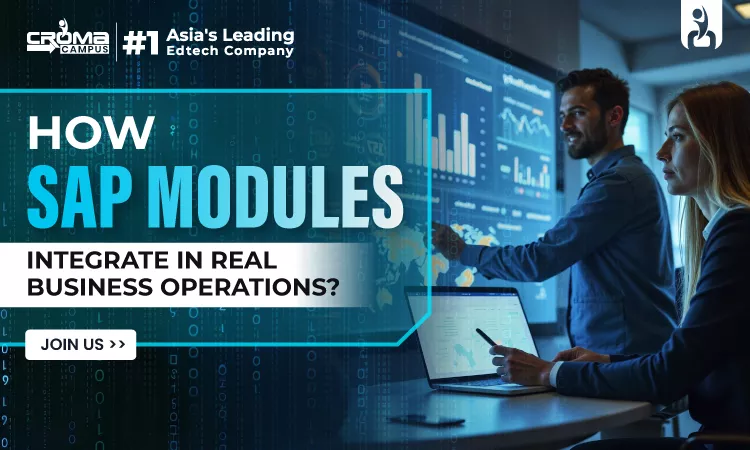
SAP works like one connected system where all modules share data and react to each other. Nothing stays limited to one area. When one activity happens, it affects multiple modules at the same time. This is how businesses keep everything aligned without repeating work. Understanding this flow is a key part of SAP FI Training, where financial entries are not typed manually but created automatically from business actions.
In SAP, a common database and system rules are used for integration. All modules read and write data from a single source of information, thus maintaining data consistency in the system. When a transaction is saved in the system, configurations such as account determination, pricing, and taxes are checked before data is passed on. This ensures that each department in the organization is working with consistent information.
This helps in understanding how data is controlled in SAP ABAP Training as one can learn how a simple change in system configurations can affect more than one module in the system.
What Integration Really Means in SAP
This means that all modules within SAP will be working on a single set of data, and they will be working on that data in a predetermined sequence. This means that once data has been inputted, the system will handle the processing, and then it will be sent to other modules.
- The data will be inputted once
- The system will validate and process the data
- The data will be sent to other modules at once
- There will be no repetition of data input
- The updates will be done in real time
- The financial impact will be recorded at once
- The errors will be controlled through system rules
- The data will be consistent in all modules
- The next process will be triggered with every action
Types of Data in SAP
Data Type | Meaning | Usage |
Master Data | Long-term data | Customer, Vendor, Material |
Transaction Data | Daily activity data | Orders, Invoices |
Configuration Data | System rules | Pricing, Taxes |
Each type of data supports integration. If one is wrong, the whole flow gets affected.
How Data Moves Step by Step?
SAP has a fixed process for every step in a process. Each step is linked in a manner that is governed by rules, and nothing happens in a random manner in SAP. Once a transaction is initiated, the system takes care of executing the entire process step by step, with no delays in passing on the data to other modules.
- Data gets created
- System checks rules
- Other modules get triggered
- Financial impact is recorded
- Data gets updated in the system
- Reports get updated instantly
- Errors are controlled
- The entire process happens in real time
People learning SAP ABAP Training understand how this movement works at the backend and how it can be controlled using logic and enhancements.
Main SAP Modules and Their Role:
SAP modules are built for different functions, but they depend on each other.
Module | Role | Connected With |
FI | Finance | All modules |
MM | Materials | FI, SD |
SD | Sales | FI, MM |
HCM | Employees | FI |
SuccessFactors | Cloud HR | HCM, FI |
No module works alone. Each one sends and receives data continuously.
Finance Integration (FI as Core)
The FI acts as a center point for SAP. All activities in SAP terminate in this module, as any activity has a financial consequence. The system will automatically record a journal entry according to business activities, which helps in keeping data accurate and updated at any given time.
Key Points
- Automatic postings
- No manual accounting
- Real-time updates
- All modules are connected to FI
- Financial impact is recorded instantly
How It Works
Activity | FI Impact |
Purchase | Expense recorded |
Sale | Revenue recorded |
Salary | Payroll entry |
This level of automation is deeply covered in SAP FI Training, where users learn how system settings control every financial entry.
Material and Inventory Integration
All activities related to materials are managed by MM. It controls how materials are purchased, stored, and monitored within the system. All movements of materials are recorded and related to financial data. Thus, the stock of materials and the stock value are kept up to date.
What Happens in MM
- Purchase of goods
- Storage of materials
- Updates of stock
- Real-time tracking of inventory
- Value of materials kept up to date
Integration Flow
- Goods receipt → Inventory is increased
- Goods issue → Inventory is decreased
- Each movement → Financial entry is created
- Stock value is updated automatically
- Data is shared with FI and SD modules
Movement Type | System Impact |
Goods Receipt | Stock + Value decrease |
Goods Issue | Stock + Value decrease |
Everything is linked. Inventory is not just quantity. It also affects money.
Sales and Billing Integration:
SD handles the sales process. This includes the way orders are generated, processed, and converted into sales revenue. All these processes are linked to the other modules, ensuring that the data is processed automatically.
Steps in SD
- Sales order
- Delivery
- Billing
- Order information is shared with MM for stock
- Customer information is linked with FI
What Happens During Billing
- Invoice is generated
- Customer account is updated
- Financial entry is posted
- Revenue is recorded automatically
- Data is reflected immediately in reports
SD Activity | FI Impact |
Billing | Revenue entry |
Payment | Customer balance cleared |
People doing SAP SD Course learn how pricing and billing directly affect financial data.
HR and Payroll Integration
HCM manages employee-related processes.
Key Areas
- Employee data
- Payroll
- Organizational structure
This is covered in SAP HCM Course, where learners understand how HR actions affect financial systems.
Cloud HR Integration
SuccessFactors works as a cloud system connected with SAP.
Integration Points
- Employee hiring
- Data updates
- Organizational changes
Professionals learning SuccessFactors Training understand how cloud systems sync with SAP.
Technical Layer Behind Integration
SAP integration is controlled by backend components. Modern companies need real-time integration between systems. This is also covered in SAP SuccessFactors Training in Noida, where learners focus on handling live data flow between cloud and core SAP systems.
Key Technical Elements
- LUW (Logical Unit of Work)
- Update tasks
- RFC (Remote Function Calls)
- IDocs
What They Do
Component | Purpose |
LUW | Controls transaction flow |
RFC | Connects systems |
IDoc | Transfers data |
Update Task | Processes data in background |
These ensure smooth and safe data movement. Developers learn this deeply in SAP ABAP Training, where they control and extend integration logic.
Process-Based Integration
SAP works based on processes, not modules. In advanced setups, SAP SuccessFactors Training in Noida also covers how data consistency is maintained when multiple systems update employee records at the same time.
Main Business Processes
- Procure to Pay
- Order to Cash
- Hire to Retire
Understanding processes gives a complete view of integration.
Real-Time Processing
SAP is a real-time processing system. When a transaction is completed, SAP immediately processes it. This ensures that data is consistent and eliminates the need for any follow-ups.
What Happens
- Data is updated immediately
- Financial impact is recorded
- Reports are refreshed
- Data is visible across modules
- There is no delay in processing
Benefits
- Faster decisions
- Accurate data
- Better control
- Less manual work
- Real-time visibility
Common Integration Challenges
Even a good system will face problems if data or configuration is not correct. All modules are integrated, so a small mistake in a particular area will reflect on the entire process.
Common Problems
- Master data incorrect
- Configuration missing
- Posting errors
- Data mismatch
- Incomplete transactions
- Delay in data update
- Account determination incorrect
- Integration breaks in modules
How SAP Handles Errors?
SAP has inbuilt tools to track and resolve problems in the system. The fact that all processes are interconnected means that it can track and identify where the problem occurred.
Methods
- Error logs
- Monitoring tools
- Workflow approvals
- Transaction tracking
- System alerts
- Reprocessing options
This ensures that the root cause of the problem is identified and the process continues.
Importance of Master Data
Master data is the foundation of integration. It is used by all modules and is involved in every transaction. It is therefore very important that master data is accurate.
Why It Matters
- Used by all modules
- Used in every transaction
- Used in reports
- Maintains data consistency
- Reduces errors in processing
- Supports real-time integration
Master Data Type | Usage |
Customer | Sales |
Vendor | Purchase |
Material | Inventory |
If the master data is wrong, everything fails.
Customization and Enhancements:
SAP allows changes based on business needs.
Tools Used
- User exits
- BADIs
- Enhancements
Purpose
- Add new fields
- Change logic
- Integrate external systems
This is a key part of advanced SAP ABAP Training, where developers improve standard processes.
Deep Integration Between Sales and Finance
Sales is directly linked to finance.
Flow
- Sales order created
- Delivery processed
- Billing done
- Financial entry posted
Professionals doing SAP SD Course understand how even small pricing changes affect financial results.
HR and Finance Link
Employee data affects company cost.
Examples
- Salary → Expense
- Bonus → Additional cost
- Leave → Payroll adjustment
This is why SAP HCM Course focuses on financial integration as well.
Cloud and Hybrid Systems
Modern SAP systems use both cloud and on-premise setups.
Integration Methods
- APIs
- Middleware
- Real-time sync
This is where SuccessFactors Training becomes important for understanding real-world system connections.
Data Control and Rules
SAP uses rules to manage data flow.
Key Controls
- Validation rules
- Posting rules
- Account determination
These decide how data behaves inside the system.
Performance and System Load
SAP handles large data volumes.
How It Manages
- Background jobs
- Batch processing
- Optimized database
Result
- Fast system
- Stable performance
Monitoring and Control
SAP provides tracking tools.
What You Can Monitor
- Transactions
- Errors
- Performance
This helps maintain smooth operations.
Key Takeaways
- SAP modules are fully connected
- Data is entered once and used everywhere
- FI records all financial impact
- MM and SD drive business transactions
- HCM and SuccessFactors manage employee data
- Integration works in real time
- Master data is critical
- Technical tools control data flow
- Customization improves system use
- Cloud integration is now standard
Sum up,
SAP integration is what makes business operations smooth and connected. Every action in one module affects another without manual effort. This reduces errors and saves time. The system ensures that financial, sales, inventory, and employee data stay aligned. Understanding how modules work together helps in solving problems and improving processes. As systems grow and move to cloud environments, integration becomes more important. Learning SAP Training with a focus on integration gives a clear understanding of how real businesses operate and how data controls every function inside an organization.
Subscribe For Free Demo
Free Demo for Corporate & Online Trainings.
Course Features
 Reals Life Practical & Case Studies
 Assignments
 Lifetime Access
 Expert Support
 Global Certification
 Job Portal Access
RELATED BLOGS
What Is SAP RPT-1? Architecture, Integration & What Developers Must Know
SAP FICO Fundamentals: A Practical Guide To Financial Management

What Is Joule In SAP SuccessFactors And How Does It Work?
How SAP SuccessFactors OData APIs Power Enterprise HR Integrations
How Does SAP FICO Support ESG And Sustainability Reporting?
.webp)
How Does SAP API Management Expose SAP CPI Integration Flows As APIs?
How To Implement Role Based Permissions In SAP SuccessFactors?
What Is SAP CPI? A Step-by-Step Guide
How To Customize Purchase Order Processing In SAP MM?
Is SAP Basis Certification Worth It In 2026? Benefits, Career Scope & Salar..

SAP Business Data Cloud 2026 - What It Is, Why It Matters & How To Learn It..
 +91-828 706 0032
 +1 (782) 819-0044






 Interested in Course?




.webp)
.webp)

.png)


