
How Is Joule AI Changing Integration Development In SAP Cloud Integration?
4.9 out of 5 based on 17456 votesLast updated on 17th Nov 2026 16456K Views

- Bookmark

Explore how Joule AI enhances SAP Cloud Integration with intelligent automation, simplified development, faster workflows, and improved integration efficiency.
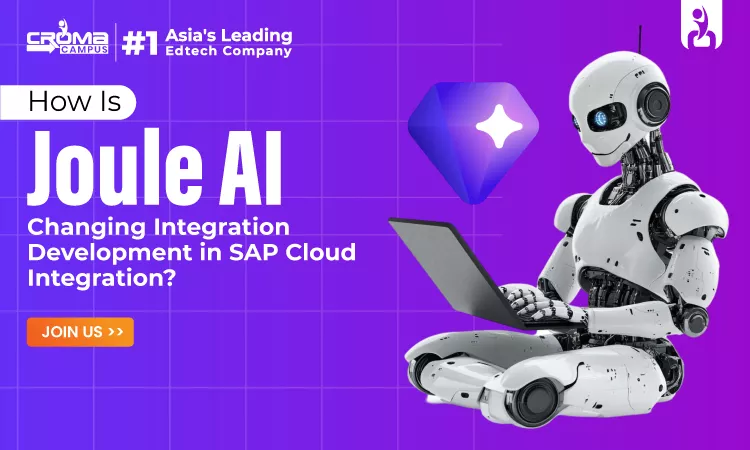
SAP Cloud Integration is the service provided by SAP which allows connecting different apps and exchanging data between systems in a safe way. Flows created by developers transfer data from one system to another. Each flow requires the use of specific adapters, field mapping, and scripts. In case of a failed message, the developer should also investigate the issue and fix it. The new AI assistant of SAP, called Joule, can assist the developer in doing these operations.
You can ask it various questions and get instant suggestions or draft solutions. If you intend to attend an SAP CPI Course, this innovation is important for you because it reflects the way modern developers work. However, AI is only meant to assist the developer, not replace them. Every AI recommendation must be reviewed, tested, and passed through standard deployment controls.
This guide outlines:
- What role AI plays at every stage of integration
- How it assists with mapping, scripting, and error handling
- Which tasks you need to handle manually
What Joule AI Brings to SAP Cloud Integration
Joule is an AI assistant from SAP Course designed for the company’s solutions. It enables customers to discover information and complete their actions in one interface. For integration specialists, it operates within the development environment. It does not exist as an independent tool.
A chat assistant and a development solution are two different things. You can see the difference in the table below.
| Point | Chat assistant | Development feature |
| Main job | Answers questions | Helps build or change a flow |
| Where it works | Chat window | Design workspace |
| Output | Text advice | Draft mapping, script, or setup |
Why do developers use AI assistance?
- It gives quick first drafts of mappings and scripts.
- It explains old flows and errors in plain words.
- It keeps names and structure more consistent.
Features differ by system, licence, and release. Always check what your own tenant supports.
The AI-Assisted Integration Workflow
Start with the big picture. The work follows one clear path.
Requirement → AI Assistance → Developer review → Setup → Testing → Deployment
Here is what happens at each step:
- Requirement: Define the sender, receiver, data format, and business rules in plain language.
- AI Assistance: Prompt Joule to generate a flow design, field mapping, or script.
- Review: Compare every suggestion with the original requirement.
- Setup: Develop the flow with adapters, steps, and connections.
- Testing: Test with correct and incorrect messages. Roll out after successful testing.
The table compares the old way with the new way.
| Task | Old way | With AI help |
| Requirements | Read long documents | Get a draft summary |
| Mapping | Match fields one by one | Review suggested matches |
| Scripting | Write from scratch | Edit a first draft |
| Errors | Read logs alone | Check suggested causes |
The developer stays in control at every step. The exact flow depends on which Joule features your system offers. A good SAP CPI Course teaches the full cycle, because AI supports only one part of it.
Building Integration Flows With AI Assistance
AI can help you turn a business need into a clear design. Start with a simple request, like sending approved orders to another system. The assistant can then help you list the main parts:
- Sender: the system that creates the message, and how it sends data.
- Receiver: the app that accepts the message, and the format it expects.
- Processing steps: the mapping, routing, and filtering between the two.
For example, you might write: "Send approved orders to the fulfilment system when the status changes." A good answer names the trigger, the message format, the mapping, and the error handling. You then decide what to keep, change, or drop.
Where supported, the assistant may also set up parts of the flow. Always review this setup before use. One wrong setting can stop messages from arriving. Many learners who join SAP CPI Training in Hyderabad practise this exact skill. They turn written needs into working flows.
Making Data Mapping and Transformation Easier
The process of mapping is frequently the most time-consuming phase of the task. There must be a thorough review of each column in the field. AI can be useful in four different ways:
- First, it provides the meaning of the source and target fields.
- Second, it makes a suggestion about field mapping based on its name and type.
- Third, it detects format differences such as date, number, or unit formatting.
- Finally, it generates basic mappings such as combining two fields into one.
Here is a small order example.
| Source field | Target field | What to check |
| Order No | Sales Order ID | Length and prefix |
| Order Date (DD-MM-YYYY) | Created On (YYYY-MM-DD) | Date format |
| Cust Name | Customer Name | Extra spaces and letter case |
| Qty | Quantity | Unit of measure |
Format gaps cause many silent failures. Check dates, currency, and decimals early. AI cannot guess every mapping correctly. A field named Status may mean different things in each system. Always test each mapping against real business rules.
Using Joule AI to Work With Integration Scripts
Scripts handle tasks that standard steps cannot. Groovy is the common choice. Treat AI output as a draft, never as a final answer.
- Create or edit: Ask for a script, then adjust it yourself.
- Explain: Paste code you do not know and ask what it does.
- Find errors: Ask it to spot null values and missing checks.
Here is a tiny script that adds a prefix to an order number:
Even this small script needs tests. Try empty bodies, missing fields, and odd characters. Review AI code as you would review a coworker's code.
| Review area | Question to ask |
| Correctness | Does it produce the desired output? |
| Security | Does it log sensitive information or accept harmful input? |
| Upkeep | Are names clear? Are there comments and checks? |
| Testing | Does it run correctly on typical and unusual input? |
AI cannot fix every script on its own. Keep your Groovy skills sharp.
Connecting SAP Business Processes Through Integration
Business processes rarely live in one system. Take a sales order. It starts when a customer places an order. Anyone familiar with an SAP SD Course knows the core data involved. It includes customer details, items, prices, quantities, and delivery dates. An integration flow must carry this data to every system that needs it.
| Step | System | Data moved |
| Order created | Sales system | Customer details, items and their prices |
| Stock check | Inventory system | Available quantity |
| Delivery request | Fulfilment application | Address and items |
| Status update | Sales system | Shipping confirmation |
Without integration, teams retype data by hand. This causes delays and costly mistakes. Integration also keeps data consistent, because every system gets the same approved facts. Good flows also retry failed messages. So a short network problem does not lose a customer order.
Handling Errors, Testing, and Troubleshooting
Failing messages occur quite often. Getting to know what the problem is will save you time. Here are the ways the AI technology can be applied in such cases:
- It interprets the meaning of the error message or log line into plain language.
- It provides the possible reasons, including the incorrect endpoint, missing fields or login expiration.
- It evaluates the mapping and configuration that have possibly gone wrong.
- It generates test cases for both expected and unexpected input values.
Here are sample tests for an order flow.
| Test input | Expected result |
| Valid order | Order processed and delivered |
| Missing customer number | Rejected due to an error |
| Negative quantity | Rejected and recorded |
| Empty message | Rejected without crashing |
A suggested cause is only a guess until you prove it.
| Suggesting a cause | Proving the cause |
| Uses error text and common patterns | Relies on logs, payloads, and systems proof |
| Fast starting point | More reliable, but slower |
| Can be wrong | Proof through validation of the solution |
Always test every fix with real-looking messages before you deploy.
A Practical Example of an AI-Assisted SAP Integration
Let us follow one case. A sales order moves from a sales system to a fulfilment app.
- Find the needs: The order sender supplies order details. The fulfilment application requires a specific format.
- Design the flow: Insert a sender adapter, the mapping stage, and a receiver adapter.
- Use AI help: When applicable, draft the field mapping and a mini-script.
- Check the fields: Evaluate each order field and requirement according to the established requirements.
- Test: Test with legitimate orders and some invalid orders, such as missing customer ID.
- Fix and retest: Analyze the errors from the log files, debug, and test again before implementation.
The example also uses material data. This includes material numbers, stock levels, and units. People who complete an SAP MM Course know why a wrong material code stops fulfilment. So the flow should check these values before passing the order on. AI helps with single steps. The developer owns every key decision.
What Developers Still Need to Check
AI can cut some manual work. But developers stay responsible for correct results and safe operation.
| Area | What to verify |
| AI output | Check for errors and missing pieces |
| Business rules | Get clarification on ambiguous rules from business owners |
| Security | Review logins, permissions, and personal information |
| Scripts | Look for unsafe code and hard-to-read code |
| Release | Complete testing, monitoring, and official release |
| Availability | Verify what capabilities your software has |
Never paste real customer data or passwords into an AI prompt without approval. Use a simple rule. If you cannot explain a suggestion, do not deploy it. Treat every AI answer as a first draft that needs your judgment.
You May Also Read:
How Integration Development Skills Are Evolving
The developer's job is shifting. Less time goes to typing every step by hand. More time goes to reviewing and checking.
| Earlier focus | Growing focus |
| Writing every step by hand | Reviewing AI suggestions |
| Manual field mapping | Checking business logic |
| Reading logs alone | Faster, proof-based fixes |
| Building a flow once | Keeping flows reliable |
The team also needs to have good practices. This includes peer review, versioning, and documentation of AI-based changes. Basic knowledge is also important. Adapter, messaging, data mappings, API, Groovy, Security, and monitoring are the basics for good coding. An effective SAP CPI Course should cover these basics with proper knowledge of AI-based tools.
Related Module:
Conclusion:
This guide has covered how Joule AI aids SAP Cloud Integration throughout the various steps of workflow design, field mapping, script creation, and error checking. Even as AI decreases the burden on developers, our demonstrations and checklists clearly indicate the importance of ensuring business logic is intact, data remains secure, and all changes are tested. As the nature of integrations becomes more complex, the need to understand both the technical basics and the new capabilities offered by AI will continue to be crucial.
Subscribe For Free Demo
Free Demo for Corporate & Online Trainings.
Course Features
 Reals Life Practical & Case Studies
 Assignments
 Lifetime Access
 Expert Support
 Global Certification
 Job Portal Access
RELATED BLOGS

How Is Joule AI Changing Integration Development In SAP Cloud Integration?

SAP BASIS Certification Guide: Skills, Benefits, And Career Opportunities
Explain SAP PP Internals: BOM, Routing, And MRP Logic

Top SAP BTP Interview Questions And Answers

What Makes SAP SuccessFactors Important For Modern HR Teams?
What Is SAP RPT-1? Architecture, Integration & What Developers Must Know
SAP FICO Fundamentals: A Practical Guide To Financial Management

What Is Joule In SAP SuccessFactors And How Does It Work?

How SAP SuccessFactors OData APIs Power Enterprise HR Integrations
How Does SAP FICO Support ESG And Sustainability Reporting?
How Does SAP API Management Expose SAP CPI Integration Flows As APIs?
 +91-828 706 0032
 +1 (782) 819-0044






 Interested in Course?




.webp)
.webp)

.png)


