







whatsapppopupnewiconGUIDE ME

Power Automate Course in Pune – Master Workflow Automation, Business Process Optimization, and Microsoft Power Platform Tools.

4.8 out of 5 based on 36896 votes
google4.2/5
Sulekha4.8/5
Urbonpro4.6/5
Just Dial4.3/5
Fb4.5/5

In collaboration with

400+

Corp. Tie-Ups

Online/Offline

Format

LMS

Life Time Access

Book A Free Counselling Session

we train you to get hired.

bag-box-form
Request more information_

  • Automation is increasingly being implemented by companies to minimize manual effort and save time. For this reason, many students as well as working professionals are enrolling for a Power Automate Training in Pune to gain knowledge about automation in actual business scenarios. Currently, organizations need professionals who can build workflows, integrate business apps, manage approvals, notifications and eliminate repetitive efforts without much coding.
  • An effective Power Automate Course in Pune allows trainees to get a hold of automation in relation to Microsoft products, cloud services, databases, emails and other third party software. The training begins with the basics in order to make it easier for novices to understand the concept of workflows. With the progress of the training program, trainees work on actual projects that are used in HR, finance, operations, support, and reporting departments.
  • The students are taught how to -
    • Generate workflows for various business tasks automatically.

      Integrate applications, documents, email, and cloud applications.

      Eliminate repetitive activities and manual data entry.

      Develop workflows for approvals and automatic notifications.

      Handle dashboards, forms, and cloud connectors.

      Automate processes in a real-world office environment.

      Learn about the benefits of automation on productivity.

  • Several institutes that offer Power Automate Online Course in Pune also provide flexible courses for students, freshers, and professionals. Through live projects, lab sessions, and interview preparation, students become confident before they join their respective organizations.

Power Automate Course in Pune

About-Us-Course

  • The primary objective of Power Automate Training in Pune is to make learners aware of modern workflow automation within organizations. The course emphasizes practical training rather than theoretical concepts. Learners get acquainted with automation techniques to perform business activities with Microsoft Power Platform and its cloud technologies.
  • The course enables learners to:
    • Create their own automated workflows.

      Develop approval flows for teams and managers.

      Integrate Microsoft 365 applications with business applications.

      Automate email and reminder processes.

      Process documents and manage file transfers.

      Implement automation with Excel, SharePoint, Teams, and Outlook.

      Get introduced to cloud workflow management.

      Minimize errors with automation techniques.

      Develop problem-solving skills using automation.

      Get ready for automation-based technical interview sessions.

  • The course structure of Power Automate in Pune makes it suitable for beginners as well as professionals. It also covers business logic, workflow conditions, triggers, scheduling, and process monitoring in simple terms.

  • One of the biggest advantages of joining a Power Automate Course in Pune is the practical learning environment. Students spend more time building workflows than reading theory. Most institutes focus on business-based scenarios so learners understand how companies actually use automation.
    • Workflow Practice - Develop automation workflows for day-to-day activities in an organization.

      Cloud Integration - Integrate your Microsoft products with other applications effortlessly.

      Live Projects - Gain experience in office automation projects and business workflows.

      Practical Lab Sessions - Daily lab sessions to improve practical knowledge.

      Flexible Training - Classes can be attended on weekends, weekdays, or online.

      Career Assistance - Guidance for resume building, interview preparation, and placements.

      Deployment - Understand the process of deploying your workflows to the cloud.

  • Students in a Power Automate Online Course in Pune usually work on:
    • Leave approval workflows.

      Invoice processing systems.

      Email notification automation.

      Employee onboarding processes.

      File synchronization automation.

      Data collection and reporting systems.

      Task scheduling and reminders.

  • Advanced labs also explain:
    • API connections.

      Conditional workflows.

      Cloud flows and desktop flows.

      Error handling techniques.

      Automated testing basics.

      Security and access management.

  • Many institutes also conduct mock interviews, assignment reviews, and project discussions to prepare students for real job environments.

  • A Power Automate Training in Pune is open to learners from different educational and professional backgrounds. No advanced coding knowledge is required to start learning automation. Since Power Automate works with low-code technology, beginners can learn it step by step.
  • The course is suitable for:
    • Freshers looking for IT skills.

      Graduates from any stream.

      Working professionals.

      Office employees handling repetitive tasks.

      Business analysts and support teams.

      Developers wanting automation knowledge.

      Non-technical learners interested in cloud tools.

  • Basic computer knowledge is enough to start a Power Automate Course in Pune. Most institutes begin with introductory modules before moving into advanced automation concepts.
  • Learners also get:
    • Beginner-friendly practice sessions.

      Extra doubt-clearing classes.

      Step-by-step workflow building guidance.

      Support for non-technical students.

      Flexible class timing options.

      Recorded sessions for revision.

  • Working professionals usually prefer a Power Automate Online Course in Pune because it allows learning from home without affecting office schedules.

  • Automation has become important across almost every industry. Companies want faster operations with fewer manual tasks. Because of this, professionals with workflow automation skills are now in high demand.
  • After completing a Power Automate Training in Pune, learners can work in:
    • IT services companies.

      Banking and finance organizations.

      Healthcare management firms.

      Retail and e-commerce companies.

      Logistics and operations teams.

      HR and administration departments.

      Cloud and automation support roles.

  • The demand for automation professionals is growing because businesses now depend on digital systems for daily work management. A Power Automate Course in Pune opens opportunities in both technical and non-technical roles.
  • Common job profiles include:
    • Power Automate Developer.

      Workflow Automation Executive.

      RPA Support Associate.

      Automation Analyst.

      Process Automation Engineer.

      Microsoft Power Platform Associate.

      Business Automation Consultant.

  • Many learners also use Power Automate Online Course in Pune skills in freelance projects, internal company automation work, or process optimization tasks.

  • The modules in a Power Automate Course in Pune are designed to cover beginner-level to advanced-level workflow automation. Every module includes practical implementation and project work.
  • Module 1: Introduction to Power Platform
    • Understanding Microsoft Power Platform.

      Basics of workflow automation.

      Types of automation flows.

      Navigation and dashboard overview.

  • Module 2: Cloud Flows
    • Automated workflows.

      Scheduled workflows.

      Instant triggers.

      Email automation.

      Notifications and approvals.

  • Module 3: Desktop Flows
    • Desktop automation basics.

      File and folder automation.

      Screen recording automation.

      Repetitive task handling.

  • Module 4: Connectors and Integrations
    • SharePoint integration.

      Outlook and Team Automation.

      Excel workflow management.

      Third-party app connections.

      API-based integrations.

  • Module 5: Business Process Automation
    • Approval workflows.

      Employee onboarding systems.

      Invoice automation.

      Document handling workflows.

      Reporting automation.

  • Module 6: Advanced Automation
    • Conditions and loops.

      Variables and expressions.

      Error handling.

      Workflow optimization.

      Security permissions.

  • Module 7: Deployment and Projects
    • Publishing workflows.

      Team collaboration.

      Real-time projects.

      Testing and troubleshooting.

      Final capstone project.

  • Every Power Automate Online Course in Pune generally includes assignments, mini-projects, and workflow-building practice after each module.

  • Most institutes offering Power Automate Training in Pune provide course completion certificates after training. These certificates help learners during job applications and technical interviews.
  • Some institutes also prepare students for:
    • Microsoft Power Platform certifications.

      Workflow automation assessments.

      Cloud automation skill tests.

      Microsoft-based technical evaluations.

  • Certification preparation usually includes:
    • Practice assignments.

      Mock tests.

      Scenario-based questions.

      Real workflow building tasks.

      Interview-focused discussions.

  • A certified learner from a Power Automate Course in Pune often gets better chances during hiring because companies prefer candidates with practical automation knowledge.

  • Freshers completing a Power Automate Training in Pune can find opportunities in automation support, workflow management, and cloud operations. Salary depends on skills, project knowledge, certifications, and interview performance.
  • Average starting salary range:
    • 3 lakh to 7 lakh per year for freshers.

      Higher packages for candidates with strong project portfolios.

      Better opportunities for learners with cloud and Microsoft tool knowledge.

  • Factors affecting salary:
    • Hands-on project experience.

      Knowledge of integrations and APIs.

      Certification performance.

      Communication and problem-solving skills.

      Understanding of business automation.

  • Students completing a Power Automate Online Course in Pune with live projects and workflow deployment experience usually perform better during interviews.

  • Automation is a long-term career field because companies continuously improve their digital processes. After completing a Power Automate Course in Pune, learners can move into different technical and management roles over time.
  • Career growth areas include:
    • Automation engineering.

      Business process management.

      Cloud workflow administration.

      RPA development.

      Microsoft Power Platform consulting.

      Technical support leadership.

      Automation architecture roles.

  • With experience, professionals can become:
    • Senior Automation Developer.

      Workflow Consultant.

      Automation Team Lead.

      Process Improvement Specialist.

      Cloud Automation Engineer.

      Solution Architect.

  • Many learners also combine Power Automate Training in Pune with cloud platforms, data tools, or reporting systems to expand their career options further.

  • Pune has become a major learning center for cloud and automation technologies. Institutes providing Power Automate Training in Pune focus heavily on practical skills and job preparation.
  • Benefits of choosing training in Pune:
    • Industry-focused practical training.

      Access to experienced trainers.

      Real-time workflow projects.

      Interview preparation sessions.

      Placement guidance support.

      Flexible online and offline batches.

      Strong learning environment for freshers.

  • Most Power Automate Online Course in Pune programs also provide:
    • Recorded class access.

      Live project mentoring.

      Resume preparation help.

      LinkedIn profile guidance.

      Technical doubt sessions.

      Practice assignments.

      Career counseling support.

  • Students benefit from hands-on workflow building instead of only theoretical teaching. This improves confidence and helps learners handle real business tasks after training.

  • The learning process in a Power Automate Online Course in Pune is usually simple and practical. Trainers explain concepts using real office-related examples so students can understand where automation is used in daily work.
    • Live demonstrations.

      Step-by-step workflow creation.

      Daily practice tasks.

      Group activities.

      Mini automation projects.

      Real business scenarios.

      Troubleshooting sessions.

  • Students also learn how to:
    • Identify manual processes suitable for automation.

      Improve workflow performance.

      Reduce operational delays.

      Handle workflow failures.

      Monitor automated processes.

  • The focus stays on practical understanding so learners can apply automation skills directly in jobs.

  • Organizations today want employees who can reduce manual work and improve efficiency. Because of this, professionals with automation skills are getting strong job opportunities across industries.
  • A Power Automate Training in Pune helps learners build skills useful in:
    • Process automation.

      Reporting systems.

      Business operations.

      HR workflow management.

      Cloud-based task handling.

      Customer support automation.

      Internal approval systems.

  • Companies prefer automation because it:
    • Saves employee time.

      Reduces human mistakes.

      Improves workflow tracking.

      Speeds up approvals.

      Simplifies reporting.

      Improves team productivity.

  • This increasing industry demand is one reason why many learners now prefer a Power Automate Course in Pune for career growth and skill improvement.

Why Should You Learn Power Automation?

Not just learning

we train you to get hired.

bag-box-form
Request more information

By registering here, I agree to Croma Campus Terms & Conditions and Privacy Policy

CURRICULUM & PROJECTS

Microsoft Power Automate Training Program

    What is power automate 

    What, when, where RPA

    Why Power Automate

    Power Automate Installation 

    Power Automate Console Overview 

Get full course syllabus in your inbox

    What are the variables  

    Different types of variables 

    Create, edit and use variables

    Manipulation of variables

Get full course syllabus in your inbox

    Read, Write into Excel files

    How to read and write in a cell

    Find and Replace Cells in Excel

    Rename Excel worksheet

    Delete Excel Worksheet 

    Insert and delete the row from excel 

    Insert and delete the column from excel 

    How to filter the data

    How to use excel as data table

Get full course syllabus in your inbox

    Introduction to selectors

    Importance of selectors

    How to edit the selectors

    How to make selectors dynamic

Get full course syllabus in your inbox

    Desktop Applications Automation using flow Action

    Desktop Applications using the Power Recorder 

    Exercise – Use the flow action to automate desktop applications

    Exercise – Use the desktop recorder to record desktop actions

Get full course syllabus in your inbox

     Web Applications Automation using Flow Actions 

    Web Applications using the Power Recorder

    Exercise – Use the flow action to automate Web applications

    Exercise – Use the desktop recorder to record Web actions

Get full course syllabus in your inbox

    Introduction to Email Automation

    How to connect to MS Outlook  

    How to send the email  

    How to receive the email  

    How to send and download attachment

Get full course syllabus in your inbox

    Introduction to database Automation

    How to configure DB with Power Automate

    Database CRUD operations 

Get full course syllabus in your inbox

    Introduction to API Automation

    Invoke web services

    DB with Power Automate 

    Convert JSON to the custom object 

    Fetch the data from JSON array

Get full course syllabus in your inbox

    Data scraping concept 

    How to extract content and data from a website

    Exercise – Data scrapping on Amazon and cowin websites

Get full course syllabus in your inbox

    What are exceptions/errors 

    Types of errors/exceptions  

    How to handle exceptions

Get full course syllabus in your inbox

    Learn how to use different AI builder to enhance your processes 

    Create your first model 

    How to train the AI Builder model

    Exercise – How to extract the data from the PDF documents using AI builder

Get full course syllabus in your inbox

    What is the DLP policies

    Where to use DLP policies

    How to apply DLP policies to specific environment

Get full course syllabus in your inbox

    What is the importance of framework

    How to build the framework

    How to implement the projects into the framework

Get full course syllabus in your inbox

    How to generate the automation steps for the automation problem using Copilot AI.

    How to generate the vb/c# code for the automation problem using the Copilot AI.

Get full course syllabus in your inbox

    Learn how to use different AI builder to enhance your processes 

    Create your first model 

    How to train the AI Builder model

    Exercise – How to extract the data from the PDF documents using AI builder

    During the course you will learn to create the below AI Models

    Invoice Processing

    Text Recognizer

    Identity Document Reader

    Sentiment Analysis

    Language Detection

    Key Phrase Extraction

    Document Processing

    Category Classification

    Entity Extraction

    Receipt Processing

    Object Detection

Get full course syllabus in your inbox

    Load data into Queue   

    Get data from Queue   

    Delete Queue Items  

    How to set Queue item status  

    Bulk add queue items

Get full course syllabus in your inbox

    How to schedule the process on Unattained Robots

    How to create the cloud flows

    Process Mining/Task Mining concept.

    How to verify the desktop and cloud flow activity dashboard

    How to connect various third-party connectors

    How to use the existing templates during the automation

    How to verify the logs for the desktop and web automation

    How to setup the environment

    How to work with Datavserse database.

    Create tables with Datavserse.

    How to store data into Dataverse tables.

    API automation using cloud

    How to move code from one environment to another.

    How to do the exception handling for cloud flow

Get full course syllabus in your inbox

    How to run the VB script

    How to run Java script

    How to run C# script

    How to run Python script

    How to run PowerShell script

Get full course syllabus in your inbox

    How Boost your workflows and automation with the power of generative AI, using only Natural Language.  

    How to build Prompts that allows you to develop features such as summarizing, drafting, answering questions, and more.

Get full course syllabus in your inbox

+ More Lessons

Course Design By

naswipro

Nasscom & Wipro

Course Offered By

croma-orange

Croma Campus

Real

star

Stories

success

inspiration

person1

Keshav Kumar

career upgrade

person1

Sandeep

career upgrade

person1

Harshita

career upgrade

person1

Abhishek

career upgrade

SELF ASSESSMENT

Learn, Grow & Test your skill with Online Assessment Exam to
achieve your Certification Goals

right-selfassimage
Get exclusive
access to career resources
upon completion
quote
Mock Session

You will get certificate after
completion of program

laptop
LMS Learning

You will get certificate after
completion of program

star
Career Support

You will get certificate after
completion of program

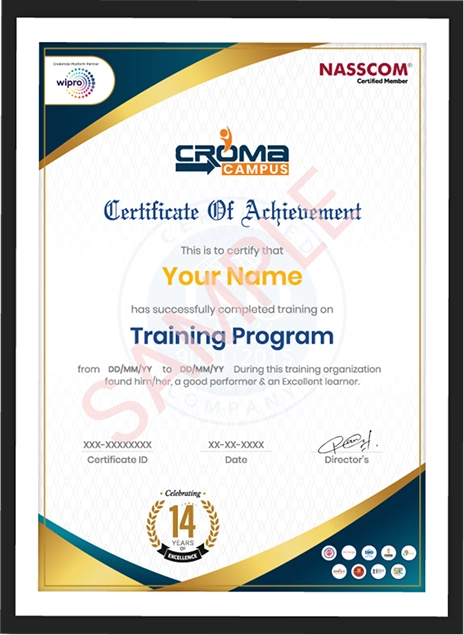
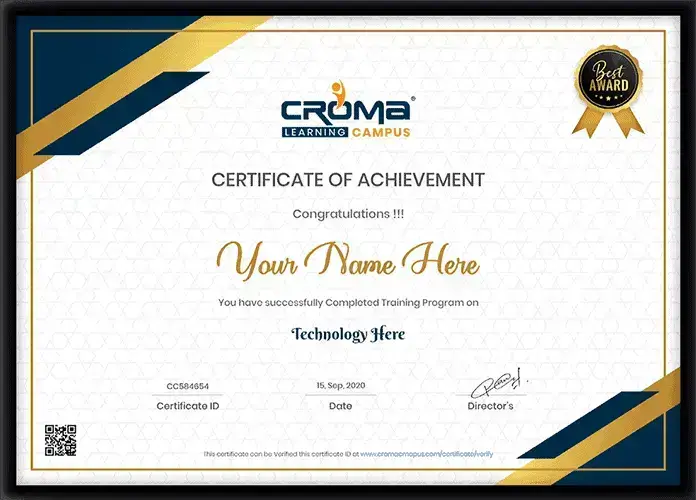
Showcase your Course Completion Certificate to Recruiters

  • checkgreenTraining Certificate is Govern By 12 Global Associations.

  • checkgreen1Training Certificate is Powered by “Wipro DICE ID”
  • checkgreen2Training Certificate is Powered by "Verifiable Skill Credentials"

in Collaboration with

dot-line
Certificate-new-file

Not Just Studying

We’re Doing Much More!

Empowering Learning Through Real Experiences and Innovation

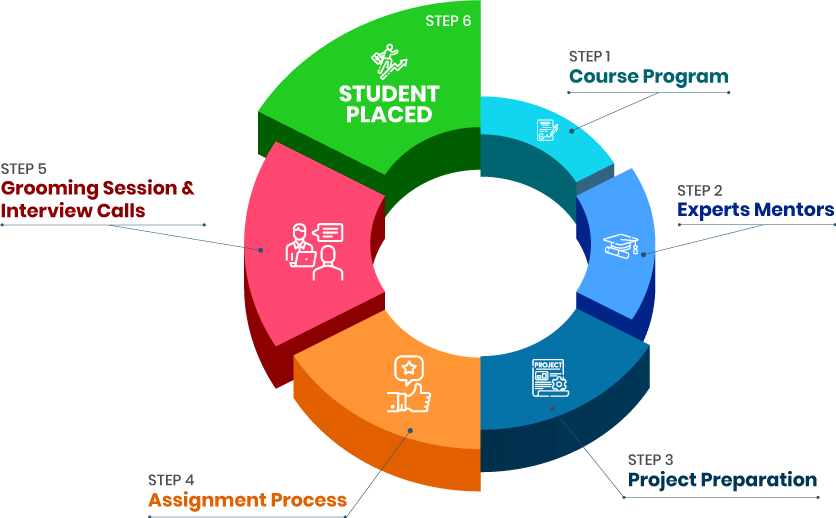
Mock Interviews

Prepare & Practice for real-life job interviews by joining the Mock Interviews drive at Croma Campus and learn to perform with confidence with our expert team.Not sure of Interview environments? Don’t worry, our team will familiarize you and help you in giving your best shot even under heavy pressures.Our Mock Interviews are conducted by trailblazing industry-experts having years of experience and they will surely help you to improve your chances of getting hired in real.
How Croma Campus Mock Interview Works?graph_new

Not just learning

we train you to get hired.

bag-box-form
Request A Call Back

Phone (For Voice Call):

‪+91-971 152 6942‬

WhatsApp (For Call & Chat):

+91-971 152 6942
          

Download Curriculum

Get a peek through the entire curriculum designed that ensures Placement Guidance

Course Design By

nasco wp

Course Offered By

Request Your Batch Now

Ready to streamline Your Process? Submit Your batch request today!

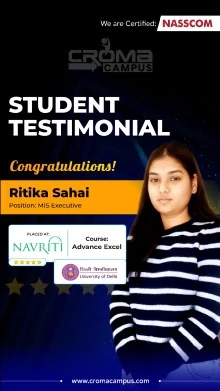
Students Placements & Reviews

speaker
Kapil Sharma
Kapil Sharma
speaker
Rupesh Kumar
Rupesh Kumar
speaker
Saurav Kumar
Saurav Kumar
speaker
Prayojakta
Prayojakta
speaker
Jayad Chaurasiya
Jayad Chaurasiya
speaker
Harikesh Panday
Harikesh Panday
View More arrowicon

FAQ's

Yes, most institutes include real-time workflow projects and practical automation assignments.

No, Power Automate mainly works on low-code automation, so beginners can also learn easily.

Yes, many institutes provide weekend and flexible online batches for working professionals.

Yes, students usually learn integrations with Outlook, Teams, SharePoint, Excel, and external applications.

Most institutes provide mock interviews, resume support, project discussions, and placement guidance.

Career Assistancecareer assistance
  • - Build an Impressive Resume
  • - Get Tips from Trainer to Clear Interviews
  • - Attend Mock-Up Interviews with Experts
  • - Get Interviews & Get Hired

Our learners
transformed their careers

highest
35 Laks

Highest Salary Offered

money
50%

Average Salary Hike

building
30K+

Placed in MNC’s

setting
15+

Year’s in Training

alumini
A majority of our alumni

fast-tracked into managerial careers.

Get inspired by their progress in the

Career Growth Report.

FOR VOICE SUPPORT

FOR WHATSAPP SUPPORT

sallerytrendicon1

Get Latest Salary Trends

×

For Voice Call

+91-971 152 6942

For Whatsapp Call & Chat

+91-9711526942
newwhatsapp
1
//