







whatsapppopupnewiconGUIDE ME

Become a Power Automate expert. Enroll today to learn from a Power Automate specialist.

4.8 out of 5 based on 16896 votes
google4.2/5
Sulekha4.8/5
Urbonpro4.6/5
Just Dial4.3/5
Fb4.5/5

In collaboration with

400+

Corp. Tie-Ups

Online/Offline

Format

LMS

Life Time Access

Book A Free Counselling Session

we train you to get hired.

bag-box-form
Request more information_

  • The Power Automate Training makes learners learn how to use automation for repetitive work rather than carrying out the same tasks repeatedly. In this training, the learners get to learn about cloud flows, desktop flows, triggers, actions, conditions, approvals, variables, expressions, connectors, and errors. The Power Automate Course makes the learner learn how various Microsoft services can be integrated via automated flows.
  • The Power Automate Online Course is helpful for beginners, professionals, support personnel, testers, developers, and business professionals. The learner gets to perform such activities as alerting, file movement, information gathering, approvals, and record update.
  • What you learn:
    • Understand how a trigger starts a flow.

      Create automated, instant, and scheduled flows.

      Use conditions, loops, variables, and expressions.

      Connect different apps and services.

      Create desktop automation for web and desktop tasks.

      Build approval-based business processes.

      Test flows and find common errors.

      Connect cloud flows with desktop flows.

      Understand basic AI Builder use in automation.

Power Automate Online Training

About-Us-Course

  • The most important objective of Power Automate Course is to ensure that learners become comfortable in creating valuable automations. Rather than just knowing about the buttons and menu items, learners come to know about the reason for the creation of a particular flow, actions that need to be taken by it, inputs that need to be provided to it, and what needs to be done in case of any error. By completing the Power Automate Online Course, learners can understand how to turn a manual business task into a flow with triggers, actions, conditions, and data.
  • After completing the training, learners should be able to:
    • Create flows from a blank flow or template.

      Select the right trigger for a business task.

      Add and configure actions.

      Pass information from one step to another.

      Use conditions and control actions.

      Work with variables and expressions.

      Create approval workflows.

      Automate desktop and browser tasks.

      Connect cloud flows with desktop flows.

      Check flow runs and troubleshoot failures.

      Use AI Builder in suitable automation tasks.

  • With Microsoft Power Automate Online Training, learners practice checking flow runs, handling failed actions, and changing a flow when the expected result does not come.

  • This Power Automate Course Syllabus is designed in such a way that it caters to all possible tasks of the automation user developer. It begins with the basics of flow development and ends with more advanced topics such as desktop automation, approvals, data processing, troubleshooting, etc. This Microsoft Power Automate Online Training Course syllabus also explains how cloud flows can initiate desktop flows, which is handy when you have processes that require cloud services and desktop actions too.
  • Module 1: Power Automate Basics
    • Introduction to Microsoft Power Platform.

      What Power Automate does.

      Types of flows.

      Power Automate interface.

      Templates and blank flows.

      Triggers and actions.

  • Module 2: Cloud Flows
    • Automated cloud flows.

      Instant cloud flows.

      Scheduled cloud flows.

      Trigger conditions.

      Adding actions.

      Testing and running flows.

  • Module 3: Data and Flow Logic
    • Variables.

      Compose action.

      Conditions.

      Switch.

      Apply to each.

      Do until.

      Expressions.

      Dynamic content.

      Data handling.

  • Module 4: Connectors and Applications
    • Standard and premium connector concept.

      Microsoft 365 services.

      SharePoint.

      Outlook.

      Teams.

      Excel.

      Forms.

      Dataverse.

      Working with connected services.

  • Module 5: Approval Automation
    • Creating approval requests.

      Approve or reject processes.

      Multiple approvers.

      Sequential approvals.

      Conditions after approval.

      Email notifications.

      Updating records after approval.

  • Module 6: Desktop Flows and RPA
    • Power Automate for desktop.

      Desktop flow actions.

      Browser automation.

      File and folder actions.

      Excel automation.

      Variables and inputs.

      UI automation.

      Attended and unattended runs.

      Connecting desktop flows with cloud flows.

  • Module 7: Error Handling and Testing
    • Checking flow run history.

      Common trigger problems.

      Action failures.

      Configure run after.

      Error handling.

      Retry ideas.

      Testing a flow before production use.

      Basic troubleshooting.

  • Module 8: AI and Advanced Automation
    • AI Builder basics.

      Document and data processing.

      Using AI inside flows.

      Copilot-assisted flow creation.

      Reusable flow design.

      Security and access basics.

      Practical automation projects.

  • The Power Automate Training is not limited to making one simple email flow. Learners move from basic triggers and actions to data handling, approvals, desktop RPA, error checking, and AI-based features. Power Automate Course gives learners a better idea of how Power Automate can be used for real office and business work.

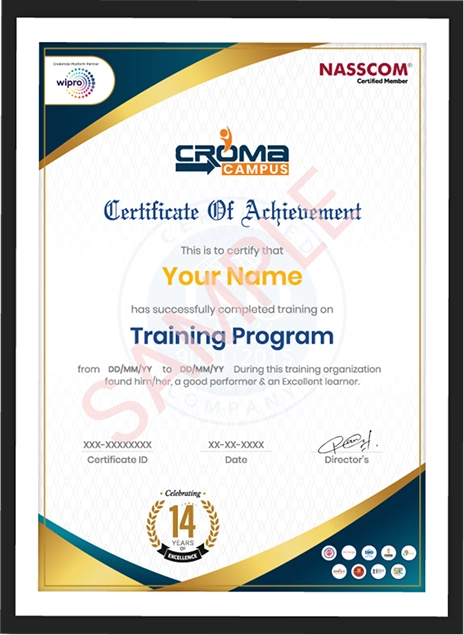
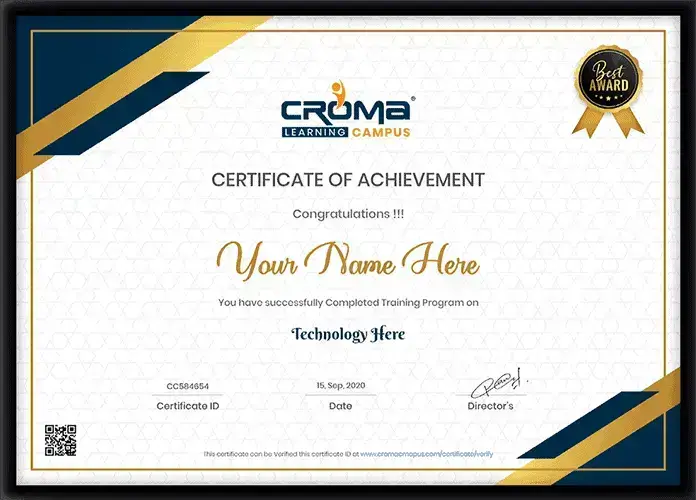
  • After completing the training, learners can use the course certificate to show that they have studied Microsoft Power Automate and completed practical training. A certificate does not replace a Microsoft certification exam, but it can be useful when adding training details to a resume or professional profile. Power Automate Training can also help learners prepare for further Microsoft Power Platform learning. Practical work done during Power Automate Online Training gives learners examples they can discuss when an interviewer asks how they have used automation.
    • Shows completion of Power Automate learning.

      Can be added to a resume or professional profile.

      Helps explain the automation skills learned during training.

      Gives learners a record of their course completion.

      Supports preparation for further Power Platform study.

      Helps learners discuss practical automation projects in interviews.

      Gives a clear learning path for beginners moving into automation.

      Can support skill-building for automation-related work.

  • Important certification note: Microsoft certifications have their own exams and requirements. The course completion certificate should not be presented as a Microsoft-issued certification.

  • Learning through Power Automate Training can be useful for people who work with repeated business tasks, data movement, reports, approvals, emails, files, and application processes. Power Automate Online Training can help learners build the practical skills needed to understand and create these workflows.
    • Power Automate Developer: Creates and maintains automation flows.

      RPA Developer: Builds desktop-based automation for repeated computer tasks.

      Power Platform Developer: Works with Power Automate along with other Power Platform services.

      Automation Analyst: Finds manual work that can be improved through automation.

      Business Process Analyst: Studies business steps and suggests workflow improvements.

      Microsoft 365 Automation Specialist: Creates automations around Microsoft 365 services.

      Workflow Developer: Builds approval, notification, and data-based workflows.

      Support or Operations Professional: Uses automation to reduce repeated daily tasks.

  • The actual role depends on the person's experience, technical skills, company needs, and other Power Platform knowledge. A Power Automate Online Course can also help working professionals learn automation without starting with heavy programming or complex development tools.

  • The Power Automate Training Certificate part gives learners a record of completing the course. Learners can use their certificate along with project work, practical flow examples, and other skills when preparing a resume. Microsoft Power Automate Online Training can also be used as a learning step before studying for relevant Microsoft credentials.
  • The Power Automate Course certificate should be treated as proof of course completion, while an official Microsoft credential requires the relevant Microsoft certification process. Microsoft currently lists Power Platform Fundamentals and Power Platform Developer Associate among its credentials, while the earlier Power Automate RPA Developer Associate credential has been retired. During Power Automate Online Training, learners can build flows that connect services like Outlook, SharePoint, Excel, Forms, and Teams instead of learning each tool separately.

Why should you learn Power Automate?

Not just learning

we train you to get hired.

bag-box-form
Request more information

By registering here, I agree to Croma Campus Terms & Conditions and Privacy Policy

CURRICULUM & PROJECTS

Microsoft Power Automate Training Program

    What is power automate 

    What, when, where RPA

    Why Power Automate

    Power Automate Installation 

    Power Automate Console Overview 

Get full course syllabus in your inbox

    What are the variables  

    Different types of variables 

    Create, edit and use variables

    Manipulation of variables

Get full course syllabus in your inbox

    Read, Write into Excel files

    How to read and write in a cell

    Find and Replace Cells in Excel

    Rename Excel worksheet

    Delete Excel Worksheet 

    Insert and delete the row from excel 

    Insert and delete the column from excel 

    How to filter the data

    How to use excel as data table

Get full course syllabus in your inbox

    Introduction to selectors

    Importance of selectors

    How to edit the selectors

    How to make selectors dynamic

Get full course syllabus in your inbox

    Desktop Applications Automation using flow Action

    Desktop Applications using the Power Recorder 

    Exercise – Use the flow action to automate desktop applications

    Exercise – Use the desktop recorder to record desktop actions

Get full course syllabus in your inbox

     Web Applications Automation using Flow Actions 

    Web Applications using the Power Recorder

    Exercise – Use the flow action to automate Web applications

    Exercise – Use the desktop recorder to record Web actions

Get full course syllabus in your inbox

    Introduction to Email Automation

    How to connect to MS Outlook  

    How to send the email  

    How to receive the email  

    How to send and download attachment

Get full course syllabus in your inbox

    Introduction to database Automation

    How to configure DB with Power Automate

    Database CRUD operations 

Get full course syllabus in your inbox

    Introduction to API Automation

    Invoke web services

    DB with Power Automate 

    Convert JSON to the custom object 

    Fetch the data from JSON array

Get full course syllabus in your inbox

    Data scraping concept 

    How to extract content and data from a website

    Exercise – Data scrapping on Amazon and cowin websites

Get full course syllabus in your inbox

    What are exceptions/errors 

    Types of errors/exceptions  

    How to handle exceptions

Get full course syllabus in your inbox

    Learn how to use different AI builder to enhance your processes 

    Create your first model 

    How to train the AI Builder model

    Exercise – How to extract the data from the PDF documents using AI builder

Get full course syllabus in your inbox

    What is the DLP policies

    Where to use DLP policies

    How to apply DLP policies to specific environment

Get full course syllabus in your inbox

    What is the importance of framework

    How to build the framework

    How to implement the projects into the framework

Get full course syllabus in your inbox

    How to generate the automation steps for the automation problem using Copilot AI.

    How to generate the vb/c# code for the automation problem using the Copilot AI.

Get full course syllabus in your inbox

    Learn how to use different AI builder to enhance your processes 

    Create your first model 

    How to train the AI Builder model

    Exercise – How to extract the data from the PDF documents using AI builder

    During the course you will learn to create the below AI Models

    Invoice Processing

    Text Recognizer

    Identity Document Reader

    Sentiment Analysis

    Language Detection

    Key Phrase Extraction

    Document Processing

    Category Classification

    Entity Extraction

    Receipt Processing

    Object Detection

Get full course syllabus in your inbox

    Load data into Queue   

    Get data from Queue   

    Delete Queue Items  

    How to set Queue item status  

    Bulk add queue items

Get full course syllabus in your inbox

    How to schedule the process on Unattained Robots

    How to create the cloud flows

    Process Mining/Task Mining concept.

    How to verify the desktop and cloud flow activity dashboard

    How to connect various third-party connectors

    How to use the existing templates during the automation

    How to verify the logs for the desktop and web automation

    How to setup the environment

    How to work with Datavserse database.

    Create tables with Datavserse.

    How to store data into Dataverse tables.

    API automation using cloud

    How to move code from one environment to another.

    How to do the exception handling for cloud flow

Get full course syllabus in your inbox

    How to run the VB script

    How to run Java script

    How to run C# script

    How to run Python script

    How to run PowerShell script

Get full course syllabus in your inbox

    How Boost your workflows and automation with the power of generative AI, using only Natural Language.  

    How to build Prompts that allows you to develop features such as summarizing, drafting, answering questions, and more.

Get full course syllabus in your inbox

+ More Lessons

Course Design By

naswipro

Nasscom & Wipro

Course Offered By

croma-orange

Croma Campus

Real

star

Stories

success

inspiration

person1

Kalpana Singh

career upgrade

person1

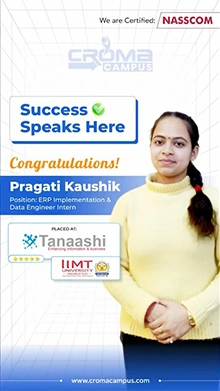
Pragati Kaushik

career upgrade

person1

Kartik Saini

career upgrade

person1

Tanvi Joshi

career upgrade

SELF ASSESSMENT

Learn, Grow & Test your skill with Online Assessment Exam to
achieve your Certification Goals

right-selfassimage
Get exclusive
access to career resources
upon completion
quote
Mock Session

You will get certificate after
completion of program

laptop
LMS Learning

You will get certificate after
completion of program

star
Career Support

You will get certificate after
completion of program

Showcase your Course Completion Certificate to Recruiters

  • checkgreenTraining Certificate is Govern By 12 Global Associations.

  • checkgreen1Training Certificate is Powered by “Wipro DICE ID”
  • checkgreen2Training Certificate is Powered by "Verifiable Skill Credentials"

in Collaboration with

dot-line
Certificate-new-file

Not Just Studying

We’re Doing Much More!

Empowering Learning Through Real Experiences and Innovation

Mock Interviews

Prepare & Practice for real-life job interviews by joining the Mock Interviews drive at Croma Campus and learn to perform with confidence with our expert team.Not sure of Interview environments? Don’t worry, our team will familiarize you and help you in giving your best shot even under heavy pressures.Our Mock Interviews are conducted by trailblazing industry-experts having years of experience and they will surely help you to improve your chances of getting hired in real.
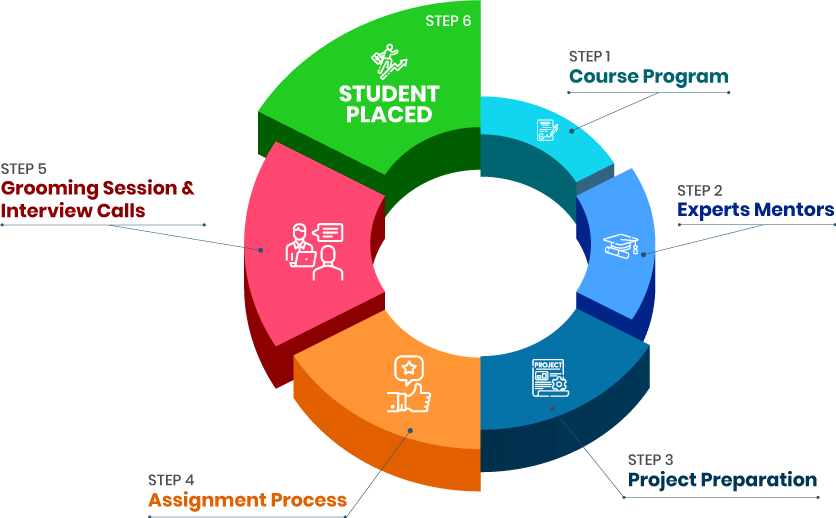
How Croma Campus Mock Interview Works?graph_new

Not just learning

we train you to get hired.

bag-box-form
Request A Call Back

Phone (For Voice Call):

‪+91-828 706 0032

WhatsApp (For Call & Chat):

+91-828 706 0032
          

Download Curriculum

Get a peek through the entire curriculum designed that ensures Placement Guidance

Course Design By

nasco wp

Course Offered By

Request Your Batch Now

Ready to streamline Your Process? Submit Your batch request today!

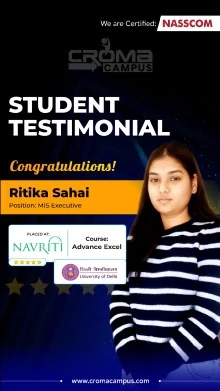
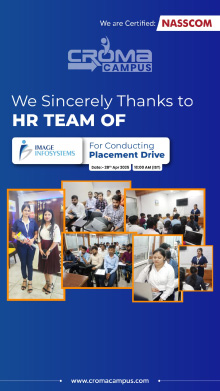
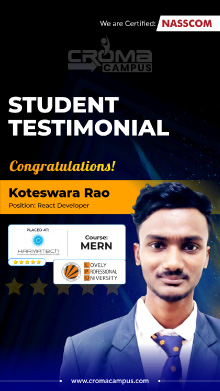
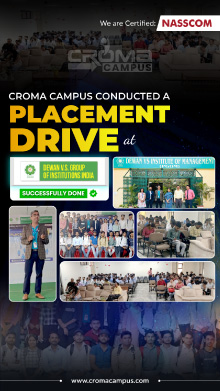
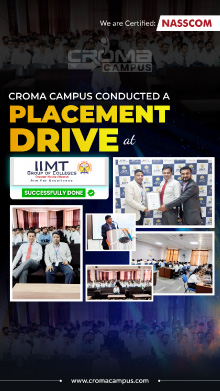
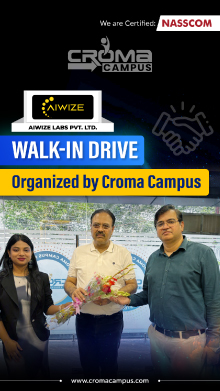
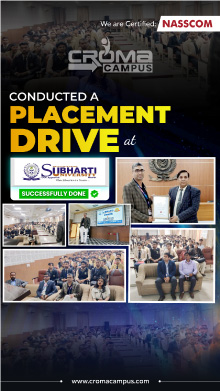
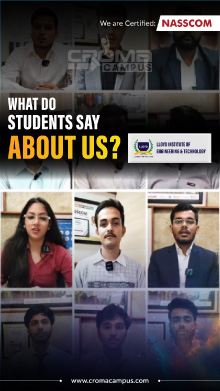
Students Placements & Reviews

speaker
Kapil Sharma
Kapil Sharma
speaker
Mohammad Sar
Mohammad Sar
speaker
Saurav Kumar
Saurav Kumar
speaker
Sanchit Nuhal
Sanchit Nuhal
speaker
Prayojakta
Prayojakta
speaker
Vikash Singh Rana
Vikash Singh Rana
View More arrowicon

FAQ's

Croma Campus offers the best Power Automate Online Training and provides you with the best learning experience. Upon completing the course with Croma Campus, you will get the Power Automate Certification.

With this, Croma Campus provides the most trusted Power Automate Online Training in India covering all the important subjects of Power Automate.

Yes, you can book a free slot for your demo class as per your timing and convenience. In addition, you can select from both the online and offline mediums while selecting the demo class.

Croma Campus Power Automate Online Training will help you to become a professional and master the skills of Power BI. In addition, they will enhance your knowledge and skills by providing you with the best learning experience.

After completing the Power Automate Training from Croma Campus, you will receive the Power Automate certification. They will help you with various job opportunities and help you get your dream job based on your skills, knowledge, and experience.

Career Assistancecareer assistance
  • - Build an Impressive Resume
  • - Get Tips from Trainer to Clear Interviews
  • - Attend Mock-Up Interviews with Experts
  • - Get Interviews & Get Hired

Our learners
transformed their careers

highest
35 Laks

Highest Salary Offered

money
50%

Average Salary Hike

building
30K+

Placed in MNC’s

setting
15+

Year’s in Training

alumini
A majority of our alumni

fast-tracked into managerial careers.

Get inspired by their progress in the

Career Growth Report.

FOR VOICE SUPPORT

FOR WHATSAPP SUPPORT

sallerytrendicon1

Get Latest Salary Trends

×

For Voice Call

+91-971 152 6942

For Whatsapp Call & Chat

+91-9711526942
newwhatsapp
1
//