






whatsapppopupnewiconGUIDE ME

Master cloud flows, desktop flows, API integration, Power Automate Course in Bangalore, RPA, connectors, approvals, and workflow automation.

4.8 out of 5 based on 36896 votes
google4.2/5
Sulekha4.8/5
Urbonpro4.6/5
Just Dial4.3/5
Fb4.5/5

In collaboration with

400+

Corp. Tie-Ups

Online/Offline

Format

LMS

Life Time Access

Book A Free Counselling Session

we train you to get hired.

bag-box-form
Request more information_

  • The Power Automate Training course in Bangalore caters to students, freshers, professionals and businesspeople who wish to learn about workflow automation and management of day-to-day business processes. With businesses today using automation software solutions to save time and improve the functioning of their offices, there is now a growing requirement of people who have a thorough understanding of automation and cloud workflows.
  • The Power Automate training program in Bangalore equips participants with knowledge on the automation of routine processes in different departments such as HR, finance, operations, sales, customer support, and administration through the Microsoft Power Automate platform. This platform has been used extensively by enterprises to integrate applications, handle approvals, send alerts, transfer files and increase overall efficiency.
  • The training program takes up simple lessons initially and gradually leads to more complex lessons on workflow automation. Students gain an insight into the workings of business processes before learning about their automation.
    • Learn how companies automate daily work

      Understand workflow automation systems

      Work on cloud-based Power Automate environments

      Build practical approval workflows

      Learn app and software integration methods

      Understand automation triggers and actions

      Work on real business automation projects

      Learn practical automation concepts

Power Automate Course in Bangalore

About-Us-Course

  • The primary objective of the Power Automate Training in Bangalore is to enable learners to gain hands-on automation skills that can be utilized at work. This training is more inclined towards practical application rather than theoretical knowledge.
  • Participants get to understand the methods through which automation is done in the corporate world.
  • Main Learning Goals
    • Learn workflow automation concepts

      Build automated approval systems

      Understand Microsoft ecosystem integration

      Learn cloud-based automation methods

      Understand automated alerts and notifications

      Learn file and data automation workflows

      Practice workflow monitoring and troubleshooting

      Prepare for automation-related interviews

      Learn practical business automation concepts

      Understand real company workflow systems

  • The focus is on helping learners think practically like automation professionals.

  • The Power Automate Online Course in Bangalore is fully practical and project-based. Students practice directly on live automation environments and build workflows used in real organizations. The training includes business automation examples, workflow testing, debugging methods, and cloud integration practice.
  • Features Included
    • Live Power Automate workflow practice

      Real-time business automation projects

      Approval workflow development

      Industry-based assignments and case studies

      Workflow troubleshooting sessions

      Cloud integration practice

      Microsoft app automation projects

      Email and notification automation

      Automation testing and monitoring

      Real business workflow understanding

  • The training explains practical workflow implementation in simple ways.

  • Power Automate Training Bangalore will be beneficial for students, freshers, graduates, and professionals. The training program begins with a beginner level, hence no advanced coding experience is needed. Anyone who knows how to operate a computer can attend the training.
  • Who Can Join
    • Technical and non-technical graduates

      Freshers searching for IT careers

      Working professionals improving skills

      Office employees handling manual work

      Business analysts learning automation

      Students interested in cloud technologies

      Learners with basic computer knowledge

      Career switchers from other industries

  • The course is beginner-friendly and gradually moves toward advanced workflows.

  • The requirement for people skilled in workflow automation is escalating. The Power Automate Course in Bangalore is designed to facilitate learners to join the fast-evolving technological sphere by 2026.
  • Modern organizations adopt automation systems to simplify redundant processes and increase productivity. The Microsoft Power Automate software is employed in various sectors for streamlining workflows.
  • Use of Power Automated by Different Industries
    • Banking - Workflows and report automation

      Healthcare - Patient workflows and record management

      E-commerce - Order processing and notifications

      HR Departments - Onboarding workflows

      IT Organizations - Ticket processing and task automation

      Corporate Offices - Workflow processes

  • Career Opportunities
    • Workflow automation jobs

      Business process automation roles

      Cloud automation projects

      Administrative automation work

      Remote automation job opportunities

      Microsoft platform-related roles

      Product-based company jobs

      Long-term stable technology careers

  • The field keeps growing because businesses now depend heavily on automation systems.

  • The Power Automate Online Course in Bangalore follows a proper learning structure where students move step-by-step from beginner concepts toward advanced practical implementation.
  • Module 1
  • Introduction to Automation
    • Basics of workflow automation

      Understanding business processes

      Power Automate introduction

      Cloud automation basics

      Automation flow understanding

  • Module 2
  • Power Automate Fundamentals
    • Trigger and action concepts

      Flow creation basics

      Automated workflow building

      Conditions and loops

      Notification systems

  • Module 3
  • Business Workflow Development
    • Approval workflow systems

      File automation processes

      Email automation methods

      Form and task automation

      Workflow testing basics

  • Module 4
  • Microsoft Application Integration
    • SharePoint integration

      Outlook automation

      Excel workflow automation

      Teams integration methods

      OneDrive automation concepts

  • Module 5
  • Advanced Automation Systems
    • Scheduled workflows

      Real-time automation concepts

      Multi-step process automation

      Error handling methods

      Workflow optimization basics

  • Module 6
  • Cloud and Business Automation
    • Cloud workflow deployment

      Business process management

      Automation monitoring methods

      Workflow security basics

      Integration management concepts

  • Module 7
  • Final Project and Interview Preparation
    • Real workflow project development

      Business automation simulation

      Resume preparation support

      Technical interview practice

      Workflow discussion sessions

      Practical implementation understanding

  • Every module is designed to build practical confidence step-by-step.

  • The Power Automate Training in Bangalore also helps learners prepare for certifications that improve job opportunities in workflow automation and cloud technologies.
  • Certification Support
    • Power Automate certification preparation

      Microsoft certification guidance

      Mock tests and assessment sessions

      Project-based evaluations

      Resume-ready workflow portfolio

      Technical interview preparation

      Practical skill assessments

      Career guidance support

  • Certifications help learners show practical automation knowledge during interviews.

  • Learners completing the Power Automate Course in Bangalore can get good salary opportunities depending on their skills, project work, and workflow understanding.
  • Students with strong practical automation skills usually get better job opportunities and career growth.
  • Average Salary
    • Freshers - 3 LPA to 8 LPA

      1 to 3 Years Experience - 6 LPA to 14 LPA

      Senior Professionals - 16 LPA and above

  • Salary Depends On
    • Workflow automation understanding

      Practical project experience

      Cloud platform knowledge

      Automation troubleshooting skills

      Real business workflow handling

      Strong project portfolio

      Technical interview performance

      Business process understanding

  • Automation-related roles usually offer faster career growth in many industries.

  • The Power Automate Online Course in Bangalore prepares learners for careers in workflow automation, cloud operations, business process management, and enterprise automation systems.
  • With experience, professionals can move toward senior technical and management positions.
  • Career Roles
    • Automation Executive

      Workflow Developer

      Power Automate Developer

      Business Automation Analyst

      Process Automation Engineer

      Cloud Automation Specialist

      Automation Consultant

      Solution Architect

  • Future Growth Areas
    • Enterprise workflow systems

      Cloud automation management

      Business operations automation

      Analytics workflow systems

      Microsoft cloud technologies

      Technical consulting opportunities

      Product-based company careers

      Startup and freelance opportunities

  • The field keeps growing because companies continue increasing automation usage in daily operations.

  • The Power Automate Training in Bangalore focuses mainly on practical learning instead of old theory-only teaching methods.
  • Students work on live workflows and real business automation systems similar to company environments. The training also includes interview preparation, project practice, workflow understanding, and career guidance support.
  • Benefits of the Training
    • Real project-based learning approach

      Live workflow automation practice

      Industry-focused cloud training

      Practical implementation methods

      Resume and portfolio support

      Technical interview preparation

      Guidance from experienced professionals

      Updated syllabus based on 2026 industry needs

      Flexible batches for students and professionals

      Placement and career support assistance

  • The main focus is to help learners understand how real company automation systems work practically.

Why Should You Learn Power Automate?

Not just learning

we train you to get hired.

bag-box-form
Request more information

By registering here, I agree to Croma Campus Terms & Conditions and Privacy Policy

CURRICULUM & PROJECTS

Microsoft Power Automate Training Program

    What is power automate 

    What, when, where RPA

    Why Power Automate

    Power Automate Installation 

    Power Automate Console Overview 

Get full course syllabus in your inbox

    What are the variables  

    Different types of variables 

    Create, edit and use variables

    Manipulation of variables

Get full course syllabus in your inbox

    Read, Write into Excel files

    How to read and write in a cell

    Find and Replace Cells in Excel

    Rename Excel worksheet

    Delete Excel Worksheet 

    Insert and delete the row from excel 

    Insert and delete the column from excel 

    How to filter the data

    How to use excel as data table

Get full course syllabus in your inbox

    Introduction to selectors

    Importance of selectors

    How to edit the selectors

    How to make selectors dynamic

Get full course syllabus in your inbox

    Desktop Applications Automation using flow Action

    Desktop Applications using the Power Recorder 

    Exercise – Use the flow action to automate desktop applications

    Exercise – Use the desktop recorder to record desktop actions

Get full course syllabus in your inbox

     Web Applications Automation using Flow Actions 

    Web Applications using the Power Recorder

    Exercise – Use the flow action to automate Web applications

    Exercise – Use the desktop recorder to record Web actions

Get full course syllabus in your inbox

    Introduction to Email Automation

    How to connect to MS Outlook  

    How to send the email  

    How to receive the email  

    How to send and download attachment

Get full course syllabus in your inbox

    Introduction to database Automation

    How to configure DB with Power Automate

    Database CRUD operations 

Get full course syllabus in your inbox

    Introduction to API Automation

    Invoke web services

    DB with Power Automate 

    Convert JSON to the custom object 

    Fetch the data from JSON array

Get full course syllabus in your inbox

    Data scraping concept 

    How to extract content and data from a website

    Exercise – Data scrapping on Amazon and cowin websites

Get full course syllabus in your inbox

    What are exceptions/errors 

    Types of errors/exceptions  

    How to handle exceptions

Get full course syllabus in your inbox

    Learn how to use different AI builder to enhance your processes 

    Create your first model 

    How to train the AI Builder model

    Exercise – How to extract the data from the PDF documents using AI builder

Get full course syllabus in your inbox

    What is the DLP policies

    Where to use DLP policies

    How to apply DLP policies to specific environment

Get full course syllabus in your inbox

    What is the importance of framework

    How to build the framework

    How to implement the projects into the framework

Get full course syllabus in your inbox

    How to generate the automation steps for the automation problem using Copilot AI.

    How to generate the vb/c# code for the automation problem using the Copilot AI.

Get full course syllabus in your inbox

    Learn how to use different AI builder to enhance your processes 

    Create your first model 

    How to train the AI Builder model

    Exercise – How to extract the data from the PDF documents using AI builder

    During the course you will learn to create the below AI Models

    Invoice Processing

    Text Recognizer

    Identity Document Reader

    Sentiment Analysis

    Language Detection

    Key Phrase Extraction

    Document Processing

    Category Classification

    Entity Extraction

    Receipt Processing

    Object Detection

Get full course syllabus in your inbox

    Load data into Queue   

    Get data from Queue   

    Delete Queue Items  

    How to set Queue item status  

    Bulk add queue items

Get full course syllabus in your inbox

    How to schedule the process on Unattained Robots

    How to create the cloud flows

    Process Mining/Task Mining concept.

    How to verify the desktop and cloud flow activity dashboard

    How to connect various third-party connectors

    How to use the existing templates during the automation

    How to verify the logs for the desktop and web automation

    How to setup the environment

    How to work with Datavserse database.

    Create tables with Datavserse.

    How to store data into Dataverse tables.

    API automation using cloud

    How to move code from one environment to another.

    How to do the exception handling for cloud flow

Get full course syllabus in your inbox

    How to run the VB script

    How to run Java script

    How to run C# script

    How to run Python script

    How to run PowerShell script

Get full course syllabus in your inbox

    How Boost your workflows and automation with the power of generative AI, using only Natural Language.  

    How to build Prompts that allows you to develop features such as summarizing, drafting, answering questions, and more.

Get full course syllabus in your inbox

+ More Lessons

Course Design By

naswipro

Nasscom & Wipro

Course Offered By

croma-orange

Croma Campus

Real

star

Stories

success

inspiration

person1

Abhishek

career upgrade

person1

Sachin Pal

career upgrade

person1

Ayush Bansal

career upgrade

person1

Pragati Kaushik

career upgrade

SELF ASSESSMENT

Learn, Grow & Test your skill with Online Assessment Exam to
achieve your Certification Goals

right-selfassimage
Get exclusive
access to career resources
upon completion
quote
Mock Session

You will get certificate after
completion of program

laptop
LMS Learning

You will get certificate after
completion of program

star
Career Support

You will get certificate after
completion of program

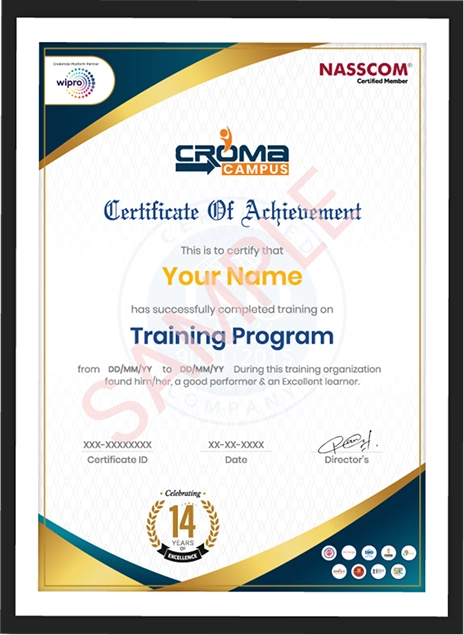
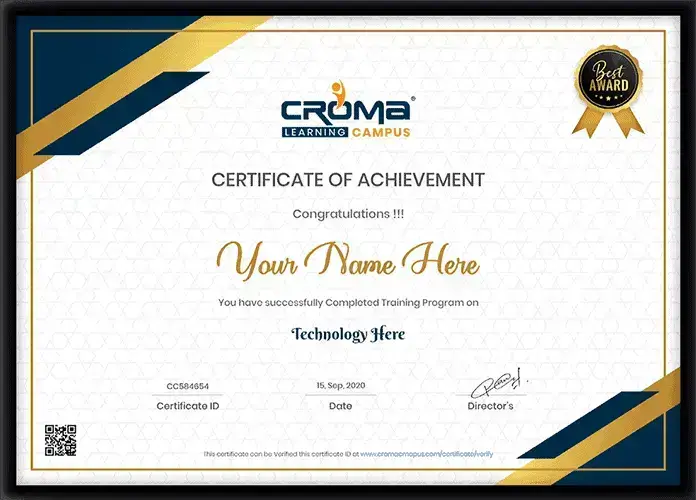
Showcase your Course Completion Certificate to Recruiters

  • checkgreenTraining Certificate is Govern By 12 Global Associations.

  • checkgreen1Training Certificate is Powered by “Wipro DICE ID”
  • checkgreen2Training Certificate is Powered by "Verifiable Skill Credentials"

in Collaboration with

dot-line
Certificate-new-file

Not Just Studying

We’re Doing Much More!

Empowering Learning Through Real Experiences and Innovation

Mock Interviews

Prepare & Practice for real-life job interviews by joining the Mock Interviews drive at Croma Campus and learn to perform with confidence with our expert team.Not sure of Interview environments? Don’t worry, our team will familiarize you and help you in giving your best shot even under heavy pressures.Our Mock Interviews are conducted by trailblazing industry-experts having years of experience and they will surely help you to improve your chances of getting hired in real.
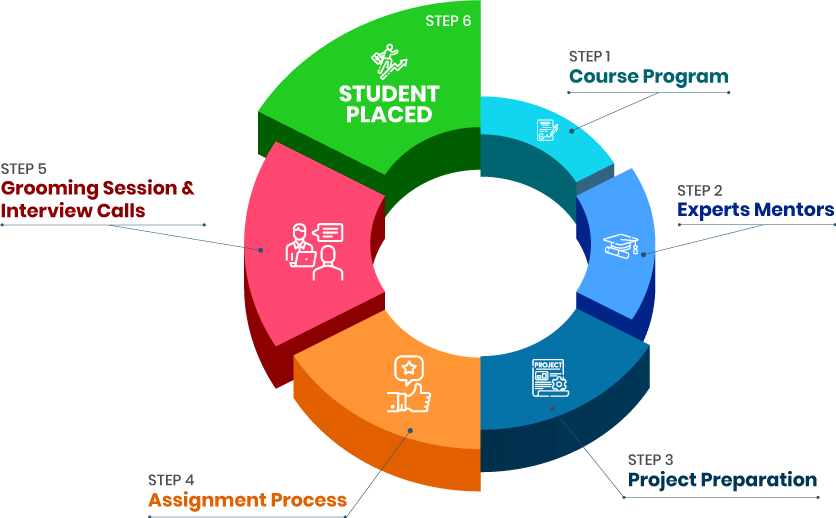
How Croma Campus Mock Interview Works?graph_new

Not just learning

we train you to get hired.

bag-box-form
Request A Call Back

Phone (For Voice Call):

‪+91-971 152 6942‬

WhatsApp (For Call & Chat):

+91-828 706 0032
          

Download Curriculum

Get a peek through the entire curriculum designed that ensures Placement Guidance

Course Design By

nasco wp

Course Offered By

Request Your Batch Now

Ready to streamline Your Process? Submit Your batch request today!

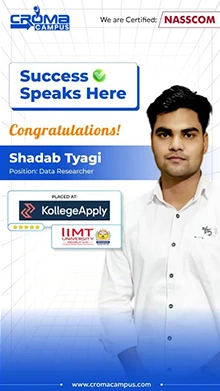
Students Placements & Reviews

speaker
Prayojakta
Prayojakta
speaker
Kapil Sharma
Kapil Sharma
speaker
Jayad Chaurasiya
Jayad Chaurasiya
speaker
Rupesh Kumar
Rupesh Kumar
speaker
Saurav Kumar
Saurav Kumar
speaker
Sanchit Nuhal
Sanchit Nuhal
View More arrowicon

FAQ's

Yes, students work on real workflow automation projects, approval systems, and cloud-based automation tasks.

No. Basic computer knowledge and logical understanding are enough to start learning.

Yes, the course includes cloud-based workflow automation and Microsoft ecosystem integration.

Yes, integrations with Outlook, Excel, Teams, SharePoint, and OneDrive are covered in detail.

Yes, workflow automation and cloud automation skills are highly demanded in 2026.

Yes, mock interviews, resume preparation, and workflow discussions are included in the training.

Career Assistancecareer assistance
  • - Build an Impressive Resume
  • - Get Tips from Trainer to Clear Interviews
  • - Attend Mock-Up Interviews with Experts
  • - Get Interviews & Get Hired

Our learners
transformed their careers

highest
35 Laks

Highest Salary Offered

money
50%

Average Salary Hike

building
30K+

Placed in MNC’s

setting
15+

Year’s in Training

alumini
A majority of our alumni

fast-tracked into managerial careers.

Get inspired by their progress in the

Career Growth Report.

FOR VOICE SUPPORT

FOR WHATSAPP SUPPORT

sallerytrendicon1

Get Latest Salary Trends

×

For Voice Call

+91-971 152 6942

For Whatsapp Call & Chat

+91-9711526942
newwhatsapp
1
//