whatsapppopupnewiconGUIDE ME
Microsoft Intune Course

Microsoft Intune Course Online in India

Learn Microsoft Intune and Microsoft Endpoint Manager in our Microsoft Intune Training Course with live classes, practical device labs, real deployment projects & placement support. Get hands-on experience with device management, policy setup, Autopilot, compliance.
Duration: 8 – 10 Weeks | Mode: Live + Recorded Sessions

Check Microsoft Intune Demo Class

Attend our Microsoft Intune Demo Class to experience real-time, hands-on training before you enroll.

Our Recently Placed Students in Microsoft Intune Training

Saurabh Jain

Placed at HCLTech

Ritu Malhotra

Placed at Wipro

Naveen Kumar

Placed at Infosys

Pallavi Saxena

Placed at Accenture

Ankit

Placed at LTIMindtree

Vivek

Placed at Deloitte

Shreya

Placed at Cognizant

Rohit

Placed at Mindtree

About the Microsoft Intune Training

Our Microsoft Intune Training Course helps you learn Microsoft Endpoint Manager and Intune step by step. From understanding device lifecycles to app management you will learn autopilot, conditional access and how intune works with Azure AD. This all will be in a practical easy to follow way.

Training Highlights
  • Live Microsoft Intune Training Classes with experienced instructors
  • Hands-on labs and real tenant access to practice skills
  • Focused on certifications (MD-102 / MS-101 topics)
  • Real deployment and migration case studies to build confidence
  • Updated Microsoft Intune Training material
  • Resume help and interview tips
  • Placement support to start your career

What You Get

  • Live classes plus recordings for revision
  • Practical labs and demo tenant to try your skills
  • Real-time deployment projects for hands-on experience
  • Interview guidance and resume support

Course Design & Approved By

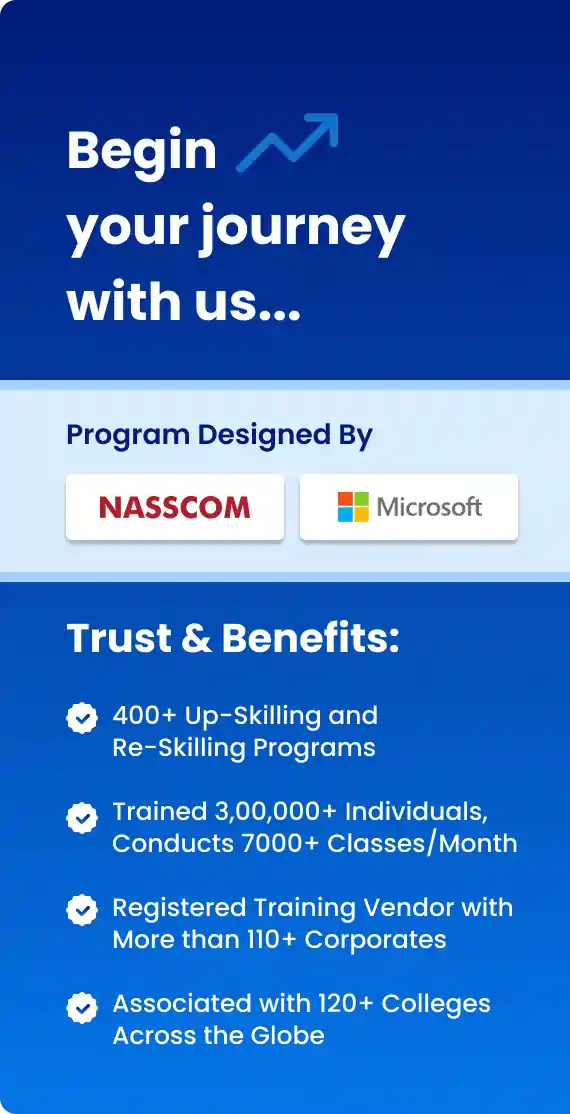
Nasscom & Wipro

What You Will Learn in Intune Training

With step to step guidance Our Intune Course gives you clear, learning on device management, policy setup, app deployment, Autopilot, and integrations with Azure AD. Along with this, have your hands on labs and real projects in the practical sessions.

Core Modules Covered

  • Introduction to Microsoft Endpoint
  • Azure AD basics and device identity
  • Device Enrollment for Windows, iOS
  • Policy creation and compliance profiles
  • App management for Win32, Store, LOB app
  • Conditional access & security baselines

Advanced Topics & Projects

  • Windows Autopilot & device provisioning
  • Co-management with Configuration Manager
  • Endpoint analytics and monitoring
  • Automation using Intune Graph API
  • Real-time migration & deployment project

Download Curriculum

Get a peek through the entire curriculum designed that ensures Placement Guidance

Course Design By

nasco wp

Course Offered By

Why Choose Our Intune Training Material & Resources?

  • Step-by-step lab guides to practice
  • Module-wise notes for easy learning
  • Real deployment scenarios
  • Practice exercises and scripts
  • Certification-oriented questions

Benefits of Joining Our Intune Training

  • Learn directly from certified Micros
  • Lifetime access to LMS & recordings
  • Recorded videos for easy revision
  • Doubt-clearing sessions
  • Support for certification exams
  • Placement assistance
Learners Reviews

“Trainers being working professionals are very experienced and they teach you a lot of out of the box concepts.”

— Vishal, Technology Support Engineer

“Totally recommended Croma Campus for MS Intune training course. Most professional training hub in NCR. Would recommend 10/10”

— Kapil, Intune Support Engineer

“I am currently working as a support engineer in Manpower Group after completing my course from Croma Campus”

— Varun, Application Support Engineer

“Recently completed the MS Intune training from Croma Campus and I would like to share my honest feedback.”

— Tanya, SCCM Intune Administrator

“Well join this course if you want tenant access and real migration examples during your course journey.”

— Sumit, L3 Support Engineer

“I joined this training to upskill my career and hats off to the course provided it was so good.”

— Pankaj, System Engineer
Intune - Country-wise Job Profiles & Salary Guide

Top Job Profiles:

  • Endpoint Administrator
  • Intune Engineer
  • MDM Specialist
  • Device Support Engineer

Average Salary Range:

  • INR 3 LPA - INR 5 LPA (Entry Level)
  • INR 6 LPA - INR 12 LPA (Mid Level)
  • INR 13 LPA - INR 25+ LPA (Senior Level)

Top Job Profiles:

  • Endpoint Administrator
  • Intune Engineer
  • MDM Specialist
  • Device Support Engineer

Average Salary Range:

  • $65,000 - $85,000 (Entry Level)
  • $90,000 - $120,000 (Mid Level)
  • $125,000 - $170,000+ (Senior Level)

Top Job Profiles:

  • Endpoint Administrator
  • Intune Consultant

Average Salary Range:

  • CAD 30,000 - CAD 45,000 (Entry Level)
  • CAD 50,000 - CAD 70,000 (Mid Level)
  • CAD 70,000 - CAD 95,000+ (Senior)

Enroll Today

Start your modern IT management career with our industry-focused Microsoft Intune Training. Join our Microsoft Intune Course and gain hands-on skills in device manage.

About the Trainer

Our trainers have over 8 years of experience in device management, Autopilot deployments and enterprise migrations. You will be trained in Microsoft Intune under such guidance that aims to make you job ready in

  • Microsoft Certified with 8+ years of Endpoint Management
  • Expert in Intune, Autopilot, Co-management, and Azure AD
  • Delivered 80+ corporate and online Intune training batches
  • Demonstrates real deployment projects
  • Provides hands-on tenant guidance
  • Offers support for certification exams and job interviews
Frequently Asked Questions

To enroll in Microsoft Intune Online Training, the candidate must possess a fundamental understanding of the Microsoft framework, which is generally taught at the beginning of the course. Besides, knowledge about various concepts will prove to be extremely beneficial for all aspiring applicants.

The exact duration of the course varies with different course providers. However, on average, the course can be completed within 5 -7 weeks of enrolling. They also offer the option of online coaching on days when the students are unable to attend the discourses.

Microsoft Intune Training Course is best suited to anyone who has an inherent interest in this domain.

The average pay of a trained Microsoft Intune Professional is approximately INR 3- 4 lakhs per annum. For professionals who have more than 3 years of experience, the pay can also go up to INR 6 lakhs per annum.

At Croma Campus, you can come across verified Microsoft Intune Online Training in India. You can easily filter your search by choosing your preferred mode of training, and your locality. Once you fill up the form above, our authorities will get back to you to talk over your detailed training needs and help you in choosing the right institute.

From basic to advanced levels such as Device enrollment, policy & compliance, Autopilot, app management, conditional access, co-management and endpoint analytics it covers all.

Yes. Absolutely, The training starts from basic fundamentals and includes lab exercises to bring beginners up to speed.

From lab guides, to demo tenant access, to videos and step-by-step notes you will get all.

This Microsoft Intune Course covers all important skills for Microsoft certifications (MD-102 / MS-101) and gives useful exam tips.

The training will be live and instructor-led. You will get the recorded sessions for your revision purpose.

Yes. of course. We will help you till you get a job.

CURRICULUM & PROJECTS

Microsoft Powershell Training Program

    What is PowerShell and Why Use It

    PowerShell vs CMD vs Bash

    PowerShell Editions (Windows PowerShell vs PowerShell Core)

    PowerShell Console vs ISE vs VS Code

Get full course syllabus in your inbox

    Cmdlets, Aliases, and Syntax

    Using Get-Help, Get-Command, Get-Member

    Pipelining and Object-Oriented Output

    Working with the PowerShell History

Get full course syllabus in your inbox

    Declaring and Using Variables

    Data Types (Strings, Arrays, Hash Tables)

    Type Casting and Data Conversion

    Scoping: Global vs Local

Get full course syllabus in your inbox

    Arithmetic and Logical Operators

    Comparison Operators

    Assignment Operators

    Using -like, -eq, -contains, etc

Get full course syllabus in your inbox

    if, elseif, else Statements

    switch Statements

    for, foreach, while, do-while Loops

    Best Practices for Looping Through Objects

Get full course syllabus in your inbox

    Creating, Reading, Writing, Deleting Files

    Copying, Moving, and Renaming Files

    Managing Directories and Paths

    File Filters and Wildcards

Get full course syllabus in your inbox

    Creating and Using Functions

    Parameters and Return Values

    Writing and Running .ps1 Scripts

    Error Handling (try/catch/finally)

    Script Signing and Execution Policies

Get full course syllabus in your inbox

    Reading and Writing to the Windows Registry

    Backing Up and Restoring Registry Keys

    Security Considerations

Get full course syllabus in your inbox

    Using Invoke-Command, Enter-PSSession

    Running Background Jobs

    Using Scheduled Jobs

    Secure Remote Sessions and WSMan

Get full course syllabus in your inbox

    Using and Importing Modules

    Creating Custom Modules

    Using PowerShell Gallery (Install-Module, Find-Module)

    Managing Dependencies

Get full course syllabus in your inbox

    Introduction to WMI/CIM

    Querying System Information

    Managing Hardware & Services

    Practical Examples (Disk, Services, Network)

Get full course syllabus in your inbox

    Managing Local and Remote Computers

    User and Group Management with AD (if applicable)

    Managing Services, Processes, and Event Logs

    Automating Windows Tasks

Get full course syllabus in your inbox

    Parsing JSON and XML

    REST API Integration with Invoke-RestMethod

    Sending HTTP Requests and Authentication

Get full course syllabus in your inbox

+ More Lessons

Course Design By

naswipro

Nasscom & Wipro

Course Offered By

croma-orange

Croma Campus

Our Students' Projects
1770369999.webp
Reliance Retail - Retail Endpoint Security Project

Scenario: Reliance Retail implemented Intune to manage POS systems and employee devices across 1,500+ stores.

Live Work:
  • Enrolling Windows-based POS devices
  • Applying security and kiosk mode configurations
  • Managing application deployment
  • Monitoring device compliance across locations
  • Testing device lockdown and recovery scenarios

Outcome: Improved endpoint security, reduced downtime.

1770369803.webp
Pearson Education - Education Sector Device

Scenario: Pearson deployed Intune to manage laptops and tablets.

Live Work:
  • Bulk enrolling education devices
  • Configuring device usage restrictions
  • Deploying educational apps and policies
  • Managing updates and device compliance
  • Testing classroom and remote learning scenarios

Outcome: Secure and streamlined device management.

1770369468.webp
Infosys - Remote Workforce Enablement

Scenario: Infosys adopted Microsoft Intune to manage remote employee devices.

Live Work:
  • Enrolling remote devices via Company Portal
  • Deploying security baselines
  • Configuring VPN and Wi-Fi profiles
  • Managing software updates and patches
  • Monitoring device health and security alerts

Outcome: Seamless remote device management.

1770369334.webp
Apollo Hospitals - Mobile Device Management

Scenario: Apollo Hospitals used Intune to manage mobile devices for doctors and staff.

Live Work:
  • Enrolling Android and iOS devices
  • Configuring device restrictions
  • Securing patient data using app protection
  • Integrating Intune with Microsoft Defender
  • Testing secure access to healthcare applications

Outcome: Enhanced mobile security and compliance.

1770119059.webp
HCL Technologies - Windows Autopilot Deployment

Scenario: HCL implemented Windows Autopilot using Intune for zero-touch device provisioning.

Live Work:
  • Registering devices in Windows Autopilot
  • Creating deployment profiles
  • Configuring Azure AD join and enrollment
  • Assigning applications and policies
  • Testing end-to-end device provisioning

Outcome: Reduced device setup time from hours to minutes.

1770118899.webp
IBM - Global Endpoint Compliance Project

Scenario: IBM rolled out Microsoft Intune to enforce security compliance across 120,000 endpoints globally.

Live Work:
  • Creating compliance policies based on OS versions
  • Enforcing device encryption and password policies
  • Configuring Conditional Access rules
  • Monitoring compliance dashboards and reports
  • Remediating non-compliant devices

Outcome: Improved security posture with compliance.

1770118807.webp
Deloitte - BYOD Security Implementation

Scenario: Deloitte adopted Microsoft Intune to secure employee-owned devices (BYOD) for remote work.

Live Work:
  • Configuring App Protection Policies
  • Implementing data loss prevention (DLP) rules
  • Integrating Intune with Microsoft Defender
  • Securing Outlook, Teams, and OneDrive apps
  • Testing access control & data protection

Outcome: Secure BYOD access with protected corporate data.

1770118720.webp
Accenture - Enterprise Device Management Rollout

Scenario: Accenture implemented Microsoft Intune to manage 85,000 corporate devices across multiple regions.

Live Work:
  • Enrolling Windows, iOS & Android devices
  • Configuring compliance policies
  • Creating device configuration profiles
  • Implementing Conditional Access with Azure AD
  • Testing device enrollment, policy deployment

Outcome: A centralized and secure device management system.

Recent Microsoft Intune Job Requirements
Microsoft Intune Administrator

Company: Accenture

Location: Bangalore

Experience: 0–2 Years

Required Skills: Endpoint Security, Patch Management.

Intune Support Engineer

Company: Accenture

Location: Bangalore

Experience: 1–3 Years

Required Skills: Intune MDM/MAM, Windows Autopilot.

Microsoft Intune Consultant

Company: Accenture

Location: Bangalore

Experience: 0–2 Years

Required Skills: Microsoft Intune, Endpoint Manager, Azure AD Integration

Who Can Do the Microsoft Intune Course?
  • Backgrounds : Desktop Support, L1/L2 Support, Service Desk Engineers.
  • Why: Intune is widely used for device management, endpoint security, and user access control.
  • Best Fit Modules: Device Enrollment, Compliance Policies, Endpoint Security, App Deployment.
  • Backgrounds : Windows Admins, Network Engineers, Infrastructure Support.
  • Why: Intune integrates with Azure AD and Microsoft 365 for centralized device and identity management.
  • Best Fit Modules: Azure AD Integration, Conditional Access, Device Configuration Profiles.
  • Backgrounds : Azure Beginners, Cloud Engineers, M365 Administrators
  • Why: Intune is a core part of the Microsoft Endpoint Manager and modern cloud-first IT environments.
  • Best Fit Modules: Intune + Azure AD, Autopilot, Endpoint Manager, Security Baselines.
  • Backgrounds : Security Analysts, SOC Aspirants, IT Security Students
  • Why: Intune helps enforce security policies, compliance, and device protection across organizations.
  • Best Fit Modules: Endpoint Protection, Compliance Policies, Conditional Access, Defender Integration.
  • Backgrounds : IT Executives, Junior Admins, Technical Support Engineers.
  • Why: Intune skills increase employability in M365 Admin, Endpoint Admin, and Cloud Support roles.
  • Best Fit Modules: Advanced Device Policies, Automation, Reporting & Monitoring.
  • Backgrounds : Graduates from HR, Finance, Sales, Operations.
  • Why: Intune tools are easy to learn and role-based, ideal for transitioning into IT administration roles.
  • Best Fit Modules: Device Management Basics, User Management, App Deployment.
Explore Intune Related Course

Microsoft Intune related courses help you master device management.
MDM & MAM Fundamentals

Learn the basics of mobile device and app management across platforms.
Azure Administrator (AZ-104)

Understand Azure services, identity, storage, networking, and compute.
Microsoft 365 Administrator (M365)

Learn Exchange, Azure AD, Teams, and device management.

×

For Voice Call

+91-971 152 6942

For Whatsapp Call & Chat

+91-9711526942
newwhatsapp
1
//