.svg)

40k
LearnersWeekend/WeekdayLive
Class
- 3 Live Project
- Self-Paced/ Classroom
- Certification Pass Guaranteed
 GUIDE ME
Join DevOps Training in Hyderabad to master CI/CD, Docker, Kubernetes, AWS, and automation with practical career-focused learning.
 4.2/5
4.2/5 4.8/5
4.8/5 4.6/5
4.6/5 4.3/5
4.3/5 4.5/5
4.5/5In collaboration with

Online/Offline
Format
LMS
Life Time Access
we train you to get hired.

Understand the fundamentals of DevOps
Master Linux Commands
Perform operations with Git and GitHub
Source code management
Build CI/CD pipelines
Jenkins for automation
Operations with Docker Containers
Understand the basics of Kubernetes
Infra management with Terraform
Automation with Ansible
Application deployment on AWS
Application monitoring
Real DevOps projects
DevOps basics
Linux administration
Git and GitHub
Jenkins automation
Docker containers
Kubernetes
Terraform
Ansible
AWS deployment
CI/CD pipeline creation
Monitoring tools
Real-time projects
Training sessions conducted by trainer
Practical lab sessions
Syllabus as per the industry requirement
Live projects
Practical sessions
Latest DevOps tools
Assignment every day
Interview preparation
CV preparation
Certification guidance
Weekday batches and weekend batches
Lifelong learning material access
12th Pass Students
College Students
Graduates
B.Tech Students
BCA Students
MCA Students
B.Sc. Students
M.Tech Students
M.Sc. Students
Software Developers
System Administrators
Cloud Engineers
Testing Professionals
Support Engineers
IT Professionals
Working Professionals
Career Switchers
Students
Graduates
Software Developers
Test Engineers
System Administrators
Cloud Engineers
Linux Professionals
Support Engineers
IT Professionals
Working Professionals
Career Changers
Rapid Delivery of Software: Thanks to DevOps, organizations are able to release updates to their product immediately, without long-term waiting.
Improved Collaboration: Development and operations team members collaborate with each other, minimizing human mistakes and improving communication.
Minimization of Manual Tasks: It is possible to automate many routine tasks to save time.
Improved Quality of Applications: Continuous testing and integration minimize possible bugs in advance.
Simple Cloud Management: With DevOps, it becomes easy to manage applications and servers in the cloud environment.
DevOps Engineer
Cloud Engineer
Site Reliability Engineer
Build & Release Engineer
Linux Administrator
Automation Engineer
Infrastructure Engineer
Platform Engineer
CI/CD Engineer
AWS Engineer
System Administrator
Technical Support Engineer
Linux: Learn Linux commands, file management, user management, and server basics.
Git: Learn source code management and version control for software projects.
GitHub: Store projects online and work with team members using GitHub.
Jenkins: Build CI/CD pipelines and automate software build and deployment.
Docker: Create containers and package applications for easy deployment.
Kubernetes: Manage containers and scale applications easily.
Ansible: Automate server setup and software installation.
Terraform: Create and manage cloud infrastructure using code.
AWS: Deploy applications and manage cloud services.
Prometheus: Monitor applications and collect performance data.
Grafana: Create dashboards to view system performance and monitoring reports.
Visual Studio Code: Write and manage project files using a popular code editor.
CI/CD Pipeline Project
Docker Container Deployment
Kubernetes Cluster Setup
AWS Cloud Deployment
Infrastructure Automation
Server Configuration Project
Monitoring Dashboard Setup
Multi-Server Deployment
Web Application Deployment
Cloud Infrastructure Project
Daily Lab Practice
Tool Configuration
CI/CD Pipeline Creation
Cloud Deployment
Live Demonstrations
Mini Projects
Real-Time Projects
Capstone Project
Assignment Practice
Doubt Clearing Sessions
Interview Preparation
Certification Guidance
Certificate guidance
Practice assignments
Mock interviews
Resume building support
LinkedIn profile guidance
Career support
Practical DevOps skills
Real project experience
Linux knowledge
Cloud knowledge
CI/CD pipeline experience
Docker and Kubernetes skills
Automation knowledge
Communication skills
Professional certifications
Experienced trainers
Updated course syllabus
Practical assignments
Real-time projects
Industry-based training
Flexible batch timings
Weekday and weekend batches
Online and classroom training
Certificate guidance
Resume building support
Mock interviews
Placement assistance
Lifetime access to study material
Lab support
Career guidance
we train you to get hired.
we train you to get hired.
By registering here, I agree to Croma Campus Terms & Conditions and Privacy Policy
What is DevOps
DevOps Lifecycle & Ecosystem
DevOps Market Trends
DevOps Engineer Roles & Responsibilities
Introduction to Cloud Computing
Why DevOps on Cloud
Introduction to AWS
SDLC vs DevOps
Agile & Scrum Basics
Git Internals & Workflows
Branching Strategies (GitFlow)
Merge vs Rebase
GitHub Integration & PR workflows
Hands-on on Bitbucket and GitHub both with command line
Docker Architecture & Lifecycle
Dockerfile Optimization (Multi-stage builds)
Docker Compose (Multi-container apps)
Networking & Volumes
Kubernetes Architecture (Control Plane + Nodes)
Deployments, Services, Ingress
Pod creation
Deployment and Replicate deployment via Pipeline
Scaling & Auto-healing
Terraform Core Concepts & Workflow
State Management & Backends
Modules & Reusability
Multi-cloud Deployment
Setting up Docker Engine
Upgrading Docker Engine
Kubernetes Core Concepts
Kubectl common commands
Understanding Pods
Configure network on cluster nodes
Pod Networking Concepts
Setting up a cluster - Kubernetes Certificates
Perform basic Kubectl commands
Deploy pods and use INIT containers to pre-set an environment
Configure Kubernetes network using Calico
Use certificates to authenticate resources
Persistent Volume and Persistent Volume Claim
Access modes for volumes
Primitives for Persistent Volume Claim
Secrets and Config Maps in your pods
Storage classes
Headless services
Stateful Sets
Deploy Persistent Volume and Persistent Volume Claim
Use Secrets and Config Maps in your applications
Use Storage Class for dynamic storage allocation
Use stateful applications for sticky identities for pods
Deploy a highly available replicated MariaDB cluster
Authentication
Authorization
Kubernetes security primitives
Configure Network Policies
Security Contexts
Create and use Roles and Role Bindings
Define custom Egress and Ingress policies
Use probes and configure a restart policy for pods
Define privilege and access control using security contexts
Hosts and Users
Variables
Tasks
Handlers
Jinja2 Templates
Persistent Volume and Persistent Volume Claim
Access modes for volumes
Primitives for Persistent Volume Claim
Secrets and Config Maps in your pods
Storage classes
Headless services
Stateful Sets
Deploy Persistent Volume and Persistent Volume Claim
Use Secrets and Config Maps in your applications
Use Storage Class for dynamic storage allocation
Use stateful applications for sticky identities for pods
Deploy a highly available replicated MariaDB cluster
we train you to get hired.
Phone (For Voice Call):
+91-828 706 0032WhatsApp (For Call & Chat):
+91-828 706 0032Stories
success
inspiration
career upgrade
career upgrade
career upgrade
career upgrade
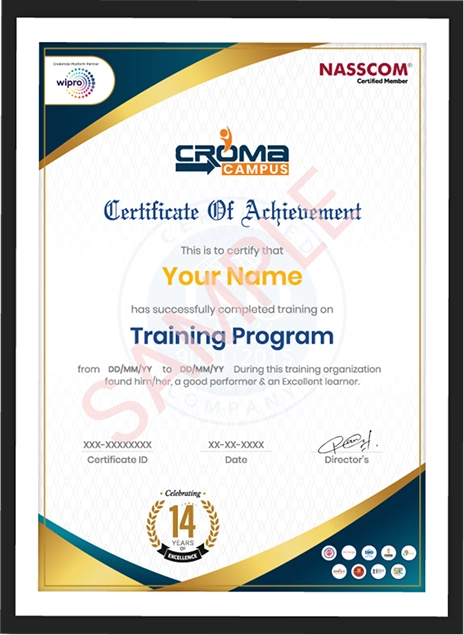
You will get certificate after
completion of program
You will get certificate after
completion of program
You will get certificate after
completion of program
in Collaboration with
Empowering Learning Through Real Experiences and Innovation
we train you to get hired.
Phone (For Voice Call):
+91-828 706 0032WhatsApp (For Call & Chat):
+91-828 706 0032Get a peek through the entire curriculum designed that ensures Placement Guidance
Course Design By
Course Offered By
Ready to streamline Your Process? Submit Your batch request today!
Yes, the DevOps Training Institute in Hyderabad begins from the very basics and gradually proceeds to more advanced concepts. Beginners can enroll in the course without any worries.
No, basic computer skills will suffice. Each concept taught in the DevOps Course in Hyderabad is thoroughly explained.
Yes, you will undertake multiple real-life projects during the DevOps Classes in Hyderabad. This will help you understand how DevOps works in real-life corporate scenarios.
Yes, after completing the DevOps Training in Hyderabad, you will be provided with a course completion certificate and certificate guidance.
Yes, the DevOps Training Institute in Hyderabad provides classes both weekdays and weekends.
In the DevOps Course in Hyderabad, you would learn Linux, Git, GitHub, Jenkins, Docker, Kubernetes, Ansible, Terraform, AWS, Prometheus, Grafana, and Visual Studio Code.
Yes. Placement assistance, resume building, mock interviews, and interview preparation are provided as part of the DevOps Classes in Hyderabad.
The DevOps Training in Hyderabad covers projects such as CI/CD Pipeline, Docker Deployment, Kubernetes Cluster, AWS Deployment, Infrastructure Automation, Monitoring Dashboard, Server Configuration, and Web Application Deployment.
Anyone who is a student, graduate, software developer, cloud engineer, system administrator, tester, IT professional, working professional, and career changer can enroll in the DevOps Training in Hyderabad.
Some of the roles that one can pursue after completing the DevOps Course in Hyderabad include DevOps Engineer, Cloud Engineer, Site Reliability Engineer, Build and Release Engineer, Linux Administrator, Automation Engineer, Infrastructure Engineer, Platform Engineer, CI/CD Engineer, AWS Engineer, and System Administrator.

Highest Salary Offered

Average Salary Hike

Placed in MNC’s

Year’s in Training

fast-tracked into managerial careers.
Get inspired by their progress in the
Career Growth Report.
FOR QUERIES, FEEDBACK OR ASSISTANCE
Best of support with us
Share some of your details and we will be in touch with you for demo details, and know about Batches Available with us!

For Voice Call
+91-971 152 6942For Whatsapp Call & Chat
+91-9711526942Share some of your details and we will be in touch with you for demo details, and know about Batches Available with us!














 Training Certificate is Govern By 12 Global Associations.







 Career Transition
 Career Gap
 Placement Activities
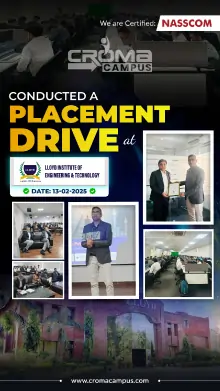
 Placement Drives
 Latest Hiring
 Whats App Reviews





.jpg)

.jpg)
.jpg)








.webp)






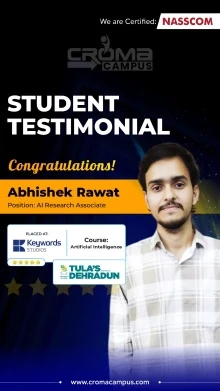
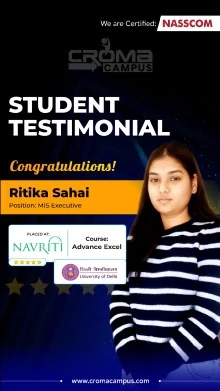
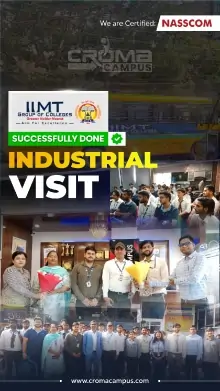




 +91-828 706 0032
 +91-828 706 0032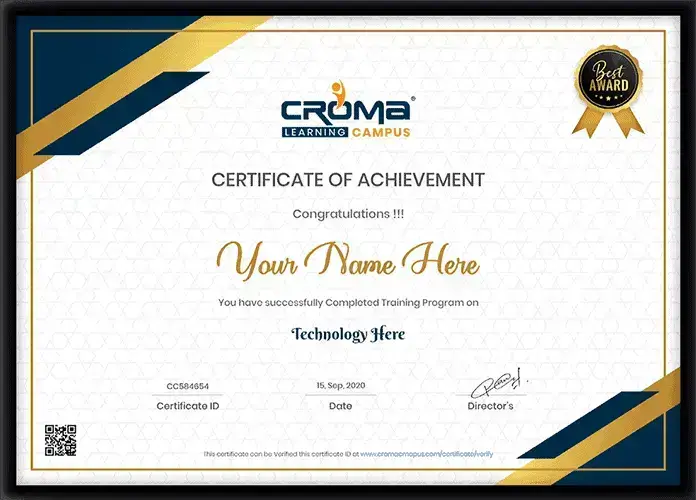




 Interested in Devops Training Program Course?
 +91-828 706 0032
 +1 (782) 819-0044




 Interested in Course?



.webp)
.webp)

.png)


