
How AI Is Transforming Odoo ERP Systems In 2026?
4.9 out of 5 based on 16545 votesLast updated on 12th Jun 2026 29.8K Views

- Bookmark

The software will also begin to look different for each of them. As Odoo has customized the software based on the needs of salespeople and warehouse workers.
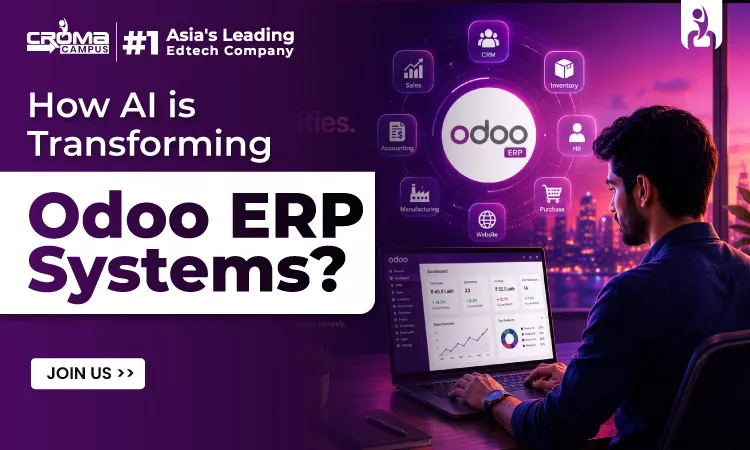
We are living in the era of technology where AI is helping make the operations more effective, and it has ended the era of passive ERP. In the year 2026, Odoo has evolved completely from a modular business management platform into an intelligent and self-learning business co-pilot, and companies are understanding this shift.
In this article, we are going to discuss in detail how AI is transforming the Odoo ERP system in detail. If you are looking to become an Odoo developer, then taking the Odoo Course can be a great help for the same. Learning this can help one to stay ahead in the competition. So let’s begin discussing this in detail:

Why AI is Important for Odoo ERP in 2026
1. Doing the Boring Stuff Automatically
The best thing about Odoo right now is that it takes care of the boring stuff that usually eats up our day. It handles things like entering invoice numbers or counting stock, and it doesn't get tired or make typos. Because it picks up on how things work over time, it actually gets better at its job every day. This saves a ton of money and lets us focus on the parts of the job where you actually need a person.
2. Making Better Choices with Real Facts
By 2026, trying to run a business on a "hunch" is a bad move. The system pays focus mainly on everything from the sales to your hiring and gives you a clear view of the facts. It can help find out the mistakes before they turn into a big problem and will tell you the smart way to solve this. This can help you stay successful.
3. Knowing What to Buy and When
Running out of stock or having too much stuff sitting in a warehouse is a huge waste of money. AI fixes this by looking at what you sold in the past and what people want now. IIt will tell you exactly what to order and when this needs to arrive. It can help keep the warehouse balanced. This is how you are not just reaching problems, but staying too far from them,
4. Better Ways to Talk to Customers
Odoo’s sales tools are much smarter now. Instead of guessing which person might buy something, the AI looks at how people interact with your emails and website to give you a list of the best leads. It can even warn you if a long-time customer is about to leave or if there is a good chance to sell them something extra. This helps sales teams spend their energy where it actually counts.
5. Keeping Everything Safe and Legal
Since most work happens online now, keeping data safe is a huge deal. The system acts like a security guard that never sleeps. If it sees something weird, like a strange login or a fishy transaction, it flags it immediately to stop hackers or fraud. It also handles the headache of tax rules and legal paperwork, making sure everything is filed correctly based on your local laws so you don't have to worry about it.
You May Also Read This Post:
Making Odoo Smarter with AI and Machine Learning:
1. Planning for the Future
AI looks at your past sales and stock levels to predict what will happen next. Instead of solving the problem, after they begin, you can see this coming and can plan accordingly. It can turn the Odoo into a tool that can help you stay one step ahead.
2. No More Typing in Receipts
Odoo can now "read" documents. When you upload any invoice or receipt, the system will automatically find the numbers and details. It means there will be no more manual data entry, fewer mistakes, and a faster accounting process.
3. Workflows That Learn
In the past, you had to give the command to the software regarding what to do step by step. Now Odoo will learn from what you do. It can automatically assign help tickets or approve orders based on what it has seen before. It gets smarter the more you use it.
Better Hiring and Staff Support
Faster Hiring:
AI can scan the relevant resumes and will highlight the best people who are a right match for this job before you even look at this file.
This saves hours of reading through applications.
Checking in on the Team:
Odoo can notice if a worker’s productivity is slipping. This allows managers to help out and talk to the employee early on, rather than waiting for an annual meeting.
Easy Scheduling:
The system handles vacation requests and shifts automatically. It can even tell you if you’ll be short-staffed weeks in advance so you can find coverage.
Keeping Great People:
By looking at things like workload and pay, the AI can flag if a valuable employee might be thinking about leaving. This gives you a chance to offer them a reason to stay.
Managing Stock and Shipping
Buying the Right Amount:
The system figures out exactly when you need to buy more supplies. It prevents you from running out of the things your customers are looking for and also keeps you away from wasting money on additional sources.
Picking the Best Suppliers:
Odoo pays full attention to the activities of the people you buy from. Well, if a supplier get late or sends broken items, the system will help you to find a better company for the same and work with this instead.
Faster Deliveries:
The software looks at things like traffic and common delivery paths to find the fastest and cheapest ways for your drivers to get orders to customers.
Smarter Sales and Finances
Finding the Best Leads:
The system points out which people are actually ready to buy. In this way, the sales team can spend their time collaborating with the serious shoppers rather than chasing the people who are not interested at all.
Matching Bills Automatically:
The accounting tools match bills to orders instantly. If everything looks right, it processes them without you needing to click a button.
Predicting Cash Flow:
Odoo looks at your bills and your income to tell you exactly how much money you will have in the bank next month. This helps you avoid money stress.
What’s Coming Next?
The future of Odoo is about "Agent" AI. This means the system won't just give you advice; it will actually do the work for you. For example, it might see that you are low on a part, find the best price from a vendor, and place the order all on its own.
The software will also begin to look different for each of them. As Odoo has customized the software based on the needs of salespeople and warehouse workers, they would be able to see a version of Odoo.
Tips for Setting Up AI in Odoo
If you want to add AI to your Odoo system, here are the best ways to make sure it actually works for your business.
1. Start with Clean Information
AI is only smart for the information you provide it. If your current records are full of mistakes, then AI will give you wrong answers. Before you turn on any of the AI features, you need to take the time to clean the data. Also, you can solve these errors and make sure that everything is organized. This is the most important step for success.
2. Have a Clear Goal
Don't use AI just because it sounds cool. Pick a specific problem you want to solve. Do you want to spend less time on bills? Do you want to know exactly how much stock to buy? Every AI tool you set up in Odoo should help you reach a real goal that saves time or money.
3. Train Your Team
Software is not running the business, but people are doing it. If you add smart tools to Odoo, you need to make sure that your team has an idea of how to use them. Well, employees can be given training for Odoo Certification, which is the right decision. Also, this can help ensure that you have experts who can keep the system running smoothly and solve any issues if they are not on the right track.
4. Take Small Steps
Don’t try to change everything at once. So it is better to begin with one or two simple things, such as automatic invoicing or sorting sales leads. Once they begin to work perfectly, you can move to the more advanced tools. It can help your team to get habituated to the changes without feeling overwhelmed.
Comparing Old Odoo vs. AI-Powered Odoo:
| Feature | Traditional Odoo | AI-Powered Odoo |
| Handling Information | People have to look at old reports and type things in manually. | The system looks at data as it happens and gives you live updates. |
| Making Choices | You have to look at old papers and make your best guess. | The system gives you advice and predictions to help you decide faster. |
| Managing Stock | You have to watch the shelves and order more when you see you're low. | The system knows when you'll run out and orders more for you automatically. |
| Paying Bills | The accounting team types in every invoice and checks them one by one. | The computer reads the bills and matches them to orders by itself. |
| Finding Customers | Salespeople guess which person might buy something. | The system ranks leads so you know exactly who is ready to buy. |
| Managing the Team | Hiring and checking performance is done entirely by hand. | AI helps pick the best resumes and spots when a worker needs extra support. |
| Reports | You have to create reports yourself at the end of the week or month. | Dashboards update themselves instantly and show where trends are heading. |
Frequently Asked Questions:
How hard is it to move from a standard Odoo setup to an AI-powered one?
Well, it is not as hard as it feels, but you should not hurry. The best way to begin is by cleaning up the current records, which enable the system to store relevant information to learn from. Most of the businesses are finding it easiest to turn on one feature at a time.
Do I need to be a tech expert to use these new AI features?
Not at all. Because one of the best things about the modern 2026 updates is that you can collaborate using normal and everyday language. Also, you do not need to memorize complicated menus or code.
What are the industries where AI is most useful in Odoo ERP?
There are many industries and fields, such as manufacturing, retail, logistics, finance, healthcare, and businesses, which can use Odoo ERP.
Conclusion:
Like other technologies, when you use AI in ODOO Training in Noida is not limited to following the trend, but it is completely about making the work life smoother. When you allow the system to manage the boring and frustrating tasks by giving a smart prompt, you can focus completely on growing the business. So the key of your success is to begin with clean data, train your team well, and take one step ahead.
Subscribe For Free Demo
Free Demo for Corporate & Online Trainings.
Course Features
 Reals Life Practical & Case Studies
 Assignments
 Lifetime Access
 Expert Support
 Global Certification
 Job Portal Access
 +91-828 706 0032
 +1 (782) 819-0044






 Interested in Course?




.webp)
.webp)

.png)


