








whatsapppopupnewiconGUIDE ME

Learn Project Planning with Primavera P6 Course in Bangalore and gain practical skills in scheduling, resource management, cost control, and project execution.

4.9 out of 5 based on 3270 votes
google4.2/5
Sulekha4.8/5
Urbonpro4.6/5
Just Dial4.3/5
Fb4.5/5

In collaboration with

400+

Corp. Tie-Ups

Online/Offline

Format

LMS

Life Time Access

Book A Free Counselling Session

we train you to get hired.

bag-box-form
Request more information_

  • Creating a plan for a major project is not an easy task. A lot of activities, people, materials, cost, and deadlines have to be managed. Primavera P6 assists project teams in managing all these things in an appropriate way. Primavera P6 Training is used widely for planning and scheduling of projects.
  • Primavera P6 Training in Bangalore is meant for students, freshers and working professionals interested in learning project planning and scheduling starting with the basics. No expertise in project planning is required to enroll in the training program, as topics in it can be learnt with practical exercise in step-by-step manner.
  • Primavera Course in Bangalore covers such vital topics as project creation, WBS, activities, relationships, calendars, resources, scheduling, baselines, tracking and reports. This is just a list of some of the key topics covered when working with Primavera P6.

Primavera P6 Training in Bangalore

About-Us-Course

  • After completing Primavera P6 Training in Bangalore, you will be able to:
    • Understand the basics of Primavera P6

      Create and manage projects

      Create Work Breakdown Structure (WBS)

      Add and manage activities

      Create activity relationships

      Work with project calendars

      Set activity durations

      Add project milestones

      Create project schedules

      Understand the critical path

      Assign resources to activities

      Manage resource information

      Add project costs

      Create project baselines

      Track project progress

      Prepare project reports

      Work on practical project planning

  • The primary aim of the training course on Primavera P6 in Bangalore is to enable the learner to comprehend the process of planning and scheduling projects through Primavera P6. The training will begin with simple topics and will gradually progress to project scheduling, resources, and tracking and reporting.
  • As part of the Primavera Course in Bangalore, one learns how to create a project, decompose a project, link activities, allocate resources, and plan out a project properly. Primavera P6 facilitates WBS, CPM scheduling, and resource leveling, which are essential elements of the process of project planning.
  • The training includes practical exercises in order to learn about the usage of the software during the course of the project.
  • Learning Objectives
  • This training includes:
    • Primavera P6 basics

      Project creation

      Enterprise Project Structure

      Work Breakdown Structure

      Activity creation

      Activity types

      Activity relationships

      Project calendars

      Milestones

      Constraints

      Scheduling

      Critical path

      Float

      Resources and roles

      Resource assignment

      Cost management

      Baselines

      Project tracking

      Progress updates

      Reports and layouts

      Practical project work

  • Oracle's own Primavera P6 fundamentals training also covers project creation, activities, relationships, calendars, scheduling, constraints, roles, resources, project optimisation and budget-related work.

  • The Primavera P6 Training in Bangalore caters to the needs of the participants interested in gaining knowledge about the software as well as its application. The course includes project planning activities rather than mere theoretical learning.
  • Highlights of the Course
    • Training sessions by experienced trainers

      Practical lab sessions

      Easy-to-understand course content

      Industry-based topics

      Project planning exercises

      Live project practice

      Primavera P6 software practice

      Daily assignments

      Doubt-clearing sessions

      Interview preparation

      CV preparation

      Certification guidance

      Weekday batches

      Weekend batches

      Online and classroom learning

  • Primavera P6 Training in Bangalore is ideal for people who would like to learn project planning and scheduling. No prior knowledge of Primavera P6 is necessary to join the course.
  • The training is suitable for:
    • 12th Pass Students

      College Students

      Graduates

      B.Tech Students

      BCA Students

      B.Sc. Students

      Civil Engineering Students

      Mechanical Engineering Students

      Electrical Engineering Students

      Project Coordinators

      Planning Engineers

      Project Engineers

      Site Engineers

      Construction Professionals

      Project Managers

      Working Professionals

      Career Switchers

  • If you are new to Primavera P6, you can start with the basic topics and then move towards scheduling, resources and project tracking.

  • The courses on Primavera P6 in Bangalore are beneficial to those who aspire to work as project planners and project managers. The training can benefit novices as well as individuals with experience in projects.
  • This training is best for:
    • Students

      Graduates

      Civil Engineers

      Planning Engineers

      Project Engineers

      Site Engineers

      Construction Professionals

      Project Coordinators

      Project Managers

      Scheduling Professionals

      Working Professionals

      Career Changers

  • The Primavera P6 Classes in Bangalore focus on practical learning so that learners can practise different project planning tasks instead of only reading about them.

  • Primavera P6 is primarily used for planning, scheduling, and controlling projects. The software is intended for managing big and complex projects and offers tools for activities, resources, cost, and schedules to project planners and schedulers.
  • Primavera P6 Training in Bangalore is helpful for individuals who wish to develop skills for construction, engineering, infrastructure and other project-based industries. Once you become familiar with the software, you will be able to work with activities that include scheduling, schedule updates, delay analysis, resources, and report creation for projects.
  • The ability of the software to manage multiple projects and resources comes in handy when dealing with several activities and projects at once.

  • Larger projects may contain hundreds or even thousands of activities. Manual management of all such activities can become very difficult. The Primavera P6 software can help the project teams organize the project data and plan the schedule.
  • Better Project Planning
    • Teams can break a large project into smaller activities and organise them using WBS.

  • Easy Activity Management
    • Project activities can be given dates, durations, relationships, resources and other details.

  • Better Scheduling
    • Project teams can schedule activities and check how changes can affect the project.

  • Resource Management
    • Resources such as people and equipment can be assigned to activities and managed through the project.

  • Finding Critical Activities
    • P6 supports critical-path-method scheduling, helping planners understand activities that are important to the project schedule.

  • Project Tracking
    • Teams can update actual progress and compare the current position of the project with the planned schedule.

  • After completing the Primavera P6 Training in Bangalore, you can look for jobs where project planning, scheduling and project control skills are required. The exact job role will depend on your education, experience and other skills.
  • You can apply for opportunities in areas such as construction, infrastructure, engineering, real estate, manufacturing and other project-based organisations.
  • Job Roles You Can Opt for
    • Planning Engineer

      Project Planner

      Project Scheduler

      Project Coordinator

      Project Engineer

      Planning Coordinator

      Project Control Engineer

      Project Management Executive

      Construction Planner

      Scheduling Engineer

      Project Controls Specialist

      Project Manager

  • The Primavera P6 Training in Bangalore mainly focuses on Primavera P6 and the important features used for project planning and scheduling.
  • Primavera P6
    • Learn how to create projects, add activities, set dates and prepare project schedules.

  • WBS
    • Learn how to divide a large project into smaller sections so that it becomes easier to manage.

  • Activities
    • Learn how to create activities, add durations, dates, activity types and other project details.

  • Relationships
    • Learn how activities are connected and how one activity can affect another.

  • Calendars
    • Learn how working days, holidays and working hours can affect project scheduling.

  • Resources
    • Learn how to add people, equipment and other resources and assign them to activities.

  • Scheduling
    • Learn how to calculate the project schedule and check activity dates and project progress.

  • Baselines
    • Learn how to save a planned version of the project and use it for comparing project progress.

  • Reports
    • Learn how project information can be arranged and presented through layouts and reports.

  • The Primavera P6 Course in Bangalore focuses on project-based learning. Learners can practise creating project plans and working with activities, relationships, resources and schedules.
  • Project Ideas
    • Construction Project Planning

      Building Project Schedule

      Road Construction Schedule

      Infrastructure Project Planning

      Resource Planning Project

      Project Cost Planning

      Baseline Comparison Project

      Project Progress Tracking

      Delay Analysis Practice

      Complete Primavera P6 Scheduling Project

  • These projects can help you understand how Primavera P6 is used for planning and controlling project work.

  • The Primavera P6 Classes in Bangalore focus on learning through practice. Instead of only learning what each option means, you can practise creating and updating project plans.
  • Practical Learning Activities
    • Creating a new project

      Creating WBS

      Adding activities

      Creating activity relationships

      Setting calendars

      Adding milestones

      Assigning resources

      Adding costs

      Scheduling the project

      Checking critical activities

      Setting a baseline

      Updating project progress

      Checking delays

      Preparing reports

      Working on a complete project

  • Oracle's current P6 documentation includes scheduling, critical paths and resource levelling as core project planning tasks.

  • After successfully completing the Primavera P6 Training in Bangalore, you can receive a course completion certificate, depending on the training institute's certification process.
    • Along with the certificate, training may include:

      Certificate guidance

      Practice assignments

      Project work

      Mock interviews

      Resume building support

      Interview preparation

      Career guidance

  • A certificate can show that you have completed the course, but practical knowledge and project experience are also important when applying for jobs.

  • Your salary after completing the Primavera P6 Training in Bangalore depends on your education, experience, job role, project knowledge and company. Freshers and experienced professionals can have different salary levels.
  • Experience
  • Expected Salary
    • Freshers: 3 LPA to 6 LPA

      13 Years Experience: 5 LPA to 9 LPA

      Experienced Professionals: 8 LPA to 15 LPA+

  • These are only broad estimates and actual salaries can be different based on the company, location, role and experience.
    • Factors That Influence Salary

      Primavera P6 skills

      Project planning knowledge

      Scheduling skills

      Resource management skills

      Real project experience

      Industry experience

      Technical knowledge

      Communication skills

      Educational qualification

      Professional certifications

  • Choosing the right training institute can make learning easier, especially when you are new to project planning software. Our Primavera P6 Training in Bangalore focuses on simple explanations and practical project work.
  • The aim is to help learners understand the software step by step and get comfortable with activities, schedules, resources, baselines and project tracking.
  • Reasons Why Students Choose Us:
    • Experienced trainers

      Updated course syllabus

      Simple teaching method

      Practical assignments

      Project-based learning

      Primavera P6 software practice

      Flexible batch timings

      Weekday and weekend batches

      Online and classroom training

      Certificate guidance

      Resume building support

      Mock interviews

      Placement assistance

      Study material

      Doubt-clearing sessions

      Career guidance

  • In case you wish to study project planning and scheduling, now could be a good time to begin your studies on Primavera P6. The Primavera P6 Training in Bangalore will teach you all about project planning, activity management, task linking, resource assignment, scheduling, and tracking project progress.
  • The Primavera P6 Course in Bangalore and Primavera P6 Classes in Bangalore will help you gain practical insight into the software, as well as learn how the software is used in project planning and scheduling. The main aim here is to learn by doing and gaining experience in using the software.

Why Should You Learn Primavera P6?

Not just learning

we train you to get hired.

bag-box-form
Request more information

By registering here, I agree to Croma Campus Terms & Conditions and Privacy Policy

CURRICULUM & PROJECTS

Primavera Training Program

    Introduction about Project and its management, About Project

    Management Information System

Get full course syllabus in your inbox

    About Primavera

    P6 EPPM Suite, GUI of P6

Get full course syllabus in your inbox

Get full course syllabus in your inbox

Get full course syllabus in your inbox

    About Projects

    Creation of Project in client

    Project Details Window

Get full course syllabus in your inbox

    Introduction to Calendar

    Types of Calendars

    Timescale

Get full course syllabus in your inbox

    Introduction to WBS

    WBS Structure,

    Creation Of WBS In Client

    Creating A WBS From a Template

    Configuring General WBS Information

Get full course syllabus in your inbox

    Introduction About an Activity

    Assign Calendar to The Project in Client

    Creating Activities

    Configuring General Tab

    Delete An Activity

    Various Methods to Create an Activity

Get full course syllabus in your inbox

    Introduction About Relationships

    Types Of Relationship

    Adding Relationships to The Activities in Various Methods

    Apply Lead or Lag, Procedure to Apply Lead or Lag

Get full course syllabus in your inbox

    Introduction about Scheduling, About Critical Path Method

    Advantage of Critical Path Method

    Procedure for Scheduling

Get full course syllabus in your inbox

    Introduction About Constraints

    Constraints Categories

    Types of Constraints

    Procedure To Apply Constraints in Client

Get full course syllabus in your inbox

    Introduction About Codes

    Types of Codes

    About Project Code & Creation of Code in Client

    About activity Code & Creation of Code in Client

    About Resource Code & Creation of Code in Client

Get full course syllabus in your inbox

    Introduction about Roles

    Creation of Roles

    Assigning a Resource to a Role

Get full course syllabus in your inbox

    Introduction about Resources

    Types of Resources

    Define Resources

    Assigning a Role to Resource

Get full course syllabus in your inbox

    Assigning Roles to an Activity

    Assigning Resources to an Activity

Get full course syllabus in your inbox

    Introduction about Analysis of a Resource

    Procedure for Resource Analysis

    Different views of Resource Analysis

    Resource Levelling

Get full course syllabus in your inbox

    Work Products & Documents

    Notebook & Feedback

Get full course syllabus in your inbox

    About Baselines

    Setting Baselines

    Assign Baselines

    Display Baselines

    Restoring Baseline

Get full course syllabus in your inbox

    Updating the Progress of Activities

    Automatic Update

    Manual Update, Display Progress line in Gantt chart

Get full course syllabus in your inbox

    Introduction about Tracking

    Features & Benefits of Tracking

    Earned Value Analysis

    Earned Value Fields

Get full course syllabus in your inbox

    About an Issue

    Creating Issues

    Using Issue

    Navigator

    Threshold

    Adding Threshold

    Monitoring Thresholds

Get full course syllabus in your inbox

    Introduction about User Defined Fields

    Creating UDF

    WBS

    UDF

    Activity UDF

Get full course syllabus in your inbox

    Introduction about Reports

    Procedure to take Reports

    Create New Report

    Through Wizard

    Report Group

    Batch Report

    Tabular Reports

    Graphical Reports

Get full course syllabus in your inbox

    Procedure to Import & Export

    Check out & check in

    Reflection

Get full course syllabus in your inbox

+ More Lessons

Course Design By

naswipro

Nasscom & Wipro

Course Offered By

croma-orange

Croma Campus

Real

star

Stories

success

inspiration

person1

Nikhil Sharma

career upgrade

person1

Naitik Rana

career upgrade

person1

Abni Gupta

career upgrade

person1

Sarthak Khanna

career upgrade

SELF ASSESSMENT

Learn, Grow & Test your skill with Online Assessment Exam to
achieve your Certification Goals

right-selfassimage
Get exclusive
access to career resources
upon completion
quote
Mock Session

You will get certificate after
completion of program

laptop
LMS Learning

You will get certificate after
completion of program

star
Career Support

You will get certificate after
completion of program

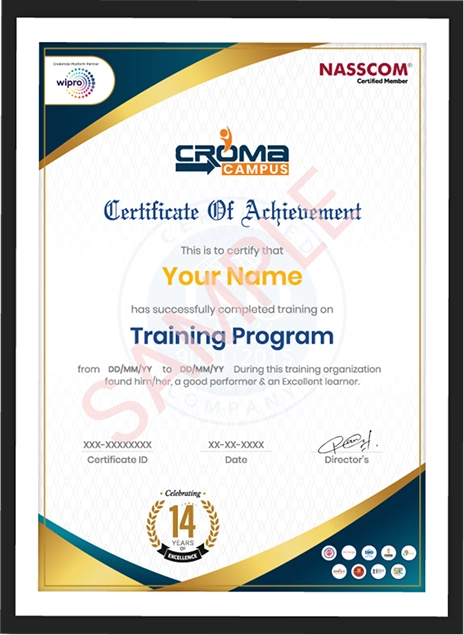
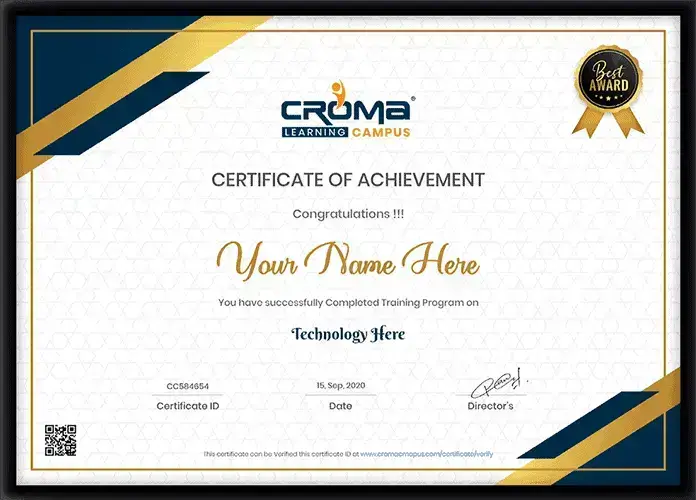
Showcase your Course Completion Certificate to Recruiters

  • checkgreenTraining Certificate is Govern By 12 Global Associations.

  • checkgreen1Training Certificate is Powered by “Wipro DICE ID”
  • checkgreen2Training Certificate is Powered by "Verifiable Skill Credentials"

in Collaboration with

dot-line
Certificate-new-file

Not Just Studying

We’re Doing Much More!

Empowering Learning Through Real Experiences and Innovation

Mock Interviews

Prepare & Practice for real-life job interviews by joining the Mock Interviews drive at Croma Campus and learn to perform with confidence with our expert team.Not sure of Interview environments? Don’t worry, our team will familiarize you and help you in giving your best shot even under heavy pressures.Our Mock Interviews are conducted by trailblazing industry-experts having years of experience and they will surely help you to improve your chances of getting hired in real.
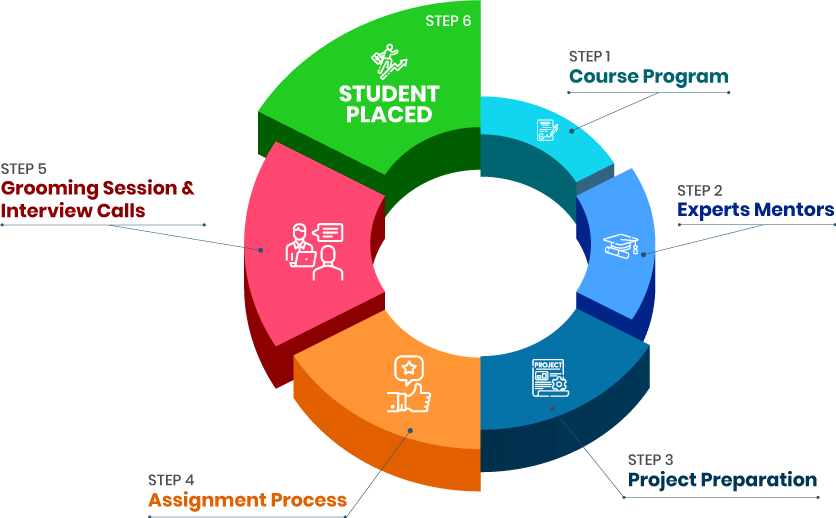
How Croma Campus Mock Interview Works?graph_new

Not just learning

we train you to get hired.

bag-box-form
Request A Call Back

Phone (For Voice Call):

‪+91-828 706 0032

WhatsApp (For Call & Chat):

+91-828 706 0032
          

Download Curriculum

Get a peek through the entire curriculum designed that ensures Placement Guidance

Course Design By

nasco wp

Course Offered By

Request Your Batch Now

Ready to streamline Your Process? Submit Your batch request today!

Students Placements & Reviews

speaker
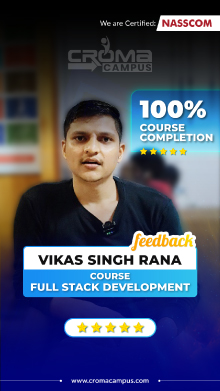
Vikash Singh Rana
Vikash Singh Rana
speaker
Jayad Chaurasiya
Jayad Chaurasiya
speaker
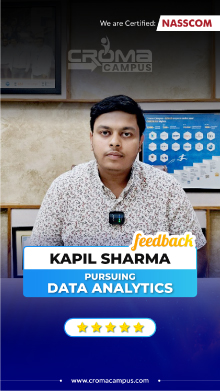
Kapil Sharma
Kapil Sharma
speaker
Harikesh Panday
Harikesh Panday
speaker
Saurav Kumar
Saurav Kumar
speaker
Prayojakta
Prayojakta
View More arrowicon

FAQ's

Yes, this Primavera P6 Training Course in Bangalore can be attended by beginners. The training begins with the basics and then goes to scheduling projects, resource allocation, and other fields.

No. You do not have to know anything about Primavera P6 before attending the training course. You may begin with learning its basic concepts and then proceed to advance project planning activities.

Yes, project-based practice can be offered through the Primavera P6 classes in Bangalore. Practical activities that you can undertake include schedule preparation, resource allocation, monitoring project progress and preparation of project plan.

Yes, you can get a certificate of successful completion of the course.

Yes. Working professionals can join the Primavera Course in Bangalore. Weekday and weekend batch options can make it easier to manage the course with work.

In the Primavera P6 Course in Bangalore, you can learn project creation, WBS, activities, relationships, calendars, scheduling, resources, costs, baselines, tracking and reports.

Yes, Primavera P6 has good planning and scheduling capabilities and is meant for planners and schedulers.

Construction, infrastructure, engineering and other project planning scenarios can be practiced. The projects can involve activities planning, scheduling, resources assignment, tracking and comparing with baselines.

Students, graduates, engineers, planning professionals, project coordinators, project engineers, construction professionals, working professionals and career changers can enroll in the Primavera P6 Training in Bangalore.

Planning Engineer, Project Planner, Project Scheduler, Project Coordinator, Project Engineer, Scheduling Engineer and Project Controls Specialist are some of the positions that can be applied for after completing the Primavera course in Bangalore.

Career Assistancecareer assistance
  • - Build an Impressive Resume
  • - Get Tips from Trainer to Clear Interviews
  • - Attend Mock-Up Interviews with Experts
  • - Get Interviews & Get Hired

Our learners
transformed their careers

highest
35 Laks

Highest Salary Offered

money
50%

Average Salary Hike

building
30K+

Placed in MNC’s

setting
15+

Year’s in Training

alumini
A majority of our alumni

fast-tracked into managerial careers.

Get inspired by their progress in the

Career Growth Report.

FOR VOICE SUPPORT

FOR WHATSAPP SUPPORT

sallerytrendicon1

Get Latest Salary Trends

×

For Voice Call

+91-971 152 6942

For Whatsapp Call & Chat

+91-9711526942
newwhatsapp
1
//