







whatsapppopupnewiconGUIDE ME

Discover how to retrieve data for analysis. Enroll today and gain insights from an experienced data analyst.

4.9 out of 5 based on 23256 votes
google4.2/5
Sulekha4.8/5
Urbonpro4.6/5
Just Dial4.3/5
Fb4.5/5

In collaboration with

400+

Corp. Tie-Ups

Online/Offline

Format

LMS

Life Time Access

Book A Free Counselling Session

we train you to get hired.

bag-box-form
Request more information_

  • Data analysis is a critical skill in today's data-driven world, enabling businesses to make informed decisions by interpreting complex data sets. Our data analysis course in Chennai is meticulously designed to equip learners with the essential skills and knowledge required to excel in this dynamic field.
  • This comprehensive course covers a wide range of topics, from basic data manipulation techniques to advanced analytical methods, ensuring participants are well-prepared to tackle real-world challenges.
  • The course content is structured to provide a balanced mix of theoretical knowledge and practical experience. Learners will gain insights into data collection, cleaning, and preprocessing, as well as advanced topics such as statistical analysis, data visualization, and predictive modelling.
  • By the end of the course, participants will be proficient in using industry-standard tools and software, such as Excel, SQL, Python, and R, to analyse data and generate actionable insights.
  • Prerequisites:
    • Open to All: No specific prerequisites required.

      Basic Knowledge: Helpful to have a basic understanding of statistics, mathematics, and programming.

      Tool Familiarity: Experience with Excel, SQL, Python, or R is advantageous but not necessary.

      Eagerness to Learn: A strong interest in data and analytics is essential.

  • Who Should Take the Course:
    • Beginners: Those new to data analysis.

      Career Changers: Individuals transitioning into data analysis from other fields.

      Current Data Professionals: Data analysts, data scientists, and business analysts looking to enhance their skills.

      IT Professionals: IT specialists wanting to integrate data analysis into their expertise.

      Business Managers: Managers seeking to leverage data analytics for strategic decisions.

      Students and Graduates: Recent graduates or students aiming to gain practical data analysis skills.

Data Analysis Course in Chennai

About-Us-Course

  • Our data analytics training in Chennai aims to provide a solid foundation and advanced skills necessary for effective data analysis. The course objectives include:
    • Comprehensive Knowledge: Develop a thorough understanding of data analysis principles and practices.

      Practical Skills: Gain hands-on experience with real-world scenarios and projects to apply data analysis techniques effectively.

      Tool Proficiency: Master industry-standard tools and software, such as Excel, SQL, Python, and R.

      Statistical Analysis: Learn to perform statistical analysis to identify trends, patterns, and relationships in data.

      Data Visualization: Acquire skills to create compelling visualizations that communicate insights effectively.

      Predictive Modelling: Understand predictive modelling techniques to forecast future trends and behaviours.

      Problem-Solving: Improve problem-solving skills to identify and address business issues using data-driven approaches.

      Communication Skills: Enhance your ability to present data findings clearly and persuasively to stakeholders.

  • Completing a data analyst course in Chennai can significantly enhance your earning potential. The demand for skilled data analysts is high, and salaries reflect this demand. Here are some salary expectations based on experience and location:
    • Entry-Level Data Analysts: As a beginner, you can expect to earn around Rs 4,00,000 to Rs 6,00,000 annually.

      Mid-Level Data Analysts: With a few years of experience, salaries range from Rs 7,00,000 to Rs 12,00,000 annually.

      Senior Data Analysts: Experienced professionals can earn between Rs 13,00,000 to Rs 20,00,000 annually.

      Global Opportunities: Data analysts in global markets, such as the US or UK, can earn significantly higher salaries, often exceeding $70,000 to $100,000 per year.

  • Completing data analytics training in Chennai opens up numerous career opportunities and avenues for growth. Here are some key areas for career advancement:
    • Diverse Roles: Data analysts can move into various roles such as data scientists, business analysts, or data engineers.

      Industry Demand: The demand for data analysts spans multiple industries, including IT, finance, healthcare, and retail.

      Professional Development: Additional certifications and advanced training can lead to higher positions and specialized roles.

      Leadership Positions: With experience, data analysts can advance to leadership positions such as Data Analysis Manager or Director of Data Analytics.

      Entrepreneurial Opportunities: Many data analysts leverage their skills to start their own consulting firms or analytics businesses.

  • The popularity of data analytics courses in Chennai can be attributed to several factors:
    • Industry Demand: The growing importance of data in decision-making processes has led to a high demand for skilled data analysts across various industries.

      Career Opportunities: Abundant job opportunities in sectors such as IT, finance, healthcare, and retail make data analytics a lucrative career choice.

      Technological Advancements: Advances in data analytics tools and technologies have made it easier to collect, analyze, and interpret large data sets.

      Global Recognition: Data analytics certifications obtained in Chennai are recognized globally, enhancing career prospects.

      Vibrant Professional Community: Access to a vibrant professional community and networking opportunities with industry experts.

  • Data analysts play a crucial role in helping organizations make data-driven decisions. Here are some key roles and responsibilities:
    • Data Collection: Gathering data from various sources, including databases, spreadsheets, and APIs.

      Data Cleaning: Identifying and rectifying errors or inconsistencies in data to ensure accuracy and reliability.

      Data Analysis: Performing statistical analysis to identify trends, patterns, and relationships in data.

      Data Visualization: Creating visual representations of data, such as charts, graphs, and dashboards, to communicate insights effectively.

      Reporting: Preparing detailed reports and presentations to share findings with stakeholders.

      Tool Proficiency: Using industry-standard tools and software, such as Excel, SQL, Python, and R, to analyse data.

      Collaboration: Working closely with other teams, such as IT, marketing, and finance, to understand their data needs and provide actionable insights.

      Problem-Solving: Identifying and addressing business issues using data-driven approaches.

  • The demand for data analysts is high across various industries. Here are some top hiring industries in Chennai:
    • Information Technology: IT companies require data analysts to analyse large volumes of data and improve decision-making processes.

      Finance and Banking: Financial institutions rely on data analysts to optimize processes, manage risk, and ensure regulatory compliance.

      Healthcare: Data analysts help healthcare organizations improve patient care, optimize operations, and manage healthcare data.

      Retail and E-commerce: Retailers and e-commerce companies need data analysts to enhance customer experience, optimize inventory, and drive sales.

      Consulting: Data analysts in consulting firms provide expert advice and solutions to clients across different sectors.

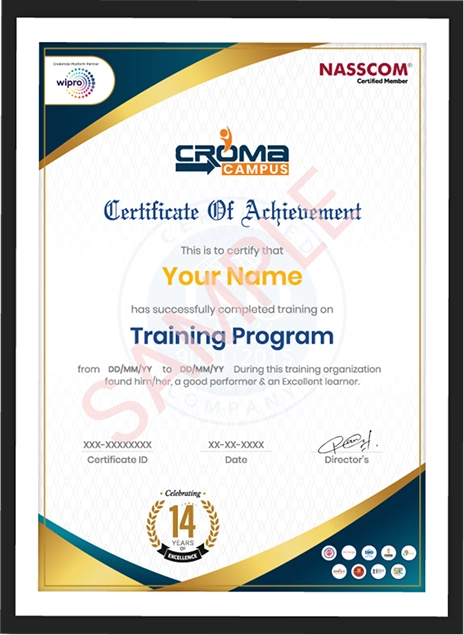
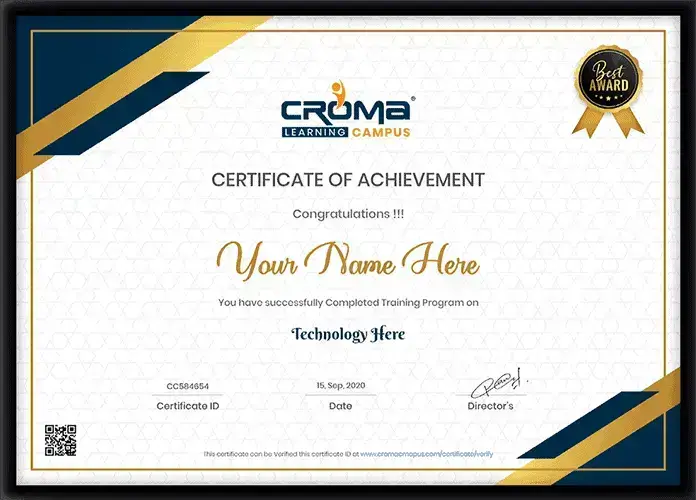
  • Upon completing the data analysis course in Chennai, you will receive a training certificate that demonstrates your newly acquired skills and knowledge. This certification will establish you as a proficient data analyst, enhancing your credibility and career prospects.
  • Key Benefits of the Training:
    • Thorough Knowledge: Gain a deep understanding of data analysis principles and practices.

      Hands-On Experience: Obtain practical experience through real-world scenarios and projects.

      Essential for Career Advancement: The training is crucial for securing data analyst positions and advancing your career.

      Attractive Salary Packages: Access to lucrative salary opportunities in a high-demand field.

      Updated Knowledge Base: Benefit from a constantly updated knowledge base, keeping you current with industry trends and best practices.

  • By enrolling in our data analysis training in Chennai, you will gain the skills and knowledge needed to excel in this dynamic field, opening up numerous career opportunities and advancing your professional journey.

Why you should get started with the Data Analysis?

Not just learning

we train you to get hired.

bag-box-form
Request more information

By registering here, I agree to Croma Campus Terms & Conditions and Privacy Policy

CURRICULUM & PROJECTS

Data Analytics Training Program

    Introduction

    • What is Data Analytic
    • Common Terms in Data Analytics
    • What is data
    • Classication of data
    • Relevance in industry and need of the hour
    • Types of problems and business objectives in various industries
    • How leading companies are harnessing the power of analytics
    • Critical success drivers.
    • Overview of Data Analytics tools & their popularity.
    • Data Analytics Methodology & problem-solving framework.
Get full course syllabus in your inbox

    Introduction To Python

    • Installation and Working with Python
    • Understanding Python variables
    • Python basic Operators
    • Understanding the Python blocks.

    Python Keyword and Identiers

    • Python Comments, Multiline Comments.
    • Python Indentation
    • Understating the concepts of Operators
Get full course syllabus in your inbox

    Introduction to Statistics

    • Categorical Data
    • Numerical Data
    • Mean
    • Median
    • Mode
    • Outliers
    • Range
    • Interquartile range
    • Correlation
    • Standard Deviation
    • Variance
    • Box plot

    Understanding Statistics

    • Descriptive Statistics
    • Sample vs Population Statistics
    • Random variables
    • Probability distribution functions
    • Expected value
    • Normal distribution
    • Gaussian distribution
    • Z-score
    • Spread and Dispersion
    • Correlation and Co-variance

    Data Pre-Processing & Data Mining

    • Data Preparation
    • Feature Engineering
    • Feature Scaling
    • Datasets
    • Dimensionality Reduction
    • Anomaly Detection
    • Parameter Estimation
    • Data and Knowledge
    • Selected Applications in Data Mining

    EDA (Exploratory Data Analysis)

    • Need for structured exploratory data
    • EDA framework for exploring the data and identifying any problems with the data (Data Audit Report)
    • Identify missing data
    • Identify outliers data
    • Imbalanced Data Techniques
Get full course syllabus in your inbox

    Data Analysis and Visualization using Pandas.

    • Statistics
    • Pandas
Get full course syllabus in your inbox

    SQL Server Fundamentals

    • SQL Server 2019 Installation
    • Service Accounts & Use, Authentication Modes & Usage, Instance Congurations
    • SQL Server Features & Purpose
    • Using Management Studio (SSMS)
    • Conguration Tools & SQLCMD
    • Conventions & Collation

    SQL Server 2019 Database Design

    • SQL Database Architecture
    • Database Creation using GUI
    • Database Creation using T-SQL scripts
    • DB Design using Files and File Groups
    • File locations and Size parameters
    • Database Structure modications

    SQL Tables in MS SQL Server

    • SQL Server Database Tables
    • Table creation using T-SQL Scripts
    • Naming Conventions for Columns
    • Single Row and Multi-Row Inserts
    • Table Aliases
    • Column Aliases & Usage
    • Table creation using Schemas
    • Basic INSERT
    • UPDATE
    • DELETE
    • SELECT queries and Schemas
    • Use of WHERE, IN and BETWEEN
    • Variants of SELECT statement
    • ORDER BY
    • GROUPING
    • HAVING
    • ROWCOUNT and CUBE Functions

    Data Validation and Constraints

    • Table creation using Constraints
    • NULL and IDENTITY properties
    • UNIQUE KEY Constraint and NOT NULL
    • PRIMARY KEY Constraint & Usage
    • CHECK and DEFAULT Constraints
    • Naming Composite Primary Keys
    • Disabling Constraints & Other Options

    Views and Row Data Security

    • Benets of Views in SQL Database
    • Views on Tables and Views
    • SCHEMA BINDING and ENCRYPTION
    • Issues with Views and ALTER TABLE
    • Common System Views and Metadata
    • Common Dynamic Management views
    • Working with JOINS inside views

    Indexes and Query tuning

    • Need for Indexes & Usage
    • Indexing Table & View Columns
    • Index SCAN and SEEK
    • INCLUDED Indexes & Usage
    • Materializing Views (storage level)
    • Composite Indexed Columns & Keys
    • Indexes and Table Constraints
    • Primary Keys & Non-Clustered Indexes

    Stored Procedures and Benets

    • Why to use Stored Procedures
    • Types of Stored Procedures
    • Use of Variables and parameters
    • SCHEMABINDING and ENCRYPTION
    • INPUT and OUTPUT parameters
    • System level Stored Procedures
    • Dynamic SQL and parameterization

    System functions and Usage

    • Scalar Valued Functions
    • Types of Table Valued Functions
    • SCHEMABINDING and ENCRYPTION
    • System Functions and usage
    • Date Functions
    • Time Functions
    • String and Operational Functions
    • ROW_COUNT
    • GROUPING Functions

    Triggers, cursors, memory limitations

    • Why to use Triggers
    • DML Triggers and Performance impact
    • INSERTED and DELETED memory tables
    • Data Audit operations & Sampling
    • Database Triggers and Server Triggers
    • Bulk Operations with Triggers

    Cursors and Memory Limitations

    • Cursor declaration and Life cycle
    • STATIC
    • DYNAMIC
    • SCROLL Cursors
    • FORWARD_ONLY and LOCAL Cursors
    • KEYSET Cursors with Complex SPs

    Transactions Management

    • ACID Properties and Scope
    • EXPLICIT Transaction types
    • IMPLICIT Transactions and options
    • AUTOCOMMIT Transaction and usage

    AI Integration in SQL:

    • AI Tools:
    • Copilot in Azure Data Studio or GitHub for SQL suggestions
Get full course syllabus in your inbox

    Understanding Concepts of Excel

    • Creation of Excel Sheet Data
    • Range Name, Format Painter
    • Conditional Formatting, Wrap Text, Merge & Centre
    • Sort, Filter, Advance Filter
    • Different type of Chart Creations
    • Auditing, (Trace Precedents, Trace Dependents)Print Area
    • Data Validations, Consolidate, Subtotal
    • What if Analysis (Data Table, Goal Seek, Scenario)
    • Solver, Freeze Panes
    • Various Simple Functions in Excel(Sum, Average, Max, Min)
    • Real Life Assignment work

    Ms Excel Advance

    • Advance Data Sorting
    • Multi-level sorting
    • Restoring data to original order after performing sorting
    • Sort by icons
    • Sort by colours
    • Lookup Functions
    • Subtotal, Multi-Level Subtotal
    • Grouping Features
    • Consolidation With Several Worksheets
    • Filter
    • Printing of Raw & Column Heading on Each Page
    • Workbook Protection and Worksheet Protection
    • Specified Range Protection in Worksheet
    • Excel Data Analysis
    • Data Table
    • Pivot Table
    • Generating MIS Report In Excel
    • Text Functions
    • Lookup & Reference Function
    • Logical Functions & Date and Time Functions
    • Database Functions
    • Statistical Functions
    • Financial Functions
    • Functions for Calculation Depreciation
Get full course syllabus in your inbox

    Introduction to Power BI

    • Overview of BI concepts
    • Why we need BI
    • Introduction to SSBI
    • SSBI Tools
    • Why Power BI
    • What is Power BI
    • Building Blocks of Power BI
    • Getting started with Power BI Desktop
    • Get Power BI Tools
    • Introduction to Tools and Terminology
    • Dashboard in Minutes
    • Interacting with your Dashboards
    • Sharing Dashboards and Reports

    Power BI Desktop

    • Power BI Desktop
    • Extracting data from various sources
    • Workspaces in Power BI

    Power BI Data Transformation

    • Data Transformation
    • Query Editor
    • Connecting Power BI Desktop to our Data Sources
    • Editing Rows
    • Understanding Append Queries
    • Editing Columns
    • Replacing Values
    • Formatting Data
    • Pivoting and Unpivoting Columns
    • Splitting Columns
    • Creating a New Group for our Queries
    • Introducing the Star Schema
    • Duplicating and Referencing Queries
    • Creating the Dimension Tables
    • Entering Data Manually
    • Merging Queries
    • Finishing the Dimension Table
    • Introducing the another DimensionTable
    • Creating an Index Column
    • Duplicating Columns and Extracting Information
    • Creating Conditional Columns
    • Creating the FACT Table
    • Performing Basic Mathematical Operations
    • Improving Performance and Loading Data into the Data Model

    Modelling with Power BI

    • Introduction to Modelling
    • Modelling Data
    • Manage Data Relationship
    • Optimize Data Models
    • Cardinality and Cross Filtering
    • Default Summarization & Sort by
    • Creating Calculated Columns
    • Creating Measures & Quick Measures

    Data Analysis Expressions (DAX)

    • What is DAX
    • Data Types in DAX
    • Calculation Types
    • Syntax, Functions, Context Options
    • DAX Functions
    • Measures in DAX
    • Measures and Calculated Columns
    • ROW Context and Filter Context in DAX
    • Operators in DAX - Real-time Usage
    • Quick Measures in DAX - Auto validations
    • In-Memory Processing DAX Performance
Get full course syllabus in your inbox

    Introduction to Data Preparation using Tableau Prep

    • Data Visualization
    • Business Intelligence tools
    • Introduction to Tableau
    • Tableau Architecture
    • Tableau Server Architecture
    • VizQL Fundamentals
    • Introduction to Tableau Prep
    • Tableau Prep Builder User Interface
    • Data Preparation techniques using Tableau Prep Builder tool

    Data Connection with Tableau Desktop

    • Features of Tableau Desktop
    • Connect to data from File and Database
    • Types of Connections
    • Joins and Unions
    • Data Blending
    • Tableau Desktop User Interface

    Basic Visual Analytics

    • Visual Analytics
    • Basic Charts Bar Chart, Line Chart, and Pie Chart
    • Hierarchies
    • Data Granularity
    • Highlighting
    • Sorting
    • Filtering
    • Grouping
    • Sets

    Calculations in Tableau

    • Types of Calculations
    • Built-in Functions (Number, String, Date, Logical and Aggregate)
    • Operators and Syntax Conventions
    • Table Calculations
    • Level of Detail (LOD) Calculations
    • Using R within Tableau for Calculations

    Advanced Visual Analytics

    • Parameters
    • Tool tips
    • Trend lines
    • Reference lines
    • Forecasting
    • Clustering

    Level of Detail (LOD) Expressions in Tableau

    • Count Customer by Order
    • Profit per Business Day
    • Comparative Sales
    • Profit Vs Target
    • Finding the second order date
    • Cohort Analysis

    Geographic Visualizations in Tableau

    • Introduction to Geographic Visualizations
    • Manually assigning Geographical Locations
    • Types of Maps
    • Spatial Files
    • Custom Geocoding
    • Polygon Maps
    • Web Map Services
    • Background Images

    Advanced charts in Tableau

    • Box and Whiskers Plot
    • Bullet Chart
    • Bar in Bar Chart
    • Gantt Chart
    • Waterfall Chart
    • Pareto Chart
    • Control Chart
    • Funnel Chart
    • Bump Chart
    • Step and Jump Lines
    • Word Cloud
    • Donut Chart

    Dashboards and Stories

    • Introduction to Dashboards
    • The Dashboard Interface
    • Dashboard Objects
    • Building a Dashboard
    • Dashboard Layouts and Formatting
    • Interactive Dashboards with actions
    • Designing Dashboards for devices
    • Story Points

    Get Industry Ready

    • Tableau Tips and Tricks
    • Choosing the right type of Chart
    • Format Style
    • Data Visualization best practices

    Exploring Tableau Online

    • Publishing Workbooks to Tableau Online
    • Interacting with Content on Tableau Online
    • Data Management through Tableau Catalog
    • AI-Powered features in Tableau Online (Ask Data and Explain Data)
    • Understand Scheduling
    • Managing Permissions on Tableau Online
    • Data Security with Filters in Tableau Online

    AI Integration in Tableau:

    • Ask Data: Natural Language Data Exploration
    • Explain Data: Automatic statistical insights
    • Tableau GPT (Einstein Copilot - Salesforce)
    • AI forecasting in visualizations
    • Integration with Python (TabPy) and R
Get full course syllabus in your inbox

    Capstone Project

Get full course syllabus in your inbox

+ More Lessons

Course Design By

naswipro

Nasscom & Wipro

Course Offered By

croma-orange

Croma Campus

Real

star

Stories

success

inspiration

person1

Sandeep

career upgrade

person1

Shivam Dixit

career upgrade

person1

Kumar Vaibhav

career upgrade

person1

Ansul

career upgrade

SELF ASSESSMENT

Learn, Grow & Test your skill with Online Assessment Exam to
achieve your Certification Goals

right-selfassimage
Get exclusive
access to career resources
upon completion
quote
Mock Session

You will get certificate after
completion of program

laptop
LMS Learning

You will get certificate after
completion of program

star
Career Support

You will get certificate after
completion of program

Showcase your Course Completion Certificate to Recruiters

  • checkgreenTraining Certificate is Govern By 12 Global Associations.

  • checkgreen1Training Certificate is Powered by “Wipro DICE ID”
  • checkgreen2Training Certificate is Powered by "Verifiable Skill Credentials"

in Collaboration with

dot-line
Certificate-new-file

Not Just Studying

We’re Doing Much More!

Empowering Learning Through Real Experiences and Innovation

Mock Interviews

Prepare & Practice for real-life job interviews by joining the Mock Interviews drive at Croma Campus and learn to perform with confidence with our expert team.Not sure of Interview environments? Don’t worry, our team will familiarize you and help you in giving your best shot even under heavy pressures.Our Mock Interviews are conducted by trailblazing industry-experts having years of experience and they will surely help you to improve your chances of getting hired in real.
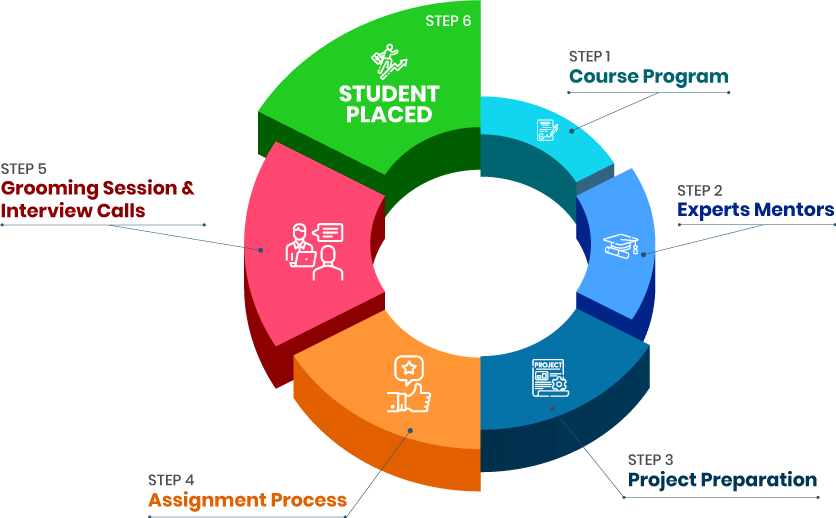
How Croma Campus Mock Interview Works?graph_new

Not just learning

we train you to get hired.

bag-box-form
Request A Call Back

Phone (For Voice Call):

‪+91-828 706 0032

WhatsApp (For Call & Chat):

+91-828 706 0032
          

Download Curriculum

Get a peek through the entire curriculum designed that ensures Placement Guidance

Course Design By

nasco wp

Course Offered By

Request Your Batch Now

Ready to streamline Your Process? Submit Your batch request today!

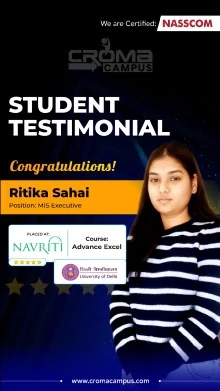
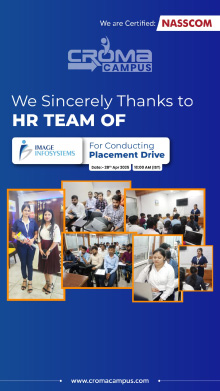
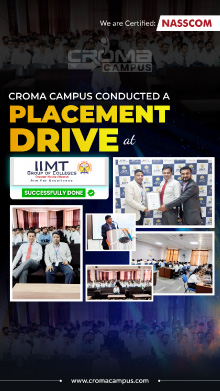
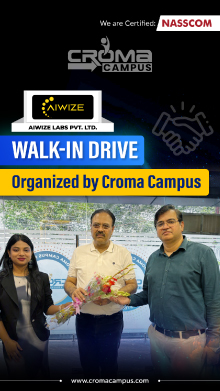
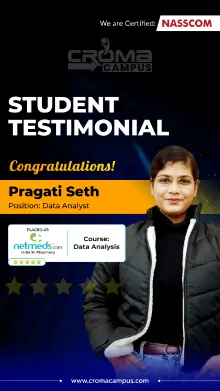
Students Placements & Reviews

speaker
Vikash Singh Rana
Vikash Singh Rana
speaker
Harikesh Panday
Harikesh Panday
speaker
Jayad Chaurasiya
Jayad Chaurasiya
speaker
Mohammad Sar
Mohammad Sar
speaker
Rupesh Kumar
Rupesh Kumar
speaker
Prayojakta
Prayojakta
View More arrowicon

FAQ's

No specific prerequisites, but basic knowledge of statistics and programming can be helpful.

Yes, practical experience with real-world projects is a key component of the training.

You will learn fundamental and advanced data analysis techniques, data visualization, statistical analysis, and predictive modelling.

Yes, the course is designed for both beginners and experienced professionals looking to enhance their skills.

Career Assistancecareer assistance
  • - Build an Impressive Resume
  • - Get Tips from Trainer to Clear Interviews
  • - Attend Mock-Up Interviews with Experts
  • - Get Interviews & Get Hired

Our learners
transformed their careers

highest
35 Laks

Highest Salary Offered

money
50%

Average Salary Hike

building
30K+

Placed in MNC’s

setting
15+

Year’s in Training

alumini
A majority of our alumni

fast-tracked into managerial careers.

Get inspired by their progress in the

Career Growth Report.

FOR VOICE SUPPORT

FOR WHATSAPP SUPPORT

sallerytrendicon1

Get Latest Salary Trends

×

For Voice Call

+91-971 152 6942

For Whatsapp Call & Chat

+91-9711526942
newwhatsapp
1
//