














 Training Certificate is Govern By 12 Global Associations.







 Career Transition
 Career Gap
 Placement Activities
 Placement Drives
 Latest Hiring
 Whats App Reviews
.webp)

.webp)

.jpg)
.jpg)
.jpg)
Course Design By
Nasscom & Wipro
 GUIDE ME
SAP SuccessFactors Training in Chennai offers practical HR cloud skills, hands-on learning, and career-focused training for professionals and beginners.
 4.2/5
4.2/5 4.8/5
4.8/5 4.6/5
4.6/5 4.3/5
4.3/5 4.5/5
4.5/5In collaboration with

Online/Offline
Format
LMS
Life Time Access
we train you to get hired.

Understand the main purpose of SAP SuccessFactors
Understand the main SuccessFactors modules
Navigate the SuccessFactors system
Understand Employee Central
Create and manage employee information
Work with Foundation Objects
Understand effective-dated employee records
Manage personal information
Manage employment information
Work with Job Information
Understand employee lifecycle changes
Work with Position Management
Understand Role-Based Permissions
Create permission groups
Understand MDF Objects
Work with Object Definitions
Understand business rules
Create simple workflow situations
Work with Event Reasons
SAP SuccessFactors HCM overview
Cloud HCM concepts
Employee Central
Admin Center
Company structure
Corporate data
Foundation Objects
Organization, Job and Pay structures
Employee Profile
Personal Information
Employment Information
Job Information
Effective Dating
Employee lifecycle events
Event Reasons
Picklists
MDF Objects
Object Definitions
Associations
Business Rules
Role-Based Permissions
Training from experienced trainers
Practical SuccessFactors exercises
Employee Central practice
Foundation Object exercises
RBP configuration practice
MDF object exercises
Business rule practice
Workflow scenarios
Position Management practice
Employee data exercises
Data import practice
Effective-dated data examples
Time Off scenarios
Recruiting process understanding
Graduates
B.Tech Students
BCA Students
B.Sc. Students
MBA HR Students
HR Professionals
HR Executives
HR Managers
Payroll Professionals
SAP HCM Professionals
SAP HR Professionals
Students
Graduates
HR Executives
HR Managers
HR Professionals
Payroll Professionals
SAP HCM Professionals
SAP HR Consultants
IT Professionals
Business Analysts
Functional Consultants
Employee Data Management: Employee Central stores important information about employees. Learners can practise personal information, employment information, job information and other employee records.
Effective-Dated Changes: Employee information can change many times during a person's career. A manager may change next month or an employee may move to another department from a future date.
Foundation Objects: Companies have departments, divisions, locations, business units and job classifications. Foundation Objects help maintain this type of company information.
Role-Based Permissions: Every person in a company does not need the same access. An HR administrator may need more access than an employee or manager.
Position Management: Position Management helps companies manage positions and reporting structures. Learners can understand position details, reporting relationships and how positions connect with employees.
Business Rules: Business rules can help the system perform an action when a certain condition is met. For example, a rule can help set or check information during an employee transaction.
Workflows: Many HR changes need approval. A promotion, transfer or job change may need approval from a manager or HR person.
MDF: MDF, or Metadata Framework, can be used to create configurable objects for business requirements. Learners can understand object definitions, fields, associations and basic MDF configuration.
Data Import: Large companies may have thousands of employee records. Updating every record manually can take a lot of time.
Time Off: Employees need to apply for leave and managers need to approve it. Time Off supports different leave and absence processes.
Recruiting and Onboarding: Recruiting includes activities such as job requisitions, candidates and hiring steps. Onboarding handles activities that happen when a person joins the company.
Integration: Large companies usually have more than one business system. Employee information may need to move between SuccessFactors, payroll and other applications.
Central Employee Information: Employee information can be managed in one HR system instead of keeping separate files for different activities.
Better Access Control: Role-Based Permissions can help companies decide which users can view or change different information.
Easier HR Approvals: Workflows can send HR transactions to the right person for approval. This can reduce manual follow-up.
Less Repeated Work: Business rules, workflows and system features can reduce some repeated HR tasks.
Better Data Tracking: Audit information can help HR teams check when employee information was changed and understand what happened.
Managing Future Changes: Effective dating helps HR teams manage changes that should become active from a particular date.
Better HR Integration: SuccessFactors can exchange information with other systems. This is useful when employee information needs to move between HR, payroll and other enterprise applications.
IT services
SAP consulting companies
HR technology companies
Global companies
Shared service centres
HR operations teams
SAP support teams
Enterprise application teams
Payroll technology teams
HRIS teams
Software product companies
SAP SuccessFactors Consultant
SAP SuccessFactors Associate Consultant
SAP SuccessFactors Employee Central Consultant
SAP SuccessFactors Support Consultant
SAP HR Consultant
SAP HCM Consultant
HRIS Analyst
HR Technology Analyst
SuccessFactors Administrator
SAP Functional Consultant
HR Systems Analyst
SAP SuccessFactors Application Support
HR Business Systems Analyst
SuccessFactors Implementation Consultant
Employee Central Support Analyst
Employee Central: Learn how employee records, job information, employment information and organization data are maintained.
Admin Center: Learn how administrators use different system tools for configuration and HR system activities.
Role-Based Permissions: Learn how access can be given to employees, managers, HR users and administrators.
Foundation Objects: Learn how company, department, division, location, job classification and other organization information is maintained.
MDF: Learn how configurable objects can be created and used for different HR requirements.
Business Rules: Learn how conditions and rules can be used to control certain system actions.
Workflows: Learn how employee transactions can move through different approval steps.
Position Management: Learn how positions and reporting structures can be maintained and connected with employee records.
Data Import: Learn how employee information can be uploaded or updated in bulk.
Time Off: Learn how leave types, holiday calendars, work schedules and related settings are managed.
Recruiting: Learn the basic flow of job requisitions, candidates and recruitment activities.
Onboarding: Learn how new employee joining activities connect with the wider employee process.
Integration: Learn the basic idea of moving HR data between SuccessFactors and other systems.
Reporting: Learn how HR teams can use employee information for basic reports and analysis.
Employee Central Employee Data Project
Role-Based Permission and Security Project
Employee Transfer and Promotion Workflow Project
MDF Custom HR Object Project
Employee Data Import and Mass Update Project
Position Management and Organization Structure Project
Time Off and Leave Management Project
Recruiting and Onboarding Process Project
Employee Central Integration Project
Creating employee records
Updating employee information
Updating job information
Working with effective dates
Creating company data
Creating department data
Creating permission groups
Assigning RBP permissions
Testing user access
Creating workflow scenarios
Testing approval processes
Creating MDF objects
Creating simple business rules
Working with Event Reasons
Managing Picklists
Importing employee data
Checking import errors
Working with Position Management
Certificate guidance
Practical assignments
Project work
Mock interviews
Resume building support
Interview preparation
Technical interview questions
HR domain questions
Career guidance
Placement assistance
Freshers: 3 LPA To 6 LPA
1 To 3 Years Experience: 5 LPA To 9 LPA
Experienced Professionals: 8 LPA To 15 LPA+
SAP SuccessFactors skills
Employee Central knowledge
RBP knowledge
Workflow configuration
Business rule knowledge
MDF knowledge
Position Management knowledge
Time Off knowledge
Recruiting knowledge
Integration understanding
Payroll knowledge
HR domain knowledge
Real project experience
SAP experience
Communication skills
Problem-solving skills
Experienced trainers
Updated SuccessFactors syllabus
Simple teaching method
Practical system exercises
Employee Central practice
Foundation Object practice
RBP practice
MDF exercises
Business rule exercises
Workflow practice
Position Management practice
Data import practice
Time Off scenarios
Recruiting scenarios
Onboarding basics
Integration concepts
Real HR use cases
Project-based learning
Flexible batch timings
we train you to get hired.
By registering here, I agree to Croma Campus Terms & Conditions and Privacy Policy
+ More Lessons
Course Design By
Nasscom & Wipro
Course Offered By
Croma Campus
Stories
success
inspiration
career upgrade
career upgrade
career upgrade
career upgrade
You will get certificate after
completion of program
You will get certificate after
completion of program
You will get certificate after
completion of program
in Collaboration with
Empowering Learning Through Real Experiences and Innovation
we train you to get hired.
Phone (For Voice Call):
+91-828 706 0032WhatsApp (For Call & Chat):
+91-828 706 0032Get a peek through the entire curriculum designed that ensures Placement Guidance
Course Design By
Course Offered By
Ready to streamline Your Process? Submit Your batch request today!
Yes, beginners can join the SAP SuccessFactors Training in Chennai. The course starts with basic concepts and slowly moves towards Employee Central and configuration.
No. Previous SuccessFactors knowledge is not compulsory. Basic HR or SAP knowledge can be useful but beginners can also start.
You can learn employee data, job information, foundation objects, effective dating, event reasons, workflows, permissions, Position Management and other Employee Central topics.
Yes. The SAP SuccessFactors Classes in Chennai can include projects covering employee data, RBP, workflows, MDF, Time Off, Position Management, Recruiting and integration.
Yes. You can learn permission groups, permission roles and how access is provided to different users.
MDF means Metadata Framework. It is used to create configurable objects for different business requirements.
Yes. The training can include simple business rule examples and explain how rules are used with employee transactions.
Yes. You can practise approval situations such as promotions, transfers and other employee changes.
Yes. HR professionals can join because the training connects HR processes with SuccessFactors system work.
Yes. Freshers can join and slowly learn Employee Central, security, workflows, employee data, configuration and other topics.
Yes. Position Management can be covered to help learners understand positions, reporting structures and employee movement.
Yes. You can learn time types, leave, holiday calendars, work schedules and basic approval processes.
Yes. The training can introduce job requisitions, candidate information, hiring steps and basic onboarding processes.
Yes. The course can cover basic integration concepts, data movement and how SuccessFactors can work with other enterprise applications.
The course can introduce how Employee Central and payroll processes can work together. The depth depends on the batch and selected syllabus.
Yes. Working professionals can choose weekday or weekend batches depending on the available schedule.
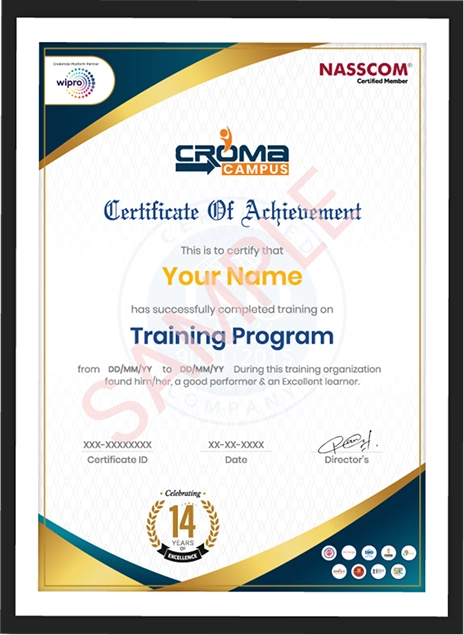
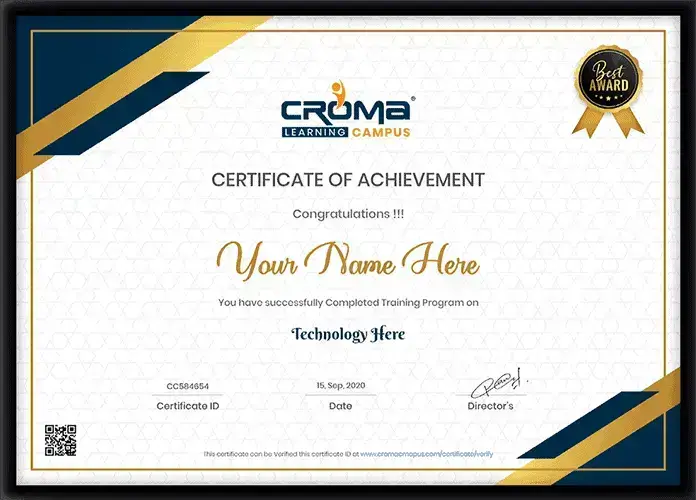
Yes. A course completion certificate can be provided according to the training institute's certification process.
You can practise employee data, RBP, workflows, MDF, data imports, Position Management, Time Off, Recruiting, Onboarding and integration-related projects.
Depending on your experience, you can look for roles such as SAP SuccessFactors Consultant, Employee Central Consultant, HRIS Analyst, SuccessFactors Support Consultant and SAP HR Consultant.
Placement assistance can include resume support, mock interviews, interview preparation and job guidance. Actual job selection depends on the learner's skills, experience and interview performance.


Highest Salary Offered

Average Salary Hike

Placed in MNC’s

Year’s in Training

fast-tracked into managerial careers.
Get inspired by their progress in the
Career Growth Report.
FOR QUERIES, FEEDBACK OR ASSISTANCE
Best of support with us
Share some of your details and we will be in touch with you for demo details, and know about Batches Available with us!
By registering here, I agree to Croma Campus Terms & Conditions and Privacy Policy


For Voice Call
+91-971 152 6942For Whatsapp Call & Chat
+91-9711526942Share some of your details and we will be in touch with you for demo details, and know about Batches Available with us!



.jpg)







.webp)

























.webp)


































 +91-828 706 0032
 +91-828 706 0032


 +91-828 706 0032
 +1 (782) 819-0044





 Interested in Course?



.webp)
.webp)

.png)


