whatsapppopupnewiconGUIDE ME
Primavera P6 Course

Primavera P6 Course Online Training

Our Primavera P6 Online Course is designed for engineers, planners, and project managers to learn project planning and scheduling in a simple way. Join live classes from anywhere, gain practical skills, understand real projects, and receive complete job guidance.

Duration: 8 –12 Weeks | Mode: Live + Recorded Sessions

Check Primavera P6 Demo Class

Join our Primavera P6 demo class to experience live training before you decide to enroll

Our Recently Placed Students in Primavera P6 Course

Vikram Patel

Placed at Shapoorji Pallonji Group

Daniel Scott

Placed at AECOM

Khalid Al-Mutairi

Placed at Saudi Aramco

John Matthews

Placed at Bechtel Corporation

Suresh Iyer

Placed at Reliance Infrastructure

Rahul Mehta

Placed at Jacobs Engineering Group

Ravi Sharma

Placed at Larsen & Toubro (L&T)

Balram Chauhan

Placed at Tata Projects Ltd.

About the Primavera P6 Project Planning Training

Our Primavera P6 Course in India is focused on real project planning work used in construction, oil & gas, and road projects. This training is best for people who want office-based planning jobs. You will learn through live hands-on sessions and real examples to become job-ready.

Training Highlights
  • Live instructor-led classes (CPM Focus)
  • Hands-on Primavera P6 software access for practice
  • Certification-oriented teaching (PMP aligned)
  • Practical case studies & real-time project management
  • Updated study material and Planning standards
  • Resume building & interview guidance for Planning roles
  • Dedicated placement support

What You Get

  • Live classes + recordings
  • P6 Software Access for hands-on labs
  • Real-time project control scenarios
  • Interview & resume support

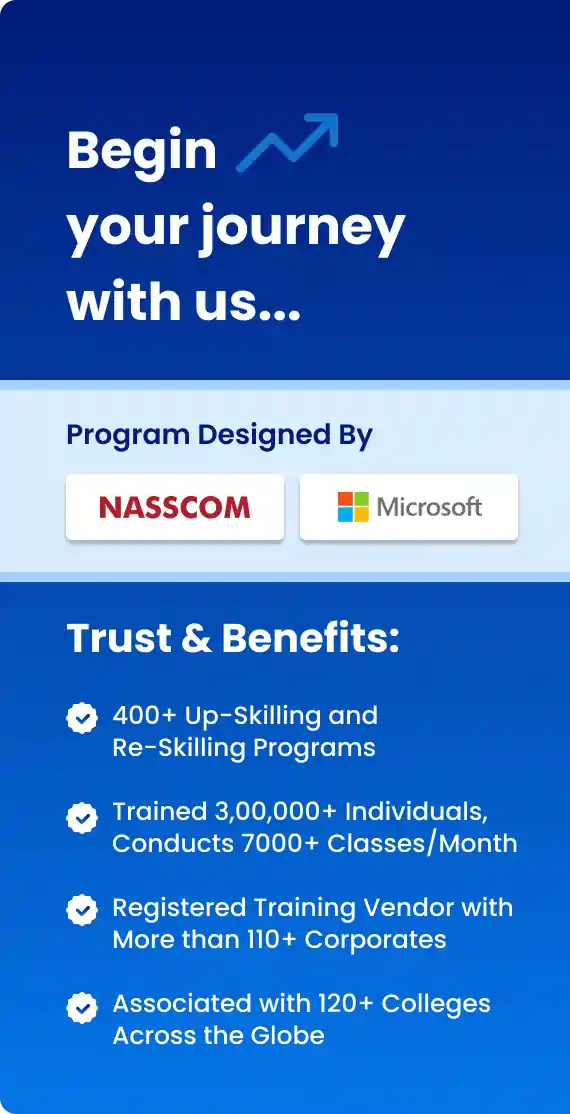
Course Design & Approved By

Nasscom & Wipro

What You Will Learn in Primavera P6 Training

Our Primavera P6 Online Training teaches project planning and scheduling step-by-step, starting from basics and moving to real project use.

Core Modules Covered

  • Primavera P6 Overview
  • Project Creation & WBS Setup
  • Activity Planning & Relationships
  • Calendars & Scheduling Logic
  • Resources, Roles & Cost Management
  • Baseline Creation & Tracking

Advanced Topics & Practical

  • Risk Analysis & Constraints
  • Reports, Layouts & Dashboards
  • Claim Analysis Basics
  • Import & Export Projects
  • Real-time Construction & EPC Project Sce

Download Curriculum

Get a peek through the entire curriculum designed that ensures Placement Guidance

Course Design By

nasco wp

Course Offered By

Why Choose Our Primavera P6 Training Material & Resources?

  • Live session recordings (Scheduling
  • Module-wise PDF notes and CPM theory
  • Real-time EPCM project case studies
  • Practice Labs and P6 Software Exerci
  • Certification-oriented mock tests

Benefits of Joining Our Primavera P6 Training

  • Learn from certified Project Plannin
  • Real Primavera P6 Software Access
  • Lifetime LMS access
  • Recorded videos for revision
  • Dedicated doubt-clearing sessions
  • Support for PMP certification & job
  • 100% placement assistance
Learners Reviews

“The trainer was patient and explained every topic in a simple way. Baselines and tracking became very clear after the sessions.”

— Neha, Assistant Planning Engineer

“I had no planning background earlier, but this training helped me understand project flow and planning basics clearly.”

— Amit Kumar, Primavera P6 Trainee

“Classes were clear and simple. Real project examples made scheduling and reporting very easy to learn.”

— Pooja, Project Control Executive

“The resource and cost modules helped me a lot in my first job. I now feel confident updating progress and tracking delays.”

— Suresh, Site Planning Engineer

“I really liked how the trainer explained WBS and baselines. Everything was taught step by step and was easy to understand.”

— Ananya, Junior Project Planner

“The Primavera P6 course was very practical. The way activities and schedules were explained helped me handle live projects easily at work.”

— Rohit Sharma, Planning Engineer
Primavera – Country-wise Job Profiles & Salary Guide

Top Job Profiles:

  • Planning Engineer / Project Scheduler
  • Senior Planning Engineer
  • Project Control Engineer
  • Planning Manager
  • Project Control Manager

Average Salary Range:

  • INR 3 LPA - INR 6 LPA (Entry Level)
  • INR 8 LPA - INR 15 LPA (Mid Level)
  • INR 18 LPA - INR 30+ LPA (Senior / Expert Level)

Top Job Profiles:

  • Project Scheduler
  • Planning Engineer
  • Senior Planner
  • Project Controls Engineer
  • Project Control Manager

Average Salary Range:

  • $65,000 - $85,000 (Entry Level)
  • $95,000 - $120,000 (Mid Level)
  • $130,000 - $160,000+ (Senior / Expert Level)

Top Job Profiles:

  • Planning Engineer
  • Project Scheduler
  • Senior Planner
  • Project Controls Engineer
  • Planning Manager

Average Salary Range:

  • £35,000 - £45,000 (Entry Level)
  • £50,000 - £65,000 (Mid Level)
  • £70,000 - £90,000+ (Senior / Expert Level)

Top Job Profiles:

  • Project Planner
  • Scheduling Engineer
  • Senior Planning Engineer
  • Project Controls Specialist
  • Project Control Manager

Average Salary Range:

  • EUR 55,000 - EUR 70,000 (Entry Level)
  • EUR 75,000 - EUR 95,000 (Mid Level)
  • EUR 100,000 - EUR 120,000+ (Senior / Expert Level)

Enroll Today

If you are looking to upskill your career in 2026 in Primavera, enrolling in our Primavera P6 Course with Placement can be one step to it. It can help you from building your skills

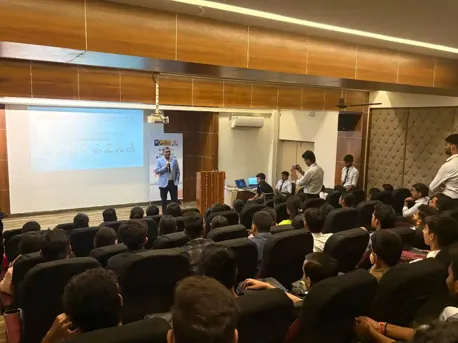
About the Trainer

Our trainer teaches the Primavera P6 Course with Placement with full real project experience and industry-based examples.
  • 15+ Years Experience
  • Certified PMP and P6 Specialist
  • Expert in CPM, EVM, Resource
  • 100+ Training Batches
  • Real EPCM Demos
  • Full Hands-on Guidance
Frequently Asked Questions

From EPS, WBS, Activity Creation, Scheduling using CPM, Resource Loading, Cost Control, Baseline Creation, Progress Updating, to full Project Reports, this all is covered in the course.

Yes. It is best for Civil, Mechanical, and Project Management professionals.

Yes. We provide full hands-on Primavera P6 software access for practice during the complete course.

Projects include high-rise building planning, WBS for road projects, and full project tracking using Earned Value Management (EVM).

Yes. You get interview preparation, resume help, and job support until you get placed in India or abroad.

CURRICULUM & PROJECTS

Primavera Training Program

    Introduction about Project and its management, About Project

    Management Information System

Get full course syllabus in your inbox

    About Primavera

    P6 EPPM Suite, GUI of P6

Get full course syllabus in your inbox

Get full course syllabus in your inbox

Get full course syllabus in your inbox

    About Projects

    Creation of Project in client

    Project Details Window

Get full course syllabus in your inbox

    Introduction to Calendar

    Types of Calendars

    Timescale

Get full course syllabus in your inbox

    Introduction to WBS

    WBS Structure,

    Creation Of WBS In Client

    Creating A WBS From a Template

    Configuring General WBS Information

Get full course syllabus in your inbox

    Introduction About an Activity

    Assign Calendar to The Project in Client

    Creating Activities

    Configuring General Tab

    Delete An Activity

    Various Methods to Create an Activity

Get full course syllabus in your inbox

    Introduction About Relationships

    Types Of Relationship

    Adding Relationships to The Activities in Various Methods

    Apply Lead or Lag, Procedure to Apply Lead or Lag

Get full course syllabus in your inbox

    Introduction about Scheduling, About Critical Path Method

    Advantage of Critical Path Method

    Procedure for Scheduling

Get full course syllabus in your inbox

    Introduction About Constraints

    Constraints Categories

    Types of Constraints

    Procedure To Apply Constraints in Client

Get full course syllabus in your inbox

    Introduction About Codes

    Types of Codes

    About Project Code & Creation of Code in Client

    About activity Code & Creation of Code in Client

    About Resource Code & Creation of Code in Client

Get full course syllabus in your inbox

    Introduction about Roles

    Creation of Roles

    Assigning a Resource to a Role

Get full course syllabus in your inbox

    Introduction about Resources

    Types of Resources

    Define Resources

    Assigning a Role to Resource

Get full course syllabus in your inbox

    Assigning Roles to an Activity

    Assigning Resources to an Activity

Get full course syllabus in your inbox

    Introduction about Analysis of a Resource

    Procedure for Resource Analysis

    Different views of Resource Analysis

    Resource Levelling

Get full course syllabus in your inbox

    Work Products & Documents

    Notebook & Feedback

Get full course syllabus in your inbox

    About Baselines

    Setting Baselines

    Assign Baselines

    Display Baselines

    Restoring Baseline

Get full course syllabus in your inbox

    Updating the Progress of Activities

    Automatic Update

    Manual Update, Display Progress line in Gantt chart

Get full course syllabus in your inbox

    Introduction about Tracking

    Features & Benefits of Tracking

    Earned Value Analysis

    Earned Value Fields

Get full course syllabus in your inbox

    About an Issue

    Creating Issues

    Using Issue

    Navigator

    Threshold

    Adding Threshold

    Monitoring Thresholds

Get full course syllabus in your inbox

    Introduction about User Defined Fields

    Creating UDF

    WBS

    UDF

    Activity UDF

Get full course syllabus in your inbox

    Introduction about Reports

    Procedure to take Reports

    Create New Report

    Through Wizard

    Report Group

    Batch Report

    Tabular Reports

    Graphical Reports

Get full course syllabus in your inbox

    Procedure to Import & Export

    Check out & check in

    Reflection

Get full course syllabus in your inbox

+ More Lessons

Course Design By

naswipro

Nasscom & Wipro

Course Offered By

croma-orange

Croma Campus

Our Students' Projects
1767853652.webp
Tech Mahindra – Project Cost Control & Reporting

Scenario: Tech Mahindra managed cost tracking for a large infrastructure project.

Live Work:
  • Linked project costs with schedules
  • Tracked planned and actual expenses
  • Monitored cost overruns early
  • Used earned value for cost control
  • Created simple cost reports

Outcome: Project costs stayed visible and under control.

1767853589.webp
HCL Tech – Metro Rail Project Planning

Scenario: HCL assisted in planning a metro rail project that required strict time control

Live Work:
  • Created station-wise project schedules
  • Identified critical tasks
  • Planned manpower and machinery usage
  • Updated progress using site data
  • Analyzed delays and reasons

Outcome: Planning helped avoid major schedule issues.

1767853289.webp
Capgemini – Infrastructure Expansion Project

Scenario: Capgemini supported an infrastructure expansion project with tight deadlines.

Live Work:
  • Planned project work in phases
  • Scheduled activities around site limits
  • Monitored critical activities closely
  • Tracked progress using earned value
  • Created recovery plans when needed

Outcome: Project risks reduced and timelines stayed

1767853204.webp
Cognizant – Commercial Building Project Planning

Scenario: Cognizant worked on a commercial building project with many vendors involved.

Live Work:
  • Created a master construction schedule
  • Coordinated work between contractors
  • Managed resource overload issues
  • Updated project progress regularly
  • Prepared delay and progress reports

Outcome: Coordination improved and work moved smoothly.

1767853099.webp
TCS – Project Baseline Development

Scenario: TCS needed a strong baseline plan to track an ongoing infrastructure project.

Live Work:
  • Created project baseline in Primavera P6
  • Set planned start and finish dates
  • Compared actual progress with baseline
  • Tracked schedule differences
  • Generated baseline reports

Outcome: Project performance became easy to measure

1767852993.webp
Wipro – Oil & Gas Shutdown Scheduling

Scenario: Wipro handled shutdown planning for an oil and gas plant where time was very limited.

Live Work:
  • Planned shutdown activities in detail
  • Scheduled parallel tasks to save time
  • Assigned skilled resources carefully
  • Monitored shutdown progress daily
  • Checked delay risks during execution

Outcome: Shutdown work finished on time.

1767852870.webp
Infosys – Road Infrastructure Project Planning

Scenario: Infosys was involved in planning a road development project and needed proper schedule control.

Live Work:
  • Created a full project schedule in Primavera P6
  • Defined task dependencies clearly
  • Planned manpower and equipment usage
  • Updated progress based on site reports
  • Prepared weekly progress reports

Outcome: Project progress became clear and easy to monitor.

1767852345.webp
Accenture - Residential Building Construction Plan

Scenario: Accenture was supporting a client working on a residential building project. The team needed a clear plan to manage work and timelines.

Live Work:
  • Created a proper work breakdown structure
  • Planned all activities step by step
  • Linked tasks based on actual site flow
  • Set project milestones and calendars
  • Tracked progress against the plan

Outcome: Projects became easier to track, reducing delays.

Recent Primavera P6 Job Requirements
Primavera P6 Project Scheduler

Company: Tata Projects

Location: Delhi / Hyderabad

Experience: 3–6 Years

Required Skills: Create detailed project schedules

Project Control Executive

Company: Larsen & Toubro

Location: Mumbai / Pune

Experience: 2–4 Years

Required Skills: Plan and control projects in Primavera P6

Primavera P6 Planning Engineer

Company: Accenture

Location: Bangalore

Experience: 0–2 Years

Required Skills: Understanding of WBS, CPM, Baselines, Excel knowledge.

Who Can Join Primavera P6 Course?
  • Backgrounds : B.Tech, B.E, Diploma, BCA, B.Sc, MBA, or any graduate who wants to start a career in project planning.
  • Why Primavera P6: If you are just starting your career, Primavera P6 is a good tool to learn. You don’t need deep technical knowledge.
  • Best Fit Modules: Project setup and WBS, Simple progress tracking
  • Backgrounds : Site Engineers, Civil Engineers, Construction Supervisors, Planning Assistants.
  • Why Primavera P6: Many site engineers want to move into office-based planning roles. Primavera P6 helps you plan work, track site progress, and explain delays clearly to managers and clients.
  • Best Fit Modules: Work breakdown structure and activities, Resource and cost control
  • Backgrounds : Mechanical Engineers, Electrical Engineers, Maintenance Engineers, EPC professionals.
  • Why Primavera P6: Engineering projects involve many tasks, people, and timelines. Primavera P6 helps you understand how everything connects and how to manage work in a planned way.
  • Why Primavera P6: Engineering projects involve many tasks, people, and timelines. Primavera P6 helps you understand how everything connects and how to manage work in a planned way.
  • Backgrounds : Planning Engineers, Project Coordinators, Project Control Engineers.
  • Why Primavera P6: If you are already working in planning or control, this course helps you sharpen your skills. You will learn better tracking, reporting, and schedule analysis used in real projects.
  • Best Fit Modules: Advanced scheduling methods, Progress updates, Reports and dashboards
  • Backgrounds : Project Managers, Assistant Project Managers, Business Analysts.
  • Why Primavera P6: As a manager, you need a clear picture of timelines and risks. Primavera P6 helps you see project status clearly and make better decisions using data.
  • Best Fit Modules: High-level project scheduling, Basic delay and impact analysis, Management-level reports
  • Backgrounds : People moving from site work, operations, support roles, or non-technical jobs.
  • Why Primavera P6: If you want to change your career, Primavera P6 is a safe option. It does not require coding. The tool is practical and focuses on real project work.
  • Best Fit Modules: Primavera P6 basics, Understanding project flow, Tracking and simple reporting
Our Primavera P6 Courses

These related courses match well with the Primavera P6 Training.
SP3D Online Course

Master SmartPlant 3D for piping, equipment, and plant design with hands-on industry projects.

Caesar II Training

Learn piping stress analysis using CAESAR II, covering codes, load cases, modeling, and real industry projects.

E3D Course

Learn end-to-end 3D design skills, covering modeling, texturing, rendering, and real-world project workflows.

Oracle Online Training

Learn Oracle SQL, PL/SQL, DBA concepts, cloud basics, and real-time database management with expert-led sessions.

×

For Voice Call

+91-971 152 6942

For Whatsapp Call & Chat

+91-9711526942
newwhatsapp
1
//