whatsapppopupnewiconGUIDE ME
Power BI Online Course

Microsoft Power BI Course Online with Placement Support

The Microsoft Power BI Course with Placement is made for learners who want to learn data reports and dashboards in a clear and simple way. The Power BI Course starts from the basics and slowly moves to real project work used by companies.

Duration: 5 –6 Weeks | Mode: Live + Recorded Sessions

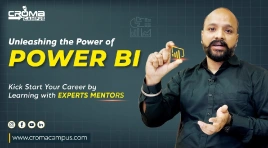
Power BI Course Demo Videos

Power BI Online Course helps learner feel confident while building real reports & handling data work. It also support career growth

Our Recently Placed Power BI Training Students

Mehul Vyas

Placed at HCL Technologies

Nishant

Placed at Accenture

Pallavi Kulkarni

Placed at Cognizant

Kabir Saxena

Placed at Fiest Tech Pioneer

Mohit Chawla

Placed at Cloud Analogy

Arjun Kale

Placed at InsightEdge Solutions

Ridhima Solanki

Placed at Tanaashi Technologies

Ayaan

Placed at Triviyo

About Microsoft Power BI Course

The Power BI Online Course helps learners understand how data reports and dashboards work in real projects. The training explains how data from many sources is joined and shown in one place. This Power BI Training focuses on real project work instead of book learning. Learners get clear ideas on how reports are built and used in companies.

Why Get Power BI Trained?
  • Power BI Course skills are used by many companies
  • Report and dashboard work is needed in data projects
  • Trained learners get better job options
  • Practical learning matches real work needs
  • Shows job-ready skills for data roles

What You Get

  • Live online sessions with skilled trainers
  • Access to recorded classes for revision
  • Practice tasks based on real projects
  • Resume support and interview guidance

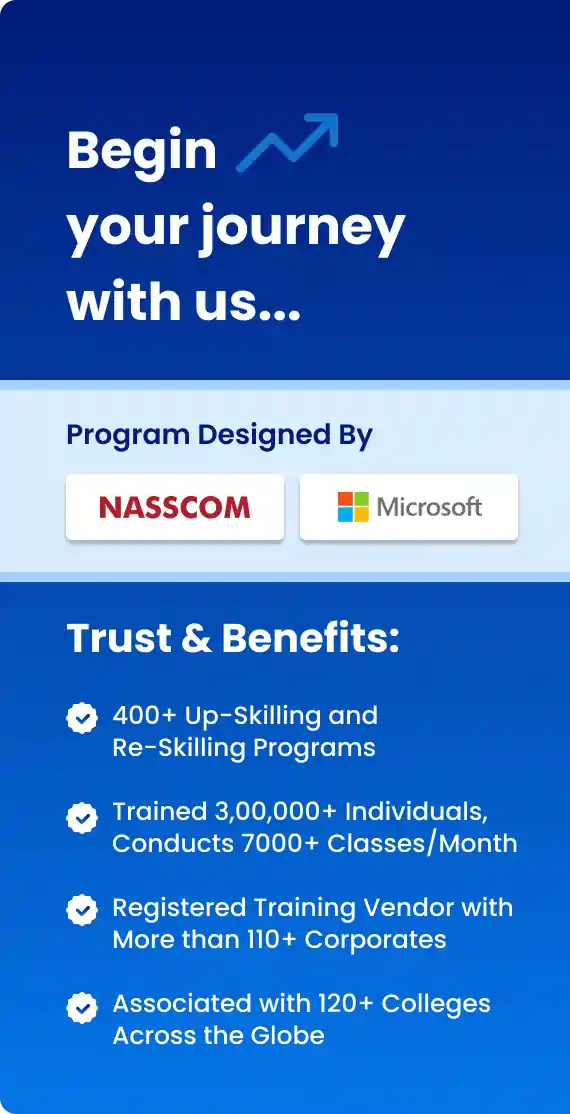
Course Design & Approved By

Nasscom & Wipro

What Will You Learn in Power BI Course

The Power BI Online Training is planned to keep learning simple and steady. It starts with the basics and moves to real project use. This Power BI Training focuses on practice so learners understand how things work in real jobs.

Core Modules Covered

  • Basics of data reports and dashboards
  • Working with data sources
  • Cleaning and shaping data
  • Building charts and tables
  • Sharing reports with teams

Advanced Learning and Practice

  • Simple data models
  • Basic measures and formulas
  • Connecting reports to live data
  • Finding and fixing data issues
  • Real project flow used by teams

Download Curriculum

Get a peek through the entire curriculum designed that ensures Placement Guidance

Course Design By

nasco wp

Course Offered By

Why Choose Power BI Online Training?

  • Power BI for beginners and freshers
  • Supports long-term career growth
  • Improves report and dashboard
  • Used in startups and IT companies
  • Useful for real data projects

How Can I Register For Power BI Online Training?

  • Select a suitable Power BI batch
  • Complete the registration process
  • Attend a demo session if required
  • Confirm enrollment
  • Start attending live sessions
Learners Reviews

“The Microsoft Power BI Course explained report flow simply and showed how data moves from source to screen.”

— Simran Kaur, Junior Analyst

“Recorded classes from the Power BI Online Course helped me revise topics anytime when I needed extra clarity.”

— Aditya Saxena, Tech Analyst

“This Power BI Course with Placement gave me confidence in interviews by helping me explain reports and basics clearly.”

— Nisha Fernandes, Fresher

“Practice during Power BI Online Training helped me learn real work tasks through small projects and daily practice.”

— Deepak, Working Professional

“The Power BI Online Course made reports easy by linking topics with real tasks and simple steps.”

— Ritika Arora, Data Analyst

“This Power BI Online Course helped me learn step by step with clear sessions and simple practice that removed my fear of data work.”

— Manish Khanna, Power BI Trainee

Enroll Today

Enroll in the Power BI Course with Placement to learn data reporting through practical training. Power BI Course prepares learners for real data roles and helps build confidence.

About the Trainer

The Power BI Training is led by trainers who have worked on real data projects. Trainers explain each topic in a simple way and focus more on practice than theory.

  • Trainers with real project experience
  • Learning based on real work tasks
  • Easy step-by-step teaching
  • One-to-one support for doubts
  • Live report building sessions
  • Job-focused training support
Frequently Asked Questions

Croma Campus structured Power BI Online Training will help you remember things more effectively. You can enroll for online training where expert trainers will help you learn about Power BI. You need to enroll now to enjoy an excellent learning experience at Croma Campus.

Croma Campus Microsoft Power BI course will introduce to Power BI desktop and how Power Pivot is used for Data Modelling. In addition, the course will also teach you about Data Analysis Expressions, Power View, Power Map, and Data Visualization using Power BI Desktop.

Croma Campus has become the leader of Power BI Online Training in India providing the best Business Intelligence courses. Here, you will get to work on real-time projects that have high relevance in the corporate world. In addition, it has professional trainers having years of experience in the field of Business Intelligence.

Croma Campus offers training for popular courses such as Salesforce, Selenium, SQL, Tableau, and many more.

There is no prior technical knowledge required for the Power BI certification course. However, you must have basic knowledge of Microsoft Excel, R, and Python scripts. Croma Campus has proven to be the most popular training institute in Noida.

Power BI Online Training helps you gain expertise in Business Analytics.

Power BI Course will take about 1 month.

Yes, by getting associated with Croma Campus, after completing 70% of your course, our placement team will help you crack the interview. They will thoroughly suggest tips to answer every question confidently.

To provide the right job for the right student in the right place at the right time. To ensure our students start their careers and move forward on the adequate path for better living. Here, we also concentrate on offering ultimate satisfaction to our valuable students by providing the companies of their choice according to their eligibility.

Important steps involved here are as follows: -

  • Pre-placement Talk. (The companies arrange the pre-placement talks for all the candidates sitting for the campus drive)
  • Educational Qualification
  • Written Test
  • Group Discussion
  • HR Interview/Formal Interview
  • Post-Placement Talk

While some platforms offer free introductory courses, comprehensive Power BI courses often involve a fee for in-depth learning and certification.

Power BI tools encompass a suite of software applications by Microsoft facilitating data preparation, analysis, and visualization for actionable insights.

Yes, Power BI is employed extensively in Data Science for its robust data analysis, visualization capabilities, and integration features.

Certifications in Power BI courses online include Microsoft's official certifications such as DA-100: Analyzing Data with Power BI, validating proficiency in Power BI skills.

Data Visualization in Power BI refers to the process of presenting data in graphical or visual formats, enhancing its clarity and aiding better comprehension.

Utilizing Data Management in Power BI involves organizing, transforming, and cleaning data to ensure its accuracy and relevance for analysis and visualization.

DAX (Data Analysis Expressions) in Power BI is a formula language enabling data modeling and creating calculated columns and measures for analysis.

Passing the Power BI certification exam requires thorough preparation, understanding of Power BI tools, data manipulation, visualization, and familiarity with exam topics outlined by Microsoft.

CURRICULUM & PROJECTS

Microsoft Power BI Training Program

    Overview of BI concepts

    Why we need BI

    Introduction to SSBI

    SSBI Tools

    Why Power BI

    What is Power BI

    Building Blocks of Power BI

    Getting started with Power BI Desktop

    Get Power BI Tools

    Introduction to Tools and Terminology

    Dashboard in Minutes

    Interacting with your Dashboards

    Sharing Dashboards and Reports

Get full course syllabus in your inbox

    Power BI Desktop

    Extracting data from various sources

    Workspaces in Power BI

Get full course syllabus in your inbox

    Data Transformation

    Query Editor

    Connecting Power BI Desktop to our Data Sources

    Editing Rows

    Understanding Append Queries

    Editing Columns

    Replacing Values

    Formatting Data

    Pivoting and Unpivoting Columns

    Splitting Columns

    Creating a New Group for our Queries

    Introducing the Star Schema

    Duplicating and Referencing Queries

    Creating the Dimension Tables

    Entering Data Manually

    Merging Queries

    Finishing the Dimension Table

    Introducing the another DimensionTable

    Creating an Index Column

    Duplicating Columns and Extracting Information

    Creating Conditional Columns

    Creating the FACT Table

    Performing Basic Mathematical Operations

    Improving Performance and Loading Data into the Data Model

Get full course syllabus in your inbox

    Introduction to Modelling

    Modelling Data

    Manage Data Relationship

    Optimize Data Models

    Cardinality and Cross Filtering

    Default Summarization & Sort by

    Creating Calculated Columns

    Creating Measures & Quick Measures

Get full course syllabus in your inbox

    What is DAX

    Data Types in DAX

    Calculation Types

    Syntax, Functions, Context Options

    DAX Functions

    • Date and Time
    • Time Intelligence
    • Information
    • Logical
    • Mathematical
    • Statistical
    • Text and Aggregate

    Measures in DAX

    Measures and Calculated Columns

    ROW Context and Filter Context in DAX

    Operators in DAX - Real-time Usage

    Quick Measures in DAX - Auto validations

    In-Memory Processing DAX Performance

Get full course syllabus in your inbox

    How to use Visual in Power BI

    What Are Custom Visuals

    Creating Visualisations and Colour Formatting

    Setting Sort Order

    Scatter & Bubble Charts & Play Axis

    Tooltips and Slicers, Timeline Slicers & Sync Slicers

    Cross Filtering and Highlighting

    Visual, Page and Report Level Filters

    Drill Down/Up

    Hierarchies and Reference/Constant Lines

    Tables, Matrices & Conditional Formatting

    KPI's, Cards & Gauges

    Map Visualizations

    Custom Visuals

    Managing and Arranging

    Drill through and Custom Report Themes

    Grouping and Binning and Selection Pane, Bookmarks & Buttons

    Data Binding and Power BI Report Server

Get full course syllabus in your inbox

    Why Dashboard and Dashboard vs Reports

    Creating Dashboards

    Conguring a Dashboard Dashboard Tiles, Pinning Tiles

    Power BI Q&A

    Quick Insights in Power BI

Get full course syllabus in your inbox

    Custom Data Gateways

    Exploring live connections to data with Power BI

    Connecting directly to SQL Server

    Connectivity with CSV & Text Files

    Excel with Power BI Connect Excel to Power BI, Power BI Publisher for Excel

    Content packs

    Update content packs

Get full course syllabus in your inbox

    Introduction and Sharing Options Overview

    Publish from Power BI Desktop and Publish to Web

    Share Dashboard with Power BI Service

    Workspaces (Power BI Pro) and Content Packs (Power BI Pro)

    Print or Save as PDF and Row Level Security (Power BI Pro)

    Export Data from a Visualization

    Export to PowerPoint and Sharing Options Summary

Get full course syllabus in your inbox

    Understanding Data Refresh

    Personal Gateway (Power BI Pro and 64-bit Windows)

    Replacing a Dataset and Troubleshooting Refreshing

Get full course syllabus in your inbox

+ More Lessons

Course Design By

naswipro

Nasscom & Wipro

Course Offered By

croma-orange

Croma Campus

Our Students' Projects
1770974022.webp
IBM – Report Review & Optimization Project

Scenario: Report review and updates

Live Work:
  • Checked daily report flow
  • Fixed small issues
  • Updated data

Outcome: Reports stayed stable

1770973720.webp
HCL Tech – Basic Report Development Project

Scenario: Basic reports

Live Work:
  • Collected data
  • Made simple reports
  • Shared results

Outcome: Reports were easy to read.

1770973543.webp
Wipro – Real-Time Data Analytics Project

Scenario: Live data handling

Live Work:
  • Linked live data
  • Tested refresh
  • Fixed data issues

Outcome: Live reports became easy.

1770973363.webp
Deloitte – Data Fixing & Validation Project

Scenario: Fixing data issues

Live Work:
  • Found data errors
  • Fixed report logic
  • Checked final output

Outcome: Reports worked smoothly.

1770972186.webp
Capgemini – Interactive Power BI Dashboard UI

Scenario: Report screens

Live Work:
  • Built dashboard screens
  • Linked filters
  • Checked report flow

Outcome: Dashboards became clean and easy.

1770972090.webp
Accenture – Financial Data Reporting Project

Scenario: Handling finance data

Live Work:
  • Added data tables
  • Built charts
  • Fixed small errors

Outcome: Data flow was clear

1770972046.webp
TCS – User Data Dashboard Project

Scenario: User data and access

Live Work:
  • Built report pages
  • Fixed data issues
  • Linked data sources

Outcome: Data work became clear

1770967807.webp
Infosys – Sales Data Reporting Project

Scenario: Building a simple sales report

Live Work:
  • Collected sales data
  • Cleaned data
  • Built charts
  • Checked final output

Outcome: Students understood report flow.

Our Recent Power BI Course Job Requirements
Power BI Support Role

Company: Capgemini

Location: Hyderabad

Experience: 1–3 Years

Required Skills: Report support, fixing issues, basic reports, team support

Junior BI Analyst

Company: Infosys

Location: Pune

Experience: 0–2 Years

Required Skills: Report basics, data cleaning, simple dashboard work.

Power BI Developer

Company: TCS

Location: Bangalore

Experience: 0–2 Years

Required Skills: Basic report work, dashboard building.

Who Can Enroll in a Power BI Course?
  • Why : Good for students new to data work.
  • Best Topics: Basic reports, simple charts.
  • Career Advantage: Junior analyst roles.
  • Why : Useful for job change
  • Best Topics: Report flow, project work
  • Career Advantage: Move into data roles
  • Why : Easy steps and simple flow.
  • Best Topics: Basic reports, simple data work.
  • Career Advantage: Entry-level data roles.
  • Why : Helps learn report work.
  • Best Topics: Full report flow, real tasks.
  • Career Advantage: Better project roles.
  • Why : Helps understand report flow
  • Best Topics: Dashboards, work tracking
  • Career Advantage: Better team guidance
×

For Voice Call

+91-971 152 6942

For Whatsapp Call & Chat

+91-9711526942
newwhatsapp
1
//