







whatsapppopupnewiconGUIDE ME

Master AI tools for content, research, automation, productivity, data analysis, and smarter business decision-making.

4.8 out of 5 based on 25642 votes
google4.2/5
Sulekha4.8/5
Urbonpro4.6/5
Just Dial4.3/5
Fb4.5/5

In collaboration with

400+

Corp. Tie-Ups

Online/Offline

Format

LMS

Life Time Access

Book A Free Counselling Session

we train you to get hired.

bag-box-form
Request more information_

  • AI Tools Mastering is a training designed for students and professionals willing to get acquainted with the ways of using different AI tools on the job. Within this training, students will study Google Gemini, Claude, Perplexity AI, NotebookLM, Canva AI, Gamma, Grammarly, Notion AI, Adobe Express, Zapier, Fireflies.ai, HubSpot AI, Julius AI, Quizlet, Khanmigo, Diffit, Synthesia, and Tome. Every of those tools have their special use case. Some of them are aimed at conducting research and writing, while others are used for design, meetings, data handling, presentations, learning, marketing, and automation processes. In addition to learning the purposes of these tools, students will learn how AI tools assist users in completing daily tasks quicker. They can be used for creating content, conducting research, analyzing documents, handling data, preparing presentations, managing tasks, making notes from meetings, creating learning materials, and many other things. Practical tasks are also included in this training allowing students to try using these tools themselves rather than just learn theory.

Mastering AI Tools Training

About-Us-Course

  • Gemini, which is the name of the AI tool by Google, can assist students in their research work, writings, ideation process, summarizations, and in numerous other day-to-day activities. It is possible for the students to learn how to formulate effective questions that will yield beneficial answers from the AI. Moreover, Gemini can assist students in their work related to Google products and documents.
  • Core Areas:
  • Students will learn:
    • Writing useful prompts for Gemini.

      Researching different topics with AI.

      Creating and improving content.

      Summarising long information.

      Generating ideas for projects.

      Using Gemini for daily work.

      Working with Google Workspace tasks.

  • Practical Projects:
  • Students can create a research report, content plan, or simple business document using Google Gemini.

  • In situations where students require dealing with extensive information, Claude becomes helpful as it can be used for reading, interpretation, summary creation, and improvement of extensive texts. In addition, students will be able to study how to make use of Claude for professional writing, research, analysis, and projects. The main emphasis will be made on providing proper instructions for AI and its verification.
  • Students will learn:
    • Working with long documents.

      Creating detailed content.

      Summarising reports.

      Analysing information.

      Improving professional writing.

      Asking AI clear questions.

      Using Claude for project work.

  • Students can work on a practical project where Claude is used to understand a long document and create a simple report from it.

  • Perplexity AI combines AI answers with online search. It can help students research a topic without checking many pages one by one. Students can learn how to use it for finding information, comparing sources, and collecting useful details for projects. It is also helpful when students need quick research for studies or office work.
  • Students will learn:
    • AI-based online research.

      Finding information on a topic.

      Comparing different sources.

      Creating research notes.

      Asking follow-up questions.

      Finding information for projects.

      Checking sources before using information.

  • Project:
  • Students can prepare a small research report on a selected topic using Perplexity AI and its search results.

  • NotebookLM helps students work with their own documents and study material. They can add documents and ask questions based on the information inside them. This can be useful for reports, study notes, research papers, and other documents. Students can learn how AI can make large documents easier to understand.
  • Students will learn:
    • Adding documents to NotebookLM.

      Asking questions about documents.

      Creating summaries.

      Finding important information.

      Making study notes.

      Understanding long documents.

      Using AI for document research.

  • Project:
  • Students can upload study material or a business document and use NotebookLM to create simple notes, questions, and summaries.

  • Canva AI is used by students to generate visuals with the aid of artificial intelligence technology. It can be used by the students to create social media posts, graphics, presentation slides, and other kinds of design projects. The user can give instructions to the AI and receive design ideas more quickly through its features.
  • Students will learn:
    • Creating designs with AI.

      Generating design ideas.

      Making social media content.

      Creating presentations.

      Improving images and graphics.

      Using AI for visual content.

      Creating simple branded content.

  • Project:
  • Students can create a small social media campaign with posts, graphics, and presentation slides using Canva AI.

  • Gamma helps in creating presentations and documents by using AI technology. Rather than creating slides from scratch, one can provide a topic and make AI construct an initial framework of the presentation. It can be edited accordingly. It is helpful for college assignments, business presentations, training sessions, and reports.
  • Students will learn:
    • Creating presentations with AI.

      Building presentation structures.

      Creating AI documents.

      Improving slide content.

      Adding visual elements.

      Making business presentations.

      Editing AI-generated content.

  • Project:
  • Students can create a complete presentation on a business, education, or technology topic using Gamma.

  • Grammarly assists students in enhancing their writing and communication skills. The AI functionalities of Grammarly can assist the students in checking, improving, and changing the tone of their writing. This tool can be utilized by the students in writing emails, reports, applications, messages, and any other professional type of writing. They will understand the reason behind reading and reviewing the suggestions of AI.
  • Students will learn:
    • Improving written communication.

      Checking grammar and spelling.

      Rewriting sentences.

      Changing writing tone.

      Writing professional emails.

      Improving reports and documents.

      Using AI writing suggestions.

  • Project:
  • Students can take a simple draft email or report and improve it using Grammarly.

  • Notion AI can help students manage notes, tasks, documents, and work information in one place. AI can be used to summarise notes, create content, find information, and organise work. Students can learn how to use it for personal study, project work, and team tasks.
  • Students will learn:
    • Creating and managing notes.

      Using AI inside a workspace.

      Summarising information.

      Creating task lists.

      Organising project information.

      Writing and improving content.

      Managing knowledge with AI.

  • Project:
  • Students can build a simple project workspace with notes, tasks, documents, and AI-assisted content.

  • Adobe Express helps students create visual and creative content with AI. It can be used for posters, social media graphics, images, videos, and other content. Students can learn how to turn simple ideas into visual content and make quick changes with AI features. This is useful for marketing, education, business, and personal projects.
  • Students will learn:
    • AI-assisted design.

      Creating visual content.

      Making social media graphics.

      Working with images.

      Creating simple videos.

      Improving creative content.

      Making content faster.

  • Project:
  • Students can create a small marketing campaign with posters, social media posts, and short visual content using Adobe Express.

  • Zapier helps connect different apps and automate repeated work. Students can learn how AI and automation can reduce manual tasks. For example, information from one app can be moved to another app automatically based on a set workflow. Students do not need to write complex code for many basic automation tasks.
  • Students will learn:
    • Understanding no-code automation.

      Connecting different apps.

      Creating simple workflows.

      Using AI in automation.

      Reducing repeated manual work.

      Setting up triggers and actions.

      Checking automated workflows.

  • Project:
  • Students can create an automated workflow where information from one application is sent to another application without doing the same work manually.

  • Fireflies.ai uses AI to help with online meetings. It can record and transcribe meetings, create summaries, and help users find important points later. Students can learn how AI can reduce the work of writing meeting notes. This can be useful for teams, managers, students, recruiters, and professionals.
  • Students will learn:
    • AI meeting transcription.

      Creating meeting summaries.

      Finding important discussion points.

      Making action items.

      Reviewing meeting conversations.

      Saving meeting information.

      Using AI for meeting follow-up.

  • Project:
  • Students can use a sample meeting and create a transcript, summary, and action-item list with Fireflies.ai.

  • HubSpot AI can help businesses with customer-related work, marketing, sales, and CRM activities. Students can learn how AI can help create content, understand customer information, and support sales and marketing tasks. This gives students an idea of how AI is being used in business teams.
  • Students will learn:
    • AI for CRM work.

      Customer information management.

      AI-assisted marketing.

      Sales support.

      Content creation.

      Customer communication.

      Using AI for business tasks.

  • Project:
  • Students can create a simple customer and marketing workflow using HubSpot AI features.

  • Julius AI helps users work with data using AI. Students can upload data and ask questions in simple language. AI can help find patterns, create charts, and explain data. This can be useful for students and professionals who want to understand data without doing every step manually.
  • Students will learn:
    • Uploading and working with data.

      Asking questions about data.

      Finding data patterns.

      Creating charts.

      Understanding reports.

      Using AI for data analysis.

      Presenting data findings.

  • Project:
  • Students can work on a sample sales or business dataset and use Julius AI to find useful information and create charts.

  • Quizlet helps students learn and revise topics using digital study tools. AI features can help create study material, practice questions, and learning activities. Students can learn how AI can make revision easier and help them practise a topic again and again.
  • Students will learn:
    • Creating study material.

      Making flashcards.

      Creating practice questions.

      Using AI for revision.

      Learning difficult topics.

      Testing knowledge.

      Creating personalised study sessions.

  • Project:
  • Students can take one study topic and create flashcards, questions, and a simple revision plan using Quizlet.

  • Khanmigo works like an AI learning helper. It can guide students when they are stuck instead of only giving a direct answer. Students can use it to understand topics, practise questions, and learn step by step. This also helps students understand how AI can support education.
  • Students will learn:
    • Using AI as a learning helper.

      Asking questions about difficult topics.

      Getting guided explanations.

      Practising problems.

      Improving learning skills.

      Using AI for study support.

      Learning through questions and answers.

  • Project:
  • Students can select a difficult subject and use Khanmigo to create a guided learning and practice session.

  • Diffit helps create learning material with AI. Teachers, trainers, and students can use it to prepare reading material, questions, activities, and other educational content. Students will learn how AI can change information into material that is easier to understand and use.
  • Students will learn:
    • Creating learning material.

      Making reading activities.

      Creating questions.

      Adjusting content for learners.

      Preparing classroom material.

      Simplifying difficult information.

      Using AI for education.

  • Project:
  • Students can take one topic and create a simple lesson, reading material, questions, and activities using Diffit.

  • Synthesia helps users create videos with AI presenters. Students can use it to make training videos, learning videos, product explanations, and business content. AI can help turn written information into video content without the need for a traditional video setup.
  • Students will learn:
    • Creating AI videos.

      Using digital presenters.

      Turning text into video.

      Creating training content.

      Making educational videos.

      Preparing business videos.

      Editing and improving video content.

  • Project:
  • Students can create a short training or educational video using an AI presenter and written script.

  • Tome helps students create presentations and visual stories with AI. It can help turn an idea into a structured presentation. Students can use it for business ideas, college projects, reports, and storytelling. They will learn how to use AI for planning and presenting information in a simple way.
  • Students will learn:
    • Creating presentations with AI.

      Building a story around an idea.

      Organising information.

      Creating business presentations.

      Using visuals with content.

      Improving presentation flow.

      Using AI for communication.

  • Project:
  • Students can create a business presentation or project presentation from a simple idea using Tome.

  • These AI tools can be useful for many types of learners. Students can use them for studies, projects, research, and presentations. Working professionals can use them to save time in writing, meetings, data work, and daily tasks. Teachers can use AI for learning material, while business and marketing teams can use it for content and customer work. People who want to learn new AI skills can also use this course to understand different tools and their practical uses.
    • Students: For studies, research, projects, and presentations.

      Working Professionals: For daily office and work tasks.

      Teachers & Trainers: For creating learning material.

      HR Professionals: For writing, meetings, research, and communication.

      Marketing Professionals: For content, research, design, and campaigns.

      Sales Professionals: For customer and CRM-related work.

      Business Owners: For business content, research, and automation.

      Entrepreneurs: For presentations, planning, and marketing.

      Data Professionals: For AI-assisted data analysis.

      Content Creators: For writing, design, images, and videos.

      Job Seekers: For communication, presentations, and learning new AI skills.

      Anyone Interested in AI: For learning practical AI tools used in different types of work.

Why Should You Learn Mastering AI Tools?

Not just learning

we train you to get hired.

bag-box-form
Request more information

By registering here, I agree to Croma Campus Terms & Conditions and Privacy Policy

CURRICULUM & PROJECTS

Mastering AI Tools Training Program

    Mastering ChatGPT for Personal & Professional Productivity

    Core Areas

    • Chatgpt fundamentals
    • Interface & account
    • Prompt engineering
    • Content generation
    • Rewriting & editing
    • Research
    • Deep research
    • PDF analysis
    • Image understanding
    • Image generation
    • Image editing
    • Brainstorming
    • Problem-solving
    • Decision support
    • Presentations
    • Communication
    • Personal productivity
    • Projects
    • Customization
    • Advanced capabilities
    • Responsible AI

    Major Practical Projects

    • AI Personal Assistant
    • AI Content Creator
    • AI Research Assistant
    • AI Data Analyst
    • AI Professional Assistant

    This comprehensive ChatGPT course equips professionals and students across various fields with practical AI skills to enhance productivity, creativity, communication, research, content creation, and everyday work.

Get full course syllabus in your inbox

    Mastering Gemini for Research, Creativity & Google Workspace

    Core Areas

    • Gemini fundamentals
    • Interface
    • Prompting
    • Text generation
    • Content rewriting
    • Research
    • Information discovery
    • Document analysis
    • File interaction
    • Image understanding
    • Image generation
    • Brainstorming
    • Planning
    • Google Workspace applications
    • Productivity workflows
    • Advanced Gemini capabilities
    • Responsible AI

    Practical Projects

    • AI Research Assistant
    • AI Content Assistant
    • AI Workspace Assistant

    This comprehensive Google Gemini course equips professionals and students across various fields with practical AI skills to enhance productivity, creativity, research, and everyday work.

Get full course syllabus in your inbox

    Mastering AI Across Microsoft 365

    Part A Copilot Chat

    • Prompting
    • Questions
    • Content creation
    • Summarization
    • Research
    • File-based work
    • Business productivity

    Part B Word

    • Draft documents
    • Rewrite
    • Summarize
    • Improve writing
    • Generate content
    • Document Q&A

    Part C Excel

    • Formula assistance
    • Data analysis
    • Tables
    • Charts
    • Insights
    • Data cleaning
    • Trend identification

    Part D PowerPoint

    • Presentation creation
    • Slide generation
    • Content refinement
    • Summarization
    • Speaker content
    • Presentation Q&A

    Part E Outlook

    • Email drafting
    • Email summarization
    • Thread analysis
    • Tone improvement
    • Follow-ups
    • Calendar assistance

    Part F Teams

    • Meeting summaries
    • Key points
    • Action items
    • Meeting questions
    • Follow-up

    Part G Advanced Workplace AI

    • Copilot agents
    • Organizational search
    • Research
    • Automation
    • AI-assisted workflows

    Capstone

    • Build Your AI-Powered Microsoft 365 Workplace

    This comprehensive Microsoft Copilot course equips professionals and students with practical AI skills to improve productivity, automate routine tasks, analyze information, and create professional content faster.

Get full course syllabus in your inbox

    AI for Long-Form Thinking, Analysis & Professional Work

    • Claude fundamentals
    • Prompting
    • Context management
    • Long documents
    • Document analysis
    • Writing
    • Rewriting
    • Research
    • Brainstorming
    • Structured analysis
    • Business reasoning
    • Projects
    • Artifacts
    • Professional workflows
    • Limitations
    • Responsible use

    Project

    • Build a Claude Professional Knowledge Assistant

    This comprehensive Claude AI course equips professionals and students with practical AI skills to improve productivity, conduct advanced research, analyze documents, create content, and solve complex problems efficiently.

Get full course syllabus in your inbox

    AI Search & Research

    • AI search fundamentals
    • Search prompting
    • Research questions
    • Source discovery
    • Source evaluation
    • Citation-based research
    • Competitor research
    • Market research
    • Industry research
    • Comparative research
    • Deep research
    • Research reports
    • Fact verification
    • Research workflow

    Project

    • Build a Professional Research Report

    This comprehensive Perplexity AI course equips professionals and students with powerful AI research skills to find reliable information, analyze sources, generate insights, and make faster, well-informed decisions.

Get full course syllabus in your inbox

    AI Knowledge & Document Research

    • Notebook creation
    • Adding sources
    • PDFs
    • Documents
    • Websites
    • Source-based questioning
    • Summarization
    • Key-point extraction
    • Research
    • Study notes
    • FAQs
    • Briefing documents
    • Knowledge management
    • Source-grounded AI workflows

    Project

    This comprehensive Google NotebookLM course equips professionals and students with practical AI skills to analyze documents, extract insights, organize information, conduct research, and work smarter with their own content.

Get full course syllabus in your inbox

    AI Design & Visual Content Creation

    • Canva fundamentals
    • AI design tools
    • Text-to-design
    • AI image generation
    • Image editing
    • Background removal
    • Presentation design
    • Social-media creatives
    • Posters
    • Flyers
    • Documents
    • Brand content
    • Marketing creatives
    • Visual storytelling
    • AI-assisted video
    • Professional design workflow

    Project

    This comprehensive Canva AI course equips professionals and students with practical AI-powered design skills to create stunning visuals, presentations, marketing content, and professional designs faster and more efficiently.

Get full course syllabus in your inbox

    AI Presentations, Documents & Visual Storytelling

    • AI presentation fundamentals
    • Prompt-to-presentation
    • Presentation structure
    • Slide generation
    • Content generation
    • Design
    • Visual hierarchy
    • Editing
    • Presentation refinement
    • Documents
    • Web pages
    • Storytelling
    • Speaker preparation
    • Export & sharing

    Project

    • Create a 15-Slide Professional Presentation

    This comprehensive Gamma AI course equips professionals and students with practical AI skills to create professional presentations, documents, reports, webpages, and visual content faster and more effectively.

Get full course syllabus in your inbox

    AI Writing & Professional Communication

    • Grammar
    • Spelling
    • Sentence improvement
    • Rewriting
    • Tone
    • Clarity
    • Conciseness
    • Professional writing
    • Email writing
    • Business communication
    • AI-assisted drafting
    • Personal writing style
    • Review workflow

    Project

    • Build a Professional Communication Toolkit

    This comprehensive Grammarly AI course equips professionals and students with practical AI-powered writing skills to communicate clearly, professionally, and confidently across emails, documents, reports, presentations, and everyday work.

Get full course syllabus in your inbox

    AI Workspace & Knowledge Management

    • Notion fundamentals
    • Pages
    • Databases
    • AI writing
    • Summarization
    • Meeting notes
    • Knowledge management
    • Task management
    • Project management
    • Search
    • Documentation
    • Team knowledge
    • AI workflows
    • Workspace organization

    Project

    • Build an AI-Powered Professional Workspace

    This comprehensive Notion AI course equips professionals and students with practical AI skills to organize information, manage projects, create content, automate workflows, and improve productivity from one centralized workspace.

Get full course syllabus in your inbox

    AI Content & Creative Production

    • AI design
    • Image creation
    • Image editing
    • Templates
    • Social content
    • Marketing creatives
    • Posters
    • Presentations
    • Video
    • Brand content
    • Content resizing
    • Background removal
    • Creative workflow

    Project

    • Create a Professional Digital Content Campaign

    This comprehensive Adobe Express AI course equips professionals and students with practical AI-powered creative skills to design engaging visuals, social media content, presentations, videos, and marketing materials faster and more effectively.

Get full course syllabus in your inbox

    No-Code AI Automation

    • What is automation
    • Zapier fundamentals
    • Apps
    • Workflows
    • Multi-step automation
    • Filters
    • Paths
    • AI-powered workflows
    • Forms
    • Notifications
    • Email automation
    • Data movement
    • Human approval
    • Error handling
    • Workflow testing

    Project

    • Build 3 AI-Powered Workplace Automations

    This comprehensive Zapier AI course equips professionals and students with practical automation skills to connect apps, automate repetitive tasks, streamline workflows, and improve productivity without complex coding.

Get full course syllabus in your inbox

    AI Meeting Intelligence

    • Curriculum
    • Meeting recording
    • Transcription
    • Meeting summaries
    • Action items
    • Topics
    • Search
    • Conversation intelligence
    • Meeting analytics
    • Follow-ups
    • Team knowledge
    • Meeting productivity

    Project

    • Build an AI Meeting Intelligence System

    This comprehensive Fireflies.ai course equips professionals and students with practical AI-powered meeting intelligence skills to record conversations, generate transcripts, summarize meetings, track action items, and improve team productivity.

Get full course syllabus in your inbox

    AI for CRM, Marketing & Sales

    • CRM fundamentals
    • AI-assisted CRM
    • Contact management
    • Lead management
    • Sales content
    • Marketing content
    • Email assistance
    • Customer insights
    • Reporting
    • Sales productivity
    • Marketing automation
    • Customer data
    • AI workflows

    Project

    • Build an AI-Assisted Customer Journey

    This comprehensive HubSpot AI course equips professionals and students with practical AI-powered skills to improve marketing, sales, customer engagement, CRM management, automation, and business productivity.

Get full course syllabus in your inbox

    AI Data Analysis & Business Intelligence

    • Data upload
    • Data understanding
    • Natural-language data questions
    • Data cleaning
    • Calculations
    • Trends
    • Patterns
    • Outliers
    • Charts
    • Visualization
    • Business insights
    • Reporting
    • Decision support

    Project

    • Create an AI Business Intelligence Report

    This comprehensive Julius AI course equips professionals and students with practical AI-powered data analysis skills to analyze spreadsheets, visualize data, identify trends, generate insights, and make faster data-driven decisions.

Get full course syllabus in your inbox

    AI Learning & Knowledge Retention

    • Study sets
    • Flashcards
    • AI-assisted learning
    • Practice tests
    • Quiz generation
    • Definitions
    • Memory techniques
    • Revision
    • Personalized study
    • Assessment
    • Learning workflows

    Project

    • Create a Complete AI Study System

    This comprehensive Quizlet AI course equips professionals and students with practical AI-powered learning skills to create study materials, generate flashcards, practice concepts, and improve knowledge retention more effectively.

Get full course syllabus in your inbox

    AI Tutor & Guided Learning

    • AI tutoring concepts
    • Guided learning
    • Socratic questioning
    • Concept explanation
    • Problem-solving
    • Learning assistance
    • Personalized learning
    • Teacher applications
    • Student applications
    • Responsible educational AI

    Project

    • Build an AI-Supported Learning Plan

    This comprehensive Khanmigo AI course equips professionals and students with practical AI-powered learning and teaching skills to understand concepts, develop critical thinking, create learning resources, and personalize education.

Get full course syllabus in your inbox

    AI Educational Content Creation

    • AI lesson resources
    • Reading materials
    • Worksheets
    • Questions
    • Differentiated learning
    • Student levels
    • Classroom resources
    • Assessment material
    • Teacher workflows
    • Content adaptation

    Project

    • Create a Complete AI-Assisted Lesson Pack

    This comprehensive Diffit AI course equips professionals and students with practical AI-powered skills to create customized learning materials, simplify complex information, generate resources, and make learning more accessible and engaging.

Get full course syllabus in your inbox

    AI Video & Digital Presenters

    • AI video fundamentals
    • AI avatars
    • Script creation
    • Voice
    • Presentation
    • Training videos
    • Corporate communication
    • Educational videos
    • Marketing videos
    • Multilingual content
    • Video editing
    • Brand consistency

    Project

    • Create a Professional AI Training Video

    This comprehensive Synthesia AI course equips professionals and students with practical AI-powered video creation skills to create professional training, presentations, marketing, and communication videos without traditional video production.

Get full course syllabus in your inbox

    AI Storytelling & Business Communication

    • AI storytelling
    • Presentation creation
    • Narrative structure
    • Business storytelling
    • Content generation
    • Visual storytelling
    • Presentation refinement
    • Executive communication
    • Proposal storytelling
    • Pitch creation
    • Audience adaptation
    • Presentation delivery

    Project

    This comprehensive Tome AI course equips professionals and students with practical AI-powered presentation and storytelling skills to create engaging presentations, documents, visual stories, and professional content faster.

Get full course syllabus in your inbox

    HR Professionals & Managers:

    • Use AI tools to streamline employee communication, create training and onboarding materials, analyze HR information, prepare reports, automate repetitive tasks, and improve team productivity.

    IT Professionals:

    • Create technical documentation, research solutions, analyze information, generate and review code, prepare project presentations, automate workflows, and simplify complex technical concepts using AI.

    Finance & Accounting Professionals:

    • Analyze financial data, generate reports and summaries, work with spreadsheets, extract insights from documents, automate repetitive processes, and create professional business presentations.

    Business Leaders & Managers:

    • Build strategy presentations, executive summaries, business reports, proposals, meeting notes, decision-making documents, and automate routine management tasks with AI.

    Digital Marketers:

    • Create marketing strategies, campaign content, social media posts, presentations, visuals, videos, research reports, customer insights, and automate marketing workflows using AI-powered tools.

    Sales & Customer Support Professionals:

    • Create sales pitches, proposals, client presentations, follow-up content, customer responses, meeting summaries, product content, and automate repetitive sales and support activities.

    Students & Teachers:

    • Create study materials, project presentations, research summaries, quizzes, lesson plans, educational content, notes, and interactive learning resources with AI.

    Content Creators & Designers:

    • Generate creative ideas, social media content, graphics, presentations, videos, voiceovers, scripts, captions, and professional visual content using AI.

    Business Owners & Entrepreneurs:

    • Develop business plans, company profiles, pitch decks, proposals, marketing content, presentations, research reports, customer communications, and automate everyday business workflows.

    Operations & Project Professionals:

    • Create SOPs, workflow documentation, process explainers, project reports, meeting summaries, task lists, training materials, and automate repetitive operational processes.
Get full course syllabus in your inbox

+ More Lessons

Course Design By

naswipro

Nasscom & Wipro

Course Offered By

croma-orange

Croma Campus

Real

star

Stories

success

inspiration

person1

Somnath Sharma

career upgrade

person1

Deepika Bajaj

career upgrade

person1

Sheetal

career upgrade

person1

Shashank

career upgrade

SELF ASSESSMENT

Learn, Grow & Test your skill with Online Assessment Exam to
achieve your Certification Goals

right-selfassimage
Get exclusive
access to career resources
upon completion
quote
Mock Session

You will get certificate after
completion of program

laptop
LMS Learning

You will get certificate after
completion of program

star
Career Support

You will get certificate after
completion of program

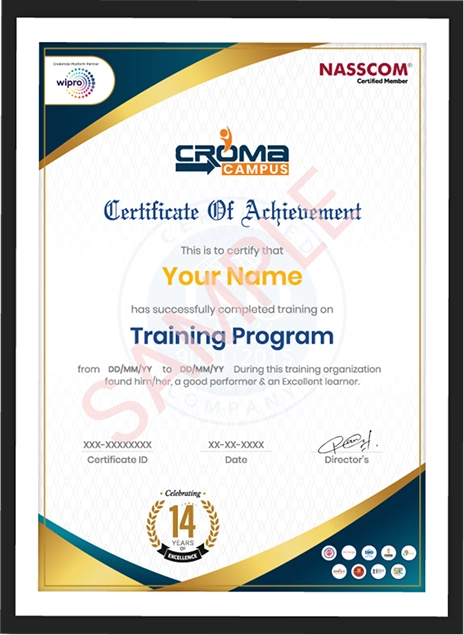
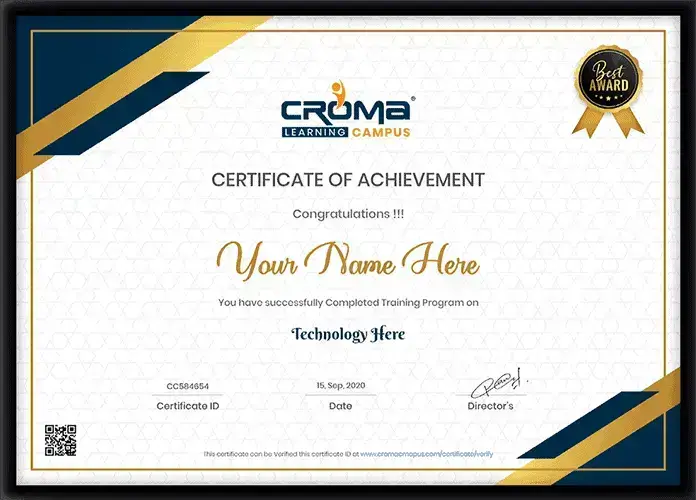
Showcase your Course Completion Certificate to Recruiters

  • checkgreenTraining Certificate is Govern By 12 Global Associations.

  • checkgreen1Training Certificate is Powered by “Wipro DICE ID”
  • checkgreen2Training Certificate is Powered by "Verifiable Skill Credentials"

in Collaboration with

dot-line
Certificate-new-file

Not Just Studying

We’re Doing Much More!

Empowering Learning Through Real Experiences and Innovation

Mock Interviews

Prepare & Practice for real-life job interviews by joining the Mock Interviews drive at Croma Campus and learn to perform with confidence with our expert team.Not sure of Interview environments? Don’t worry, our team will familiarize you and help you in giving your best shot even under heavy pressures.Our Mock Interviews are conducted by trailblazing industry-experts having years of experience and they will surely help you to improve your chances of getting hired in real.
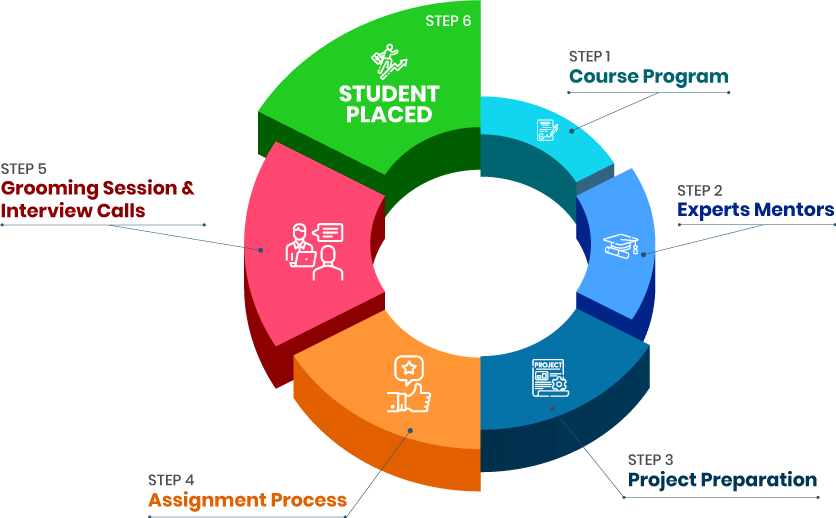
How Croma Campus Mock Interview Works?graph_new

Not just learning

we train you to get hired.

bag-box-form
Request A Call Back

Phone (For Voice Call):

‪+91-828 706 0032

WhatsApp (For Call & Chat):

+91-828 706 0032
          

Download Curriculum

Get a peek through the entire curriculum designed that ensures Placement Guidance

Course Design By

nasco wp

Course Offered By

Request Your Batch Now

Ready to streamline Your Process? Submit Your batch request today!

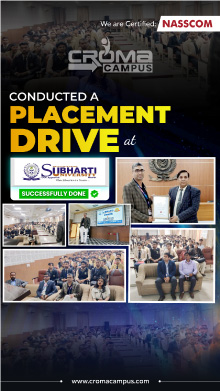
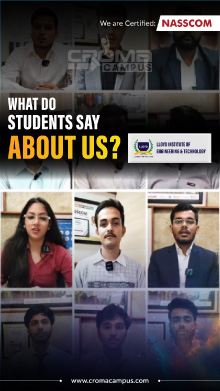
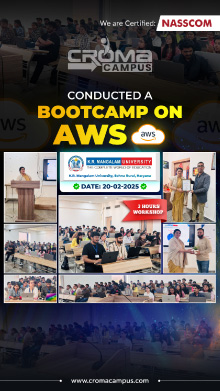
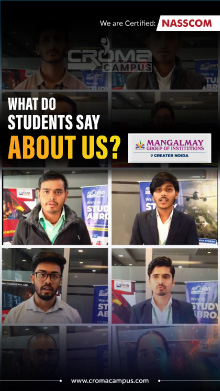
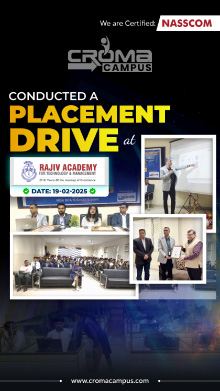
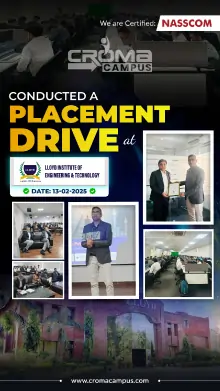
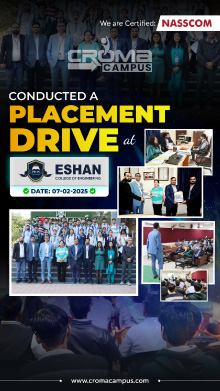
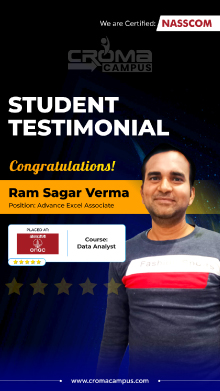
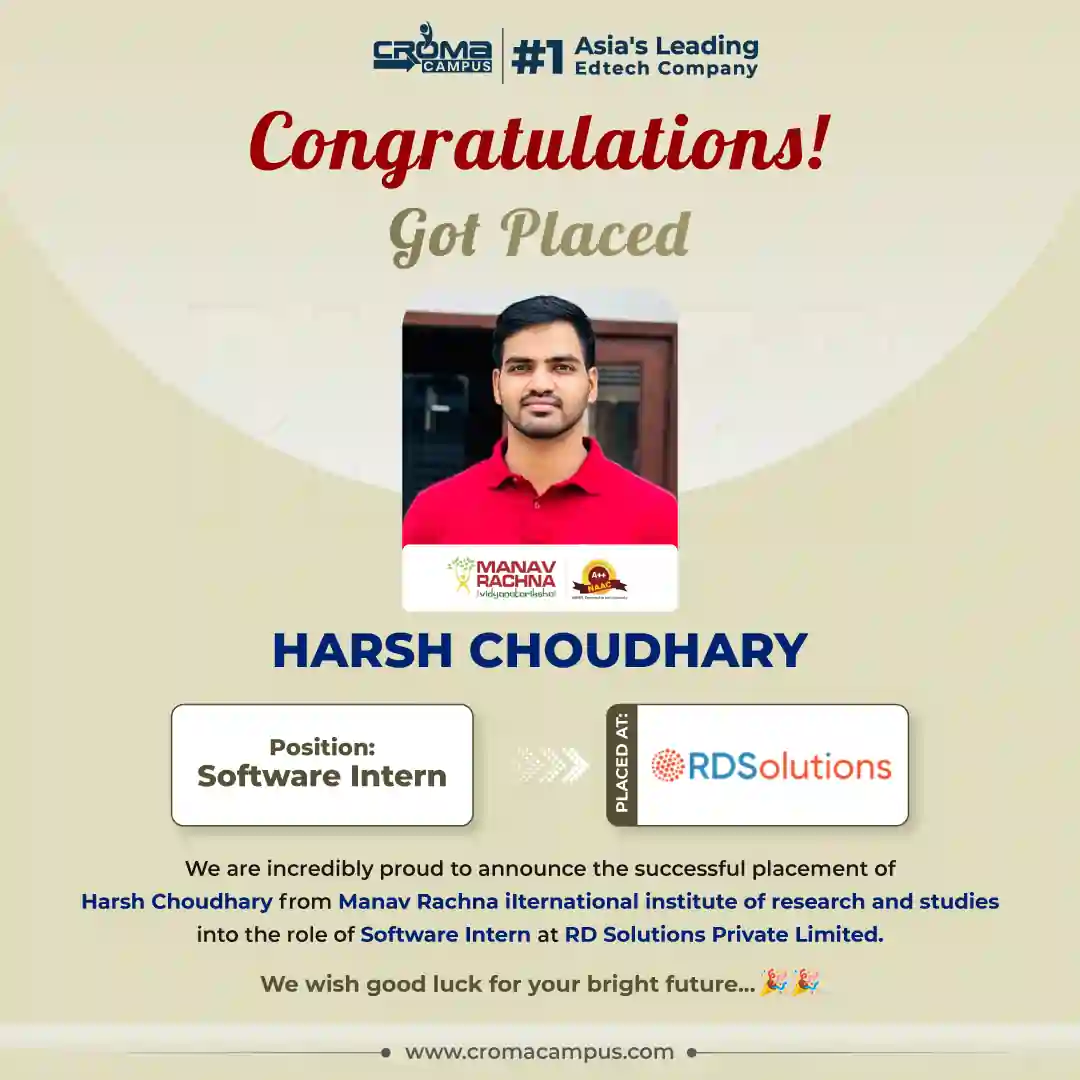
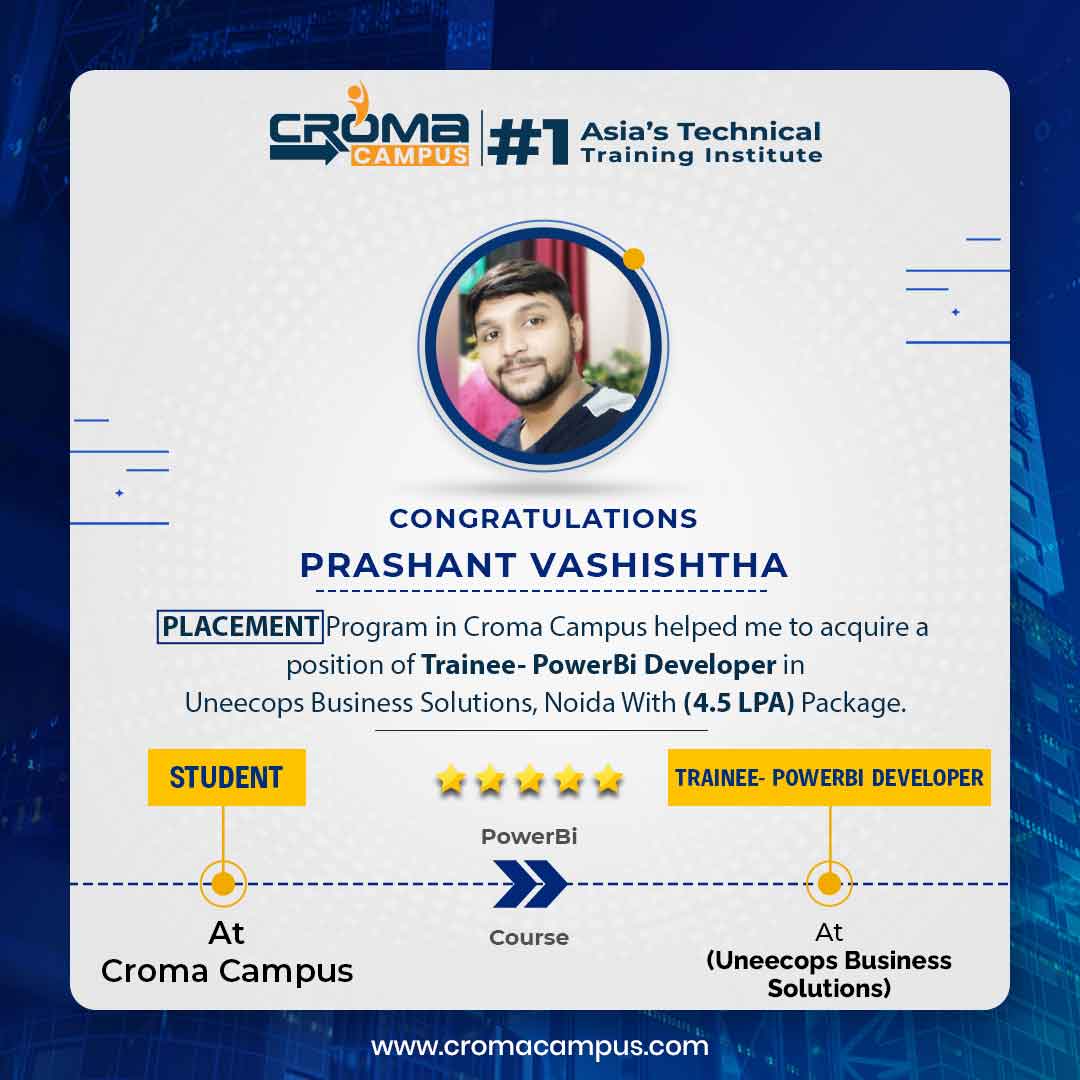
Students Placements & Reviews

speaker
Jayad Chaurasiya
Jayad Chaurasiya
speaker
Sanchit Nuhal
Sanchit Nuhal
speaker
Mohammad Sar
Mohammad Sar
speaker
Vikash Singh Rana
Vikash Singh Rana
speaker
Prayojakta
Prayojakta
speaker
Kapil Sharma
Kapil Sharma
View More arrowicon

FAQ's

This is hands-on training where you get to learn how to apply various AI tools for your personal, educational, professional, and other purposes.

This training can be joined by students, working professionals, educators, HR personnel, marketers, businessmen, content creators, job-seekers, or anyone who wants to learn about AI.

No, coding is not required for this course as many AI tools don’t require coding to be applied.

The training will cover tools like Gemini, Claude, Perplexity AI, NotebookLM, Canva AI, Gamma, Grammarly, Notion AI, Adobe Express, Zapier, Fireflies.ai, HubSpot AI, Julius AI, Quizlet, Khanmigo, Diffit, Synthesia, and Tome.

Yes, you will learn how to create good prompts and instructions to receive more valuable AI answers.

Yes, you can apply AI tools for emails, research, reports, meetings, presentations, data analysis, content creation, and many other activities.

Yes, you will learn AI tools for research such as Perplexity, Gemini, Claude, and NotebookLM.

Yes, this course includes basic information about AI automation and integration of different tools to automate repetitive work.

Among advanced AI skills are improved prompting techniques, multi-step operations with AI, AI-driven research based on documents, workflows with AI, data analysis, automation, and verification of the AI outputs.

Yes, Julius AI can help you analyze data, discover patterns, make graphs and obtain simple insights from datasets.

Yes, you can utilize AI for creating presentations, visuals and videos with tools like Gamma, Tome, Synthesia and others.

Yes, you will learn how to evaluate answers provided by AI, check sources and avoid usage of incorrect information without verifying it.

Yes, you can use various AI tools for different stages of your task. For example, you can utilize Perplexity for researching, Claude for writing and NotebookLM for work with documents.

Yes, you will do practical assignments such as research reports, presentations, meeting notes, data reports, marketing texts and others.

Career Assistancecareer assistance
  • - Build an Impressive Resume
  • - Get Tips from Trainer to Clear Interviews
  • - Attend Mock-Up Interviews with Experts
  • - Get Interviews & Get Hired

Our learners
transformed their careers

highest
35 Laks

Highest Salary Offered

money
50%

Average Salary Hike

building
30K+

Placed in MNC’s

setting
15+

Year’s in Training

alumini
A majority of our alumni

fast-tracked into managerial careers.

Get inspired by their progress in the

Career Growth Report.

FOR VOICE SUPPORT

FOR WHATSAPP SUPPORT

sallerytrendicon1

Get Latest Salary Trends

×

For Voice Call

+91-971 152 6942

For Whatsapp Call & Chat

+91-9711526942
newwhatsapp
1
//