







whatsapppopupnewiconGUIDE ME

Learn Claude AI for content, research, communication, automation, and productivity with practical skills designed for non-tech professionals.

4.8 out of 5 based on 27652 votes
google4.2/5
Sulekha4.8/5
Urbonpro4.6/5
Just Dial4.3/5
Fb4.5/5

In collaboration with

400+

Corp. Tie-Ups

Online/Offline

Format

LMS

Life Time Access

Book A Free Counselling Session

we train you to get hired.

bag-box-form
Request more information_

  • AI is currently being employed by the Human Resources department, the Sales team, Marketing teams, the Finance department, operations, business analysts, trainers, and project teams. Posing questions to AI through simple queries is inadequate for professional work. The user must learn how to issue appropriate commands, give context, work with documents, verify answers, and create meaningful workflows.
  • Claude is an AI assistant developed by Anthropic, which can work with long documents, research, structured data, business content, and varied professional activities. It helps users compare documents, prepare reports, analyze files, develop business content, and convert data into action points.
  • Claude AI Course for Non-Tech Professionals is designed for non-programmers, who cannot write code. Instead of teaching programming, learners master using Claude for real business tasks.
  • Claude AI Training for Non-Tech Professionals also covers when to use and not to use AI. Sometimes, AI can give wrong answers, so it is crucial to verify critical outputs in the course.
  • The Claude AI Online Course for Non-Tech Professionals can be helpful for human resource professionals, recruitment professionals, sales professionals, marketing professionals, finance professionals, entrepreneurs, operations professionals, educators, project managers, and other working professionals.
  • The Claude AI Online Course for Non-Tech Professionals emphasizes practical applications like document analysis, research, reporting, presentations, communication, and data management.

Claude AI Course for Non-Tech Professionals

About-Us-Course

  • In this Claude AI Training for Non-Tech Professionals, learners will study:
    • Generative AI and Claude basics

      Claude capabilities and limitations

      Professional prompt engineering

      PDF, Word and file analysis

      Long-document analysis

      Research and information comparison

      Business communication and reports

      Data and spreadsheet analysis

      Presentations and business documents

      Claude Projects and reference documents

      Role-based AI workflows

      Personal AI assistants

      Agentic AI and workflow automation

      Responsible AI and data safety

      Real business projects and capstone work

  • There are no strict technical requirements for joining the Claude AI Course for Non-Tech Professionals.
    • Basic computer knowledge

      Ability to use common office tools

      Basic understanding of your own work

      Basic knowledge of documents and spreadsheets

      Interest in using AI

      Willingness to practice

  • Coding or previous Claude experience is not required.

  • The following candidates can join the Claude AI Training for Non-Tech Professionals:
    • HR professionals and recruiters

      Sales and marketing professionals

      Finance professionals

      Business analysts

      Operations professionals

      Project managers

      Business owners and entrepreneurs

      Teachers and trainers

      Consultants

      Content professionals

      Customer support professionals

      Students from non-technical backgrounds

      Working professionals who want to use AI

  • Claude AI Basics:
    • Generative AI and Claude

      Claude capabilities and limitations

      Long-context work

      Workplace use cases

      AI output checking

  • Prompt Engineering for Professional Work:
    • Prompt structure

      Context and role instructions

      Constraints and output formats

      Zero-shot and few-shot prompting

      Task decomposition

      Prompt chaining

      Reusable prompt templates

  • Working with Documents:
    • PDF and Word analysis

      Long-document summaries

      Information extraction

      Document comparison

      Classification

      Business document rewriting

      Turning documents into action points

  • Research and Knowledge Work:
    • Research planning

      Market and competitor research

      Customer and industry research

      Information comparison

      Research reports

      Executive summaries

      Checking important information

  • Business Communication:
    • Professional emails

      Business proposals

      Reports and summaries

      Customer communication

      LinkedIn and website content

      Newsletters

      Content repurposing

  • Data and Business Analysis:
    • Excel and CSV files

      Finding patterns and trends

      Comparing periods

      Finding unusual values

      Data categorization

      Simple calculations

      Chart understanding

      Business summaries

  • Role-Based AI Workflows:
    • HR recruitment workflows

      Resume and interview support

      Sales lead research

      Marketing planning

      Finance report summaries

      Operations SOPs

      Project status reporting

      Training material creation

  • Claude Projects and AI Assistants:
    • Claude Projects

      Reference documents

      Project instructions

      Specialized workspaces

      Personal AI assistants

      Role-based assistants

      Reusable workflows

  • AI Automation and Agentic Workflows:
    • Chatbot vs assistant vs agent

      Multi-step AI work

      AI workflow planning

      Human approval

      Research and reporting workflows

      Content workflows

      HR and sales workflows

      Deciding what should remain under human control

  • Responsible AI and Data Safety:
    • AI hallucinations

      Human validation

      Confidential information

      Company data protection

      Copyright

      AI bias

      Misinformation

      Prompt injection

      Safe document handling

  • Real Project Scenarios:
    • Personal AI productivity system

      Professional research report

      Role-based AI assistant

      Business dataset analysis

      Content workflow

      Document-to-action-plan workflow

      AI-supported reporting process

  • The tools covered in the Claude AI Online Course for Non-Tech Professionals are:
  • Claude AI:
    • Professional prompting

      Long-document analysis

      Research

      Business reasoning

      Content creation

      Structured outputs

  • Claude Projects:
    • Project instructions

      Reference documents

      Knowledge management

      Specialized workspaces

      Role-based assistants

  • Claude Artifacts:
    • Structured outputs

      Editing generated work

      Business documents

      Reusable professional content

  • File and Document Analysis:
    • PDF and Word analysis

      CSV and spreadsheet work

      Information extraction

      Document comparison

      Summarization

      Report creation

  • Prompt Systems:
    • Role prompting

      Context and constraints

      Few-shot examples

      Task decomposition

      Prompt chaining

      Self-review prompts

      Reusable prompt libraries

  • AI Workflow Automation:
    • Multi-step workflows

      AI task planning

      Human approval

      Research and reporting workflows

      Business process support

  • Claude is a skill that can be added to existing jobs. It does not create one fixed job title.
  • AI-Assisted Business Analyst:
    • Prepare requirement documents

      Summarize meetings

      Compare business documents

      Support business research

  • AI-Assisted HR Professional:
    • Create job descriptions

      Prepare interview frameworks

      Draft employee communication

      Support recruitment workflows

  • AI-Assisted Marketing Professional:
    • Prepare content calendars

      Research competitors

      Create campaign ideas

      Prepare campaign reports

  • AI-Assisted Sales Professional:
    • Research prospects

      Prepare sales messages

      Create proposals

      Prepare follow-ups

  • AI-Assisted Operations Professional:
    • Create SOPs

      Prepare process documents

      Create checklists

      Support workflow improvement

  • AI-Assisted Project Professional:
    • Prepare project plans

      Create status reports

      Track risks and issues

      Prepare stakeholder updates

  • AI-Assisted Content Professional:
    • Research topics

      Draft articles

      Create content ideas

      Repurpose content

  • There is no fixed salary for Claude AI because it is a skill, not one specific job role. Salary depends on the person's main profession, experience, company, location, and responsibilities.
  • Claude AI for Freshers (0-2 Years of Experience)
  • Salary depends on the main job role and company:
    • Start in HR, sales, marketing, operations or support

      Use Claude for daily work

      Build practical AI projects

  • Claude AI for Mid-Level Professionals (3-6 Years of Experience)
  • Salary depends on experience and role:
    • Improve existing work with AI

      Build reusable workflows

      Support team productivity

      Create role-based AI processes

  • Claude AI for Experienced Professionals (7+ Years of Experience)
  • Salary depends on seniority and business responsibility:
    • Design AI-supported processes

      Identify tasks for automation

      Build team-level workflows

      Create AI usage guidelines

      Review AI risks and output

  • Professionals can use Claude AI skills across many industries.
  • Information Technology:
    • Research

      Documentation

      Reporting

      Customer communication

  • Banking and Finance:
    • Report summaries

      Document analysis

      Management reports

      Data interpretation

  • Retail and E-Commerce:
    • Customer research

      Product content

      Marketing campaigns

      Competitor research

  • Consulting:
    • Research reports

      Client documents

      Proposals

      Presentations

  • Education and Training:
    • Lesson planning

      Learning material

      Research

      Assessment content

  • Manufacturing:
    • SOP creation

      Process documentation

      Reports

      Training material

  • Sales and Marketing:
    • Lead research

      Campaign planning

      Customer communication

      Competitor analysis

  • Human Resources:
    • Job descriptions

      Recruitment support

      Interview preparation

      Employee communication

  • Module 1: Introduction to AI & Claude:
    • Generative AI

      Claude and Anthropic

      Claude capabilities

      Claude limitations

      Workplace use cases

  • Module 2: Claude AI Fundamentals:
    • Claude interface

      Instructions and context

      Prompt basics

      File handling

      Summarization and extraction

  • Module 3: Prompt Engineering:
    • Prompt anatomy

      Role and context

      Constraints

      Few-shot prompting

      Prompt chaining

      Task decomposition

      Reusable prompts

  • Module 4: Claude for Productivity:
    • Emails

      Meeting summaries

      Action items

      Business reports

      SOPs

      Checklists

  • Module 5: Research & Knowledge Work:
    • Market research

      Competitor research

      Document comparison

      Research reports

      Executive summaries

  • Module 6: Content & Business Communication:
    • Business writing

      Blogs and articles

      LinkedIn content

      Marketing copy

      Proposals

      Content repurposing

  • Module 7: Data & Business Analysis:
    • Excel and CSV files

      Trends and patterns

      Period comparison

      Anomalies

      Charts

      Business insights

  • Module 8: Presentations & Business Documents:
    • Presentation planning

      Slide content

      Speaker notes

      Sales presentations

      Training presentations

      Report-to-presentation workflows

  • Module 9: Role-Based Claude Workflows:
    • HR

      Sales

      Marketing

      Finance

      Operations

      Project management

      Education

      Business analysis

  • Module 10: Claude Projects & AI Assistants:
    • Claude Projects

      Reference documents

      Knowledge workspaces

      Personal AI assistants

      Role-specific assistants

      Reusable templates

  • Module 11: Agentic AI & Workflow Automation:
    • Chatbot vs assistant vs agent

      Multi-step workflows

      AI tools and actions

      Human approval

      Business automation

  • Module 12: Responsible AI & Security:
    • Hallucinations

      Human validation

      Confidential information

      Copyright

      Bias

      Misinformation

      Prompt injection

      Safe AI use

  • Module 13: Capstone Projects:
    • AI productivity system

      Professional AI assistant

      AI research report

      Business analysis workflow

      Multi-step AI workflow

  • The Claude AI Online Training for Non-Tech Professionals helps people use AI in their existing profession instead of learning a completely new technical field.
  • After learning Claude, you can:
    • Work with long documents.

      Create better prompts.

      Analyze business information.

      Prepare research reports.

      Improve business communication.

      Create presentations and reports.

      Build reusable AI workflows.

      Create role-based AI assistants.

      Support HR, sales, marketing and operations work.

      Understand where human checking is needed.

  • The main benefit of the Claude AI Online Course for Non-Tech Professionals is that you can use your existing work knowledge with Claude to complete repeated and information-heavy tasks more efficiently.

Why Should You Learn Claude AI for Non-Tech Professionals?

Not just learning

we train you to get hired.

bag-box-form
Request more information

By registering here, I agree to Croma Campus Terms & Conditions and Privacy Policy

CURRICULUM & PROJECTS

Claude AI For Non-Tech. Professionals Training Program

    Artificial Intelligence and Generative AI

    Large Language Models (LLMs)

    Introduction to Claude and Anthropic

    Claude capabilities and limitations

    Claude vs ChatGPT vs Gemini practical comparison

    Context, tokens and multimodal capabilities non-technical overview

    Real-world workplace applications

    Practical: First 20 Claude prompts

Get full course syllabus in your inbox

    Navigating Claude

    Effective instructions and context

    Good vs weak prompts

    Working with PDFs, Word documents and files

    Summarization, extraction and classification

    Rewriting and transformation

    Structured outputs

    Responsible AI usage

    Hands-on: Professional document analysis

Get full course syllabus in your inbox

    Prompt anatomy: Role + Context + Task + Constraints + Examples + Output

    Role, context, instruction and constraint prompting

    Zero-shot and few-shot prompting

    Task decomposition and prompt chaining

    Self-review and iterative prompting

    Structured and long-context prompting

    Reusable prompt templates

    Prompts for email, research, reports, presentations, planning and decision support

    Prompts for HR, Sales, Marketing, Finance and Operations

    Project: 50+ prompt professional library

Get full course syllabus in your inbox

    Email drafting, rewriting and summarization

    Meeting preparation, summaries, decisions and action items

    Agenda creation

    Task and priority planning

    Daily and weekly work planning

    Business reports and summaries

    SOPs and checklists

    Document transformation

    Reusable daily workflows

    Project: Personal AI productivity workflow

Get full course syllabus in your inbox

    Research planning

    Information extraction

    Comparing documents

    Market, competitor, industry and customer research

    Literature and document review

    Research reports and executive summaries

    Fact-checking and source evaluation

    Turning research into recommendations and action plans

    Project: AI-powered professional research report

Get full course syllabus in your inbox

    Business writing

    Blogs, articles and LinkedIn content

    Newsletters and email content

    Marketing copy and website copy

    Business proposals

    Executive, customer and internal communication

    Tone and style adaptation

    Content repurposing: one source to multiple formats

    Project: AI-assisted content and communication system

Get full course syllabus in your inbox

    Excel, CSV and tabular data

    Data cleaning concepts

    Finding trends and patterns

    Comparing periods and categories

    Identifying anomalies

    Categorization and summaries

    Basic calculations and charts

    Turning data into business insights

    Management reports and recommendations

    Validating AI-generated analysis

    Project: Real-world business dataset analysis

Get full course syllabus in your inbox

    Presentation planning

    Audience and objective analysis

    Building a presentation story

    Slide structure and content

    Speaker notes

    Executive, sales, training and project presentations

    Business proposals

    Converting research and reports into presentations

    Document summary presentation workflow

Get full course syllabus in your inbox

    HR: job descriptions, interview frameworks and employee communication

    Recruitment: resume analysis support

    Sales: lead research, outreach, proposals and follow-ups

    Marketing: campaigns, content calendars, competitor research and personas

    Finance: report summaries and management communication

    Operations: SOPs, reporting and process improvement

    Project Management: plans, risks, status reports and stakeholder communication

    Education and Training: lesson plans and learning materials

    Business Analysis: requirements, process analysis and documentation

    Hands-on: Build one role-specific Claude workflow

Get full course syllabus in your inbox

    Claude Projects and project-specific instructions

    Adding reference and knowledge documents

    Specialized workspaces

    Personal knowledge assistant

    Role-specific assistants for HR, Sales, Marketing, Training, Research and Projects

    Reusable workflows and templates

    Maintaining knowledge and quality

    Project: Specialized professional AI assistant

Get full course syllabus in your inbox

    Agentic AI: chatbot vs assistant vs agent

    Tools and actions non-technical view

    Planning multi-step workflows

    Human-in-the-loop and approvals

    When to automate and when to keep human control

    Research, content, sales, HR, reporting and meeting workflows

    Project: AI-powered multi-step professional workflow

Get full course syllabus in your inbox

    AI ethics

    Hallucinations and human validation

    Confidential and sensitive information

    Personal and company data protection

    Copyright and intellectual property awareness

    Bias and misinformation

    Prompt injection awareness

    When NOT to use AI

    Safe document and data handling

    Workplace AI policies

    Human approval and escalation

Get full course syllabus in your inbox

    Personal AI Productivity System

    Role-Based Professional AI Assistant

    AI-Powered Research and Business Report

    End-to-End Content and Communication Workflow

    AI-Powered Business Analysis Workflow

Get full course syllabus in your inbox

+ More Lessons

Course Design By

naswipro

Nasscom & Wipro

Course Offered By

croma-orange

Croma Campus

Real

star

Stories

success

inspiration

person1

Rajeev Sharma

career upgrade

person1

Somnath Sharma

career upgrade

person1

Bhoomi

career upgrade

person1

Shivam Dixit

career upgrade

SELF ASSESSMENT

Learn, Grow & Test your skill with Online Assessment Exam to
achieve your Certification Goals

right-selfassimage
Get exclusive
access to career resources
upon completion
quote
Mock Session

You will get certificate after
completion of program

laptop
LMS Learning

You will get certificate after
completion of program

star
Career Support

You will get certificate after
completion of program

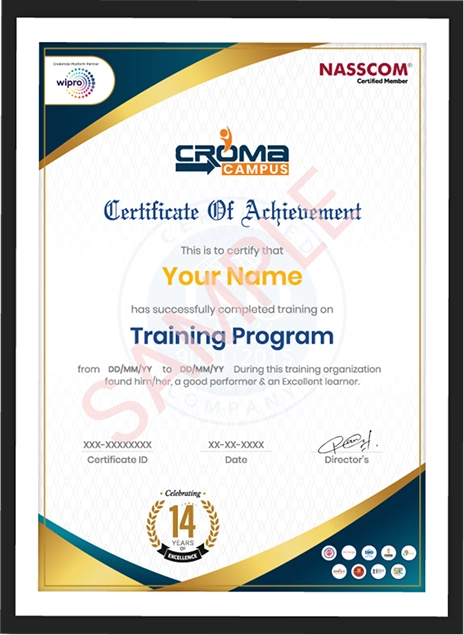
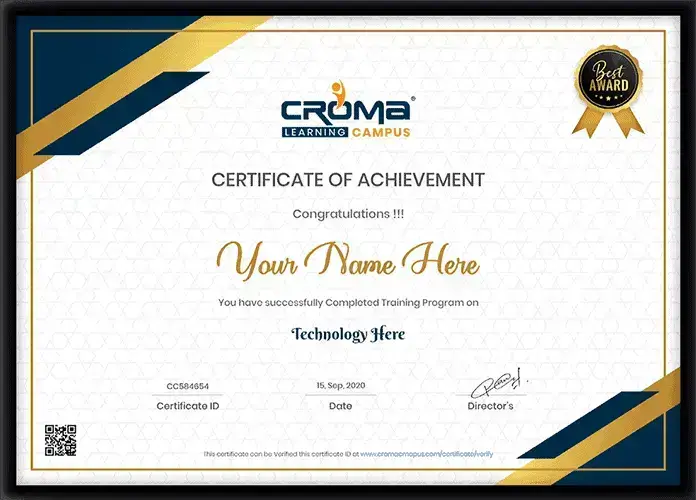
Showcase your Course Completion Certificate to Recruiters

  • checkgreenTraining Certificate is Govern By 12 Global Associations.

  • checkgreen1Training Certificate is Powered by “Wipro DICE ID”
  • checkgreen2Training Certificate is Powered by "Verifiable Skill Credentials"

in Collaboration with

dot-line
Certificate-new-file

Not Just Studying

We’re Doing Much More!

Empowering Learning Through Real Experiences and Innovation

Mock Interviews

Prepare & Practice for real-life job interviews by joining the Mock Interviews drive at Croma Campus and learn to perform with confidence with our expert team.Not sure of Interview environments? Don’t worry, our team will familiarize you and help you in giving your best shot even under heavy pressures.Our Mock Interviews are conducted by trailblazing industry-experts having years of experience and they will surely help you to improve your chances of getting hired in real.
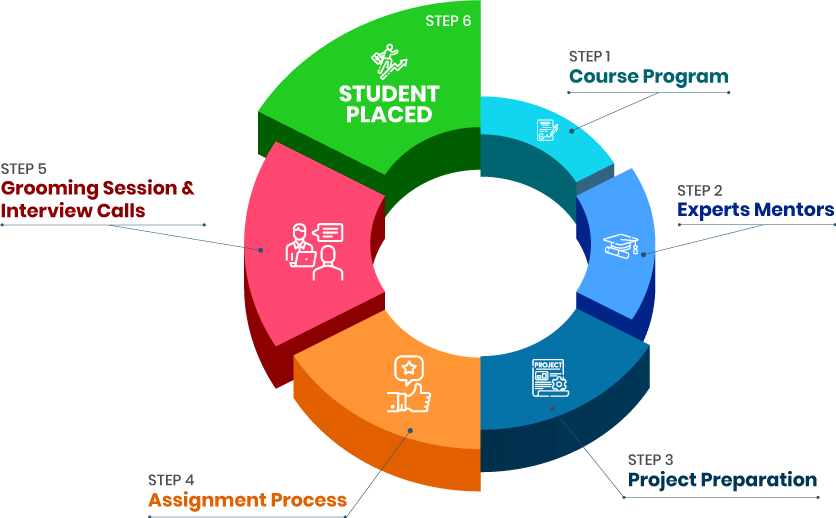
How Croma Campus Mock Interview Works?graph_new

Not just learning

we train you to get hired.

bag-box-form
Request A Call Back

Phone (For Voice Call):

‪+91-828 706 0032

WhatsApp (For Call & Chat):

+91-828 706 0032
          

Download Curriculum

Get a peek through the entire curriculum designed that ensures Placement Guidance

Course Design By

nasco wp

Course Offered By

Request Your Batch Now

Ready to streamline Your Process? Submit Your batch request today!

Students Placements & Reviews

speaker
Harikesh Panday
Harikesh Panday
speaker
Jayad Chaurasiya
Jayad Chaurasiya
speaker
Rupesh Kumar
Rupesh Kumar
speaker
Saurav Kumar
Saurav Kumar
speaker
Prayojakta
Prayojakta
speaker
Vikash Singh Rana
Vikash Singh Rana
View More arrowicon

FAQ's

Claude is an AI assistant developed by Anthropic that can help with writing, research, document analysis, reasoning and professional workflows.

Yes. It is made for non-technical professionals and does not require coding knowledge.

No. The course focuses on business tasks, documents, research, communication and workflows.

HR, sales, marketing, finance, operations, business analysts, project managers, trainers, business owners and other professionals can join.

Yes. It can help summarize, compare, extract and organize information from supported documents.

It means giving Claude clear instructions, context, examples, limits and output requirements.

Yes. It can help plan research, compare information and prepare research summaries. Important facts should still be checked.

Projects provide a dedicated workspace where users can add instructions and reference information for repeated work.

Artifacts allow users to create and work with structured outputs from Claude.

Yes, Claude can work with supported data files and help identify patterns, trends and categories. Important calculations should be checked.

Agentic AI involves systems that can perform multiple steps toward a task using available tools or actions.

No. Claude can support many tasks, but important decisions and sensitive work still require human review.

Yes. HR teams can use it for job descriptions, interview preparation, employee communication and recruitment support.

Yes. It can support content planning, competitor research, campaign ideas and marketing reports.

Yes. Sales teams can use it for prospect research, proposals, meeting summaries and follow-up messages.

Yes. The course covers hallucinations, data safety, copyright, bias, misinformation, prompt injection and human validation.

Yes. Projects include an AI productivity system, AI assistant, research report, business analysis workflow and multi-step AI workflow.

Yes. The course focuses on applying Claude to existing professional tasks and repeated workflows.

Career Assistancecareer assistance
  • - Build an Impressive Resume
  • - Get Tips from Trainer to Clear Interviews
  • - Attend Mock-Up Interviews with Experts
  • - Get Interviews & Get Hired

Our learners
transformed their careers

highest
35 Laks

Highest Salary Offered

money
50%

Average Salary Hike

building
30K+

Placed in MNC’s

setting
15+

Year’s in Training

alumini
A majority of our alumni

fast-tracked into managerial careers.

Get inspired by their progress in the

Career Growth Report.

FOR VOICE SUPPORT

FOR WHATSAPP SUPPORT

sallerytrendicon1

Get Latest Salary Trends

×

For Voice Call

+91-971 152 6942

For Whatsapp Call & Chat

+91-9711526942
newwhatsapp
1
//