








whatsapppopupnewiconGUIDE ME

Claude AI Course for IT Professionals – Learn AI-assisted coding, automation, prompt engineering, and software development workflows.

4.8 out of 5 based on 27652 votes
google4.2/5
Sulekha4.8/5
Urbonpro4.6/5
Just Dial4.3/5
Fb4.5/5

In collaboration with

400+

Corp. Tie-Ups

Online/Offline

Format

LMS

Life Time Access

Book A Free Counselling Session

we train you to get hired.

bag-box-form
Request more information_

  • Claude AI has many uses for the IT professionals who deal with programming, software testing, technical writing, APIs, databases, cloud-related work, and day-to-day tasks.
  • In this Claude AI Training for IT Professionals, we focus on practical application of Claude AI rather than just learning some basic prompts for using it.
  • The Claude AI Online Course for IT Professionals is aimed at developers, testers, DevOps engineers, cloud experts, data scientists, technical managers, and other types of IT specialists.
  • Prompt engineering, code generation, debugging, code review, test case generation, API documentation, SQL queries, technical research, and other workflows with the use of AI will be covered during training. You'll also learn how to validate the results provided by AI rather than using all the outputs provided by AI directly.
  • Claude AI Online Training for IT Professionals can help IT teams to cut down the routine work and utilize AI in their technical tasks.

Claude AI Course for IT Professionals

About-Us-Course

  • The training covers:
    • Claude AI fundamentals

      Prompt engineering for technical work

      Code generation and code explanation

      Debugging and code review

      Test case and test script generation

      SQL and database tasks

      API and technical documentation

      Git and development workflows

      Technical research

      Data and file analysis

      DevOps and cloud support tasks

      AI-assisted automation

      Claude Projects and Artifacts

      Responsible AI and data safety

      Real IT project scenarios

  • A basic understanding of computing is a sufficient prerequisite to take this course. Knowledge of programming will be very helpful for developers, testers, and IT professionals, but the course can also be tailored according to the learners IT role. The learner should have a basic understanding of his/her domain such as programming, testing, databases, cloud, networking, DevOps, or software development.

  • This training is useful for:
    • Software developers

      Full-stack developers

      Python, Java and JavaScript developers

      Software testers and QA engineers

      Automation testers

      DevOps engineers

      Cloud engineers

      Data analysts

      Data engineers

      Database professionals

      IT support professionals

      Technical project managers

      Solution architects

      System administrators

      IT students and freshers

  • Claude AI Basics for IT:
  • Learn how Claude AI works, how to give technical instructions and how to get useful output for IT tasks. You will also learn where AI responses need human checking.
  • Prompts Engineering for Programmers:
  • Understand how to craft prompts for writing code, debugging, refactoring, testing, and technical analysis. The prompts can involve coding language, frameworks, error messages, desired outputs and project requirements.
  • Coding using Claude AI:
  • Get help from Claude AI in generating code snippets, explaining codes, translating codes across languages and restructuring codes. You can work on codes in languages such as Python, Java, JavaScript and SQL.
  • Debugging and Code Reviews:
  • Feed codes and the errors to Claude and get possible debugging insights from it. Learn how to request root cause analysis, edge cases, performance optimization and code improvements.
  • Software Testing:
  • Get Claude to generate tests, test scenarios, test data and automation scripts. It can also be used to derive testing conditions out of requirements and discover missing tests.
  • SQL and Databases:
  • Use Claude for writing SQL queries, explanations of queries, joining queries, filtering queries, aggregation and other database related tasks. You can also use it to analyze the queries.
  • API and Technical Documentation:
  • Learn how to create API descriptions, request and response examples, technical notes and developer documentation. Claude can also help explain API errors and organize technical information.
  • Git and Development Workflows:
  • Use Claude to understand Git commands, review commit messages, prepare pull request descriptions and explain code changes. It can also help create development checklists.
  • Technical Research:
  • Learn how to use Claude for comparing technical approaches, understanding documentation and breaking large technical topics into smaller tasks.
  • Data and File Analysis:
  • Claude can work with supported documents and files to find information, summarize technical content and identify patterns. This is useful when working with logs, reports, requirements and technical documents.
  • DevOps and Cloud Support:
  • Use Claude for writing configuration examples, explaining deployment errors, preparing scripts and understanding cloud or DevOps concepts. AI output should always be checked before being used in production systems.
  • AI Automation and Agentic Workflows:
  • Learn how AI can be added to repeated IT workflows. Examples include ticket analysis, log summarization, documentation generation, test creation and technical report preparation.
  • Claude Projects and Artifacts:
  • Learn how Claude Projects can keep related instructions and information together. Artifacts can also be used to create and work with structured outputs, code and other technical material.
  • Responsible AI and Data Safety:
  • Understand why source-code privacy, credentials, API keys, customer data and company information should be handled carefully. Learn to remove sensitive information before sharing technical material with an AI tool.

  • Claude AI:
  • Used for coding, debugging, technical writing, research and analysis.
  • Claude Projects:
  • Useful for keeping project instructions, reference material and repeated context together.
  • Claude Artifacts:
  • Useful for creating and editing code, structured outputs and technical work products.
  • Code and Debugging Workflows:
  • Claude can support code explanation, refactoring, debugging and review.
  • File and Document Analysis:
  • Useful for requirements, technical documents, reports, logs and other supported files.
  • Prompt Engineering:
  • Helps IT professionals get more controlled and useful technical responses.

  • AI-Assisted Software Developer:
  • Use Claude for coding, debugging, refactoring, code explanation and documentation while reviewing all generated code.
  • AI-Assisted QA Engineer:
  • Create test cases, test scenarios, automation scripts and testing documentation.
  • AI-Assisted DevOps Engineer:
  • Use Claude to understand configuration files, scripts, deployment errors and repetitive operational tasks.
  • AI-Assisted Cloud Professional:
  • Use AI for cloud documentation, configuration explanations, troubleshooting steps and technical planning.
  • AI-Assisted Data Professional:
  • Use Claude for SQL, data analysis, transformation logic and technical documentation.
  • AI-Assisted IT Support Professional:
  • Use Claude to organize troubleshooting steps, summarize tickets and prepare technical responses.
  • AI-Assisted Technical Writer:
  • Create API documentation, user guides, release notes and technical explanations.

  • Claude AI is mainly a productivity skill rather than a separate job title. Salary depends on the person's main IT role, experience, technical skills, company and location.
  • A developer who uses Claude for coding, for example, is generally hired as a developer rather than only as a Claude AI professional. Adding AI skills can support work in development, testing, DevOps, data and technical documentation.

  • Claude AI skills can be useful across industries where IT teams handle software, data and technical operations, including:
    • IT services

      Software product companies

      Banking and financial technology

      Healthcare technology

      E-commerce

      Telecom

      Consulting

      SaaS companies

      Manufacturing technology

      Education technology

      Cloud and infrastructure companies

  • Module 1: Introduction to Claude AI
  • Claude AI basics, capabilities, limitations and common IT use cases.
  • Module 2: Prompt Engineering
  • Prompt structure, context, role instructions, examples, constraints and output formats.
  • Module 3: Coding with Claude
  • Code generation, explanation, conversion and improvement.
  • Module 4: Debugging
  • Error analysis, root-cause investigation, edge cases and debugging prompts.
  • Module 5: Code Review
  • Code quality, readability, security checks and possible performance issues.
  • Module 6: Software Testing
  • Test cases, test scenarios, test data and automation support.
  • Module 7: SQL and Databases
  • SQL generation, query explanation, optimization ideas and database tasks.
  • Module 8: API and Documentation
  • API descriptions, technical documentation, examples and troubleshooting notes.
  • Module 9: Git and Developer Workflows
  • Git commands, commits, pull requests, code changes and development documentation.
  • Module 10: Technical Research
  • Technical comparison, documentation analysis and structured research.
  • Module 11: DevOps and Cloud
  • Scripts, configuration explanations, deployment support and troubleshooting workflows.
  • Module 12: Projects and Artifacts
  • Claude Projects, Artifacts and structured technical work.
  • Module 13: AI Automation
  • AI-assisted workflows for development, testing, support, documentation and operations.

  • Claude AI can reduce repetitive work in many IT tasks. Instead of spending a long time writing basic documentation, creating test ideas or understanding a large block of code, IT professionals can use AI to create a starting point and then review and improve it.
  • The main value comes from knowing how to give the right technical context and how to verify the output. This makes Claude AI useful as a support tool inside normal IT workflows rather than as a replacement for technical knowledge.

Why Should You Learn Claude AI Training for IT Professionals:

Not just learning

we train you to get hired.

bag-box-form
Request more information

By registering here, I agree to Croma Campus Terms & Conditions and Privacy Policy

CURRICULUM & PROJECTS

Claude AI For IT Professionals Training Program

    What is Artificial Intelligence

    AI vs ML vs Deep Learning vs Generative AI

    Large Language Models (LLMs)

    How modern AI models work

    Introduction to Anthropic

    Claude ecosystem and model families

    Claude vs ChatGPT vs Gemini

    Strengths and limitations of Claude

    Tokens and context windows

    Multimodal AI

    Real-world IT applications of Claude

    Practical: First 20 Claude prompts

Get full course syllabus in your inbox

    Claude interface and workspace

    Conversations and chat management

    Effective instructions and context

    Asking Claude the right questions

    Working with PDFs, Word and technical documents

    Summarization, extraction and classification

    Rewriting and transformation

    Creating structured outputs

    Everyday IT productivity workflows

    Hands-on: Technical document analysis project

Get full course syllabus in your inbox

    Prompt fundamentals and anatomy of an effective prompt

    Role, context, instruction and constraint prompting

    Output formatting and structured responses

    Zero-shot and few-shot prompting

    Step-by-step reasoning concepts

    Prompt decomposition and chaining

    Self-critique and iterative prompting

    Structured prompting

    XML-based prompting

    System instructions and context management

    Claude-specific prompting principles

    Long-context prompting

    Reusable prompt templates

    Prompting for debugging and troubleshooting

    Prompting for requirements and architecture

    Prompting for testing and code review

    Prompting for logs, SQL and technical documentation

    Project: 50+ prompt professional library

Get full course syllabus in your inbox

    Research planning

    Information extraction

    Comparing multiple documents

    Technical and competitive research

    Literature and documentation review

    Creating research reports

    Fact-checking workflows

    Executive and technical summaries

    Turning unstructured information into structured knowledge

    Project: AI-powered technical research report

Get full course syllabus in your inbox

    Technical documentation

    Requirement document analysis

    User stories and acceptance criteria

    SOP and process documentation

    Meeting summaries and technical action items

    Incident and problem reports

    Release notes and change requests

    Technical emails and stakeholder communication

    Knowledge-base content creation

    Documentation transformation and repurposing

    Project: Complete AI-assisted technical documentation system

Get full course syllabus in your inbox

    Code generation, explanation, debugging, refactoring and optimization

    Requirements-to-user-story-to-code workflows

    Technical design and architecture assistance

    REST APIs and JSON

    Database design and SQL development

    Unit-test and integration-test generation

    Test-driven development with AI

    Code review and security review

    Legacy code understanding

    Claude Code fundamentals

    Working with repositories

    Repository analysis and codebase understanding

    Implementing features

    Debugging and fixing issues

    Testing and code review with Claude Code

    Documentation and README generation

    Pull-request assistance

Get full course syllabus in your inbox

    Working with CSV, Excel, JSON and technical datasets

    Data cleaning

    Data exploration

    Statistical analysis

    Finding patterns and generating insights

    Creating charts and data stories

    SQL assistance and query generation

    SQL query optimization

    Python-assisted analysis

    API response analysis

    Log-file analysis

    Error-pattern identification

    System and operational data analysis

    Business intelligence workflows

    Management and technical reports

    Project: Real-world technical dataset and log analysis

Get full course syllabus in your inbox

    Understanding Claude Projects

    Project-specific instructions

    Adding knowledge and reference documents

    Building specialized AI workspaces

    Managing large knowledge bases

    Creating reusable workflows

    Department-specific AI assistants

    IT Helpdesk knowledge assistant

    Developer knowledge assistant

    Technical documentation assistant

    Security-policy and process assistant

    Project: Specialized IT knowledge assistant

Get full course syllabus in your inbox

    What is an API

    Claude API overview

    Authentication and environment variables

    API key and secret management

    Requests and responses

    Model selection

    Parameters, tokens and usage

    Rate limits and retries

    Error handling and logging

    Python + Claude API

    JavaScript + Claude API

    Programmatic prompting

    Structured responses and structured outputs

    Streaming responses

    Tool use and function calling

    Context management

    Conversation memory

    LLM application architecture

    Basic RAG concepts

    Evaluation and testing of AI applications

    API cost optimization

    Project: Python-based Claude AI application

Get full course syllabus in your inbox

    What is Model Context Protocol (MCP)

    Why MCP was created

    MCP architecture

    MCP servers and clients

    MCP tools and resources

    Connecting Claude to external systems

    Files, databases, APIs, GitHub and business applications

    Building a basic MCP server

    Exposing tools

    Connecting external data

    Tool permissions and access control

    MCP security considerations

    Testing MCP integrations

    Project: MCP-powered IT assistant connected to external tools

Get full course syllabus in your inbox

    What is an AI Agent

    Chatbot vs AI Agent

    Agent architecture

    Tools and actions

    Planning and execution

    Multi-step workflows

    Agent state and memory

    Human-in-the-loop systems

    Tool calling

    Failure handling and guardrails

    Agent evaluation

    IT Helpdesk Agent

    Log Analysis Agent

    Code Review Agent

    Documentation Agent

    DevOps Assistant

    Incident Analysis Agent

    Testing Agent

    Project: AI-powered IT workflow automation

Get full course syllabus in your inbox

    Software Development: coding, debugging, testing and documentation

    IT Support: ticket analysis, troubleshooting and knowledge-base assistance

    DevOps: logs, configuration, deployment documentation and incident analysis

    Cybersecurity: alert investigation, security documentation and policy analysis

    Business Analysis: requirements, user stories and process analysis

    Project Management: meeting analysis, risks, status reporting and documentation

Get full course syllabus in your inbox

    AI ethics

    Privacy and confidential information

    Source-code and sensitive-data protection

    Data security and leakage prevention

    Hallucinations and human validation

    Bias and responsible use

    Copyright considerations

    Prompt injection attacks

    Tool and MCP security

    API key and secrets management

    Access control and permissions

    AI-generated code security

    Secure AI workflows

    Enterprise AI governance

    Human approval and escalation workflows

Get full course syllabus in your inbox

    Capstone 1 End-to-End AI IT Assistant

    Technical document Q&A and knowledge retrieval

    Log analysis and troubleshooting assistance

    Technical report and incident-report generation

    Agent workflow with human approval

    Security and validation controls

    Capstone 2 Claude Coding & Repository Assistant

    Requirements, code generation, debugging, testing, code review and documentation

Get full course syllabus in your inbox

+ More Lessons

Course Design By

naswipro

Nasscom & Wipro

Course Offered By

croma-orange

Croma Campus

Real

star

Stories

success

inspiration

person1

Nitin Kumar

career upgrade

person1

Sumit Sharma

career upgrade

person1

Pragati Seth

career upgrade

person1

Gautam

career upgrade

SELF ASSESSMENT

Learn, Grow & Test your skill with Online Assessment Exam to
achieve your Certification Goals

right-selfassimage
Get exclusive
access to career resources
upon completion
quote
Mock Session

You will get certificate after
completion of program

laptop
LMS Learning

You will get certificate after
completion of program

star
Career Support

You will get certificate after
completion of program

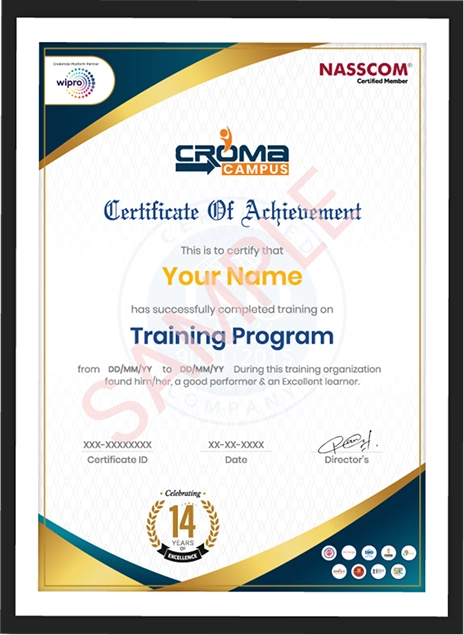
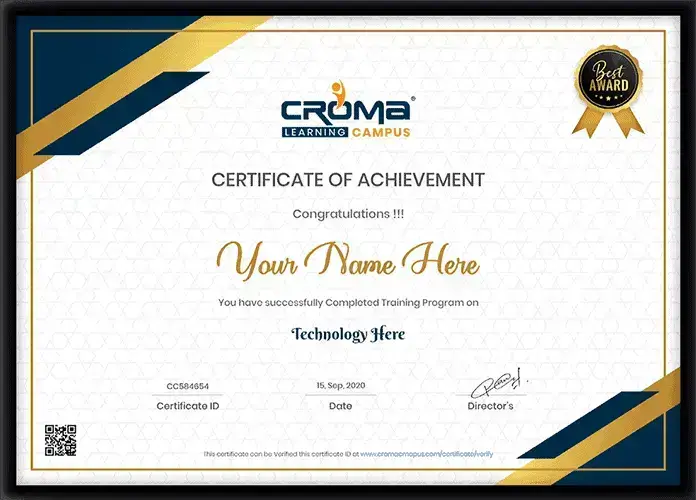
Showcase your Course Completion Certificate to Recruiters

  • checkgreenTraining Certificate is Govern By 12 Global Associations.

  • checkgreen1Training Certificate is Powered by “Wipro DICE ID”
  • checkgreen2Training Certificate is Powered by "Verifiable Skill Credentials"

in Collaboration with

dot-line
Certificate-new-file

Not Just Studying

We’re Doing Much More!

Empowering Learning Through Real Experiences and Innovation

Mock Interviews

Prepare & Practice for real-life job interviews by joining the Mock Interviews drive at Croma Campus and learn to perform with confidence with our expert team.Not sure of Interview environments? Don’t worry, our team will familiarize you and help you in giving your best shot even under heavy pressures.Our Mock Interviews are conducted by trailblazing industry-experts having years of experience and they will surely help you to improve your chances of getting hired in real.
How Croma Campus Mock Interview Works?graph_new

Not just learning

we train you to get hired.

bag-box-form
Request A Call Back

Phone (For Voice Call):

‪+91-828 706 0032

WhatsApp (For Call & Chat):

+91-828 706 0032
          

Download Curriculum

Get a peek through the entire curriculum designed that ensures Placement Guidance

Course Design By

nasco wp

Course Offered By

Request Your Batch Now

Ready to streamline Your Process? Submit Your batch request today!

Students Placements & Reviews

speaker
Kapil Sharma
Kapil Sharma
speaker
Rupesh Kumar
Rupesh Kumar
speaker
Prayojakta
Prayojakta
speaker
Mohammad Sar
Mohammad Sar
speaker
Sanchit Nuhal
Sanchit Nuhal
speaker
Harikesh Panday
Harikesh Panday
View More arrowicon

FAQ's

It teaches IT professionals how to use Claude AI for coding, debugging, testing, documentation, SQL, research and technical workflows.

Developers, testers, DevOps engineers, cloud professionals, data professionals, IT support staff and technical managers can join.

Programming knowledge is useful for coding-focused modules, but basic computer and IT knowledge is enough to start.

Yes. It can support code generation, explanation, debugging, refactoring, documentation and code review.

Yes. Testers can use it for test cases, test scenarios, automation ideas and testing documentation.

Yes, it can generate code based on the instructions and technical context provided by the user.

It can identify possible errors and suggest fixes, but developers should test and verify every suggested change.

Yes. It can generate and explain SQL queries and help analyze query logic.

Yes. It can assist with scripts, configuration explanations, troubleshooting and documentation.

Yes. It can help explain cloud concepts, configurations, errors and technical workflows.

Prompt engineering means writing clear instructions and providing the right context so an AI system can produce more useful output.

Claude Projects provide a place to keep related instructions and information together for repeated work.

Artifacts are structured outputs created during Claude conversations, including code and other technical work products.

Yes. Claude can work with supported files and documents to summarize, analyze and extract useful information.

No. It is an AI support tool. Developers still need to understand requirements, review code, test changes and make final technical decisions.

Yes. It can help freshers understand code, technical concepts, documentation and debugging examples while they continue learning the fundamentals.

Yes. Online training can help working professionals learn AI workflows without stopping their regular work schedule.

You will learn practical Claude AI use for coding, debugging, testing, SQL, APIs, documentation, DevOps, cloud, research and AI-assisted IT workflows.

Career Assistancecareer assistance
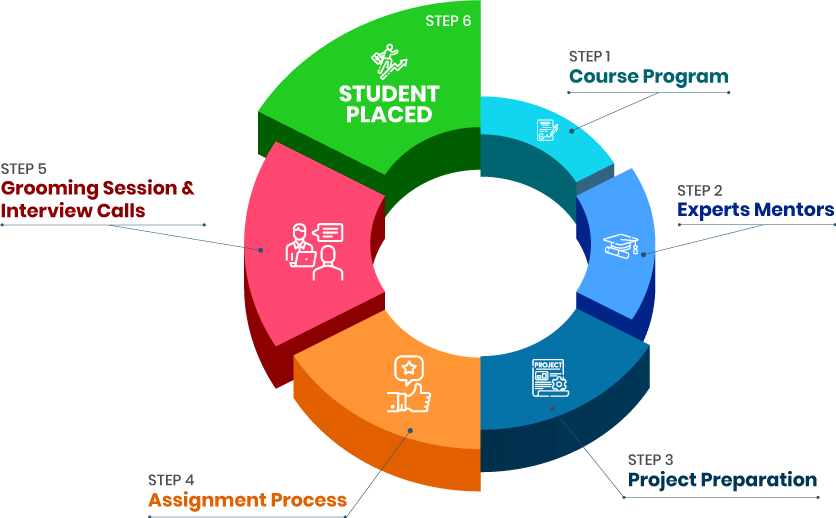
  • - Build an Impressive Resume
  • - Get Tips from Trainer to Clear Interviews
  • - Attend Mock-Up Interviews with Experts
  • - Get Interviews & Get Hired

Our learners
transformed their careers

highest
35 Laks

Highest Salary Offered

money
50%

Average Salary Hike

building
30K+

Placed in MNC’s

setting
15+

Year’s in Training

alumini
A majority of our alumni

fast-tracked into managerial careers.

Get inspired by their progress in the

Career Growth Report.

FOR VOICE SUPPORT

FOR WHATSAPP SUPPORT

sallerytrendicon1

Get Latest Salary Trends

×

For Voice Call

+91-971 152 6942

For Whatsapp Call & Chat

+91-9711526942
newwhatsapp
1
//